

AI coding agents are making reverse engineering more accessible. Developers can ask an agent to inspect an existing application, trace how a feature works, and help recreate that behavior. REA brings the inspection tools into the process.
In this article, we'll explain what REA is and how to use it, following one practical example: recovering the dinosaur game's acceleration rule and adding a speed control.
TLDR: It's Awesome!
What is REA?
REA stands for Reverse Engineer Anything. It is an open source toolkit that gives your coding agent tools to inspect existing software before rebuilding its behavior.
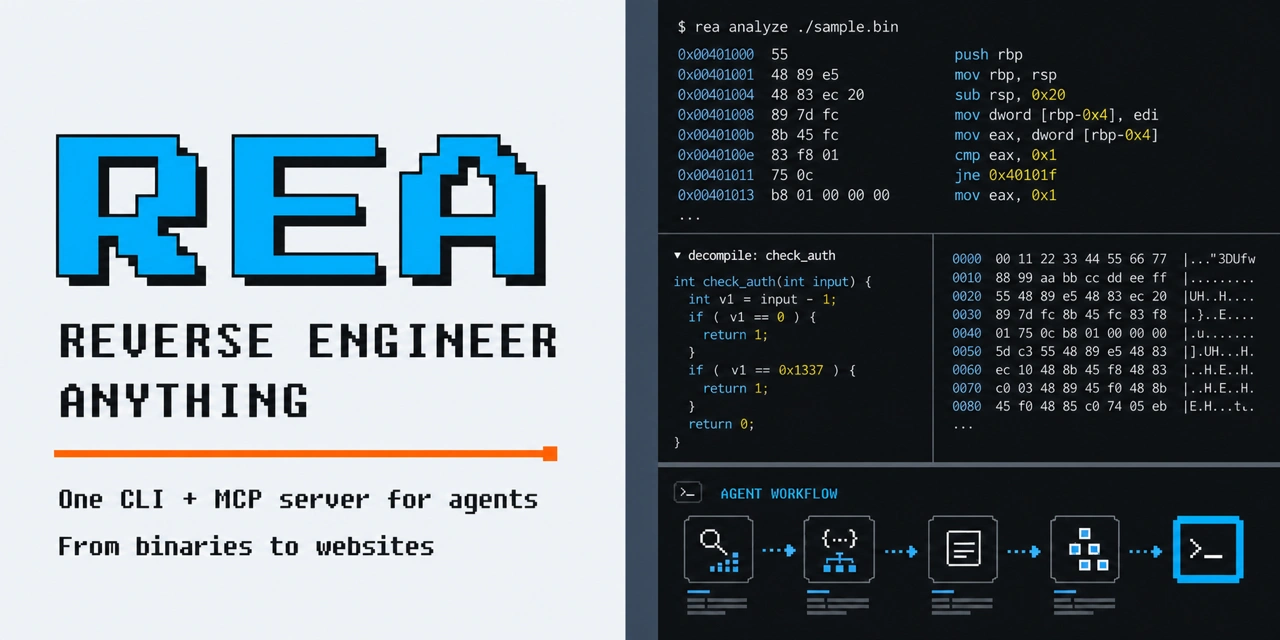
It connects agents such as Claude Code, Codex and Cursor to inspection tools through MCP. The agent can follow relevant code and examine runtime behavior.
The agent then uses those findings to explain a feature or write an implementation. MCP vs AI Agents guide explains how the connection works.
This tool has led to the rise of native open-source clones of paid tools like Adobe Photoshop, Spotify, Blender etc.

Reverse Engineering an Application
The dinosaur game gets faster until keeping up becomes the whole challenge. What if you want a practice version that stays at a speed you choose? First, you need to find what controls its acceleration.
1. Connect REA and open the game
With Node.js 24.11 or later in the 24 series and npm installed, run:
npx rea-agents@6.7.0 setup
Select your coding agent, review the setup plan, apply it and restart the agent. Then ask:
Open a separate Chrome profile with remote debugging on port 9222. Load https://wayou.github.io/t-rex-runner/. Use REA through http://127.0.0.1:9222 to inspect that page. Find the starting speed, acceleration and stopping condition in its loaded script. Show the code before changing anything.
2. Read the acceleration rule
REA can list the browser targets and inspect the selected page with script sources included. In this investigation, it returned index.js. The relevant settings are SPEED: 6, ACCELERATION: 0.001 and MAX_SPEED: 13.
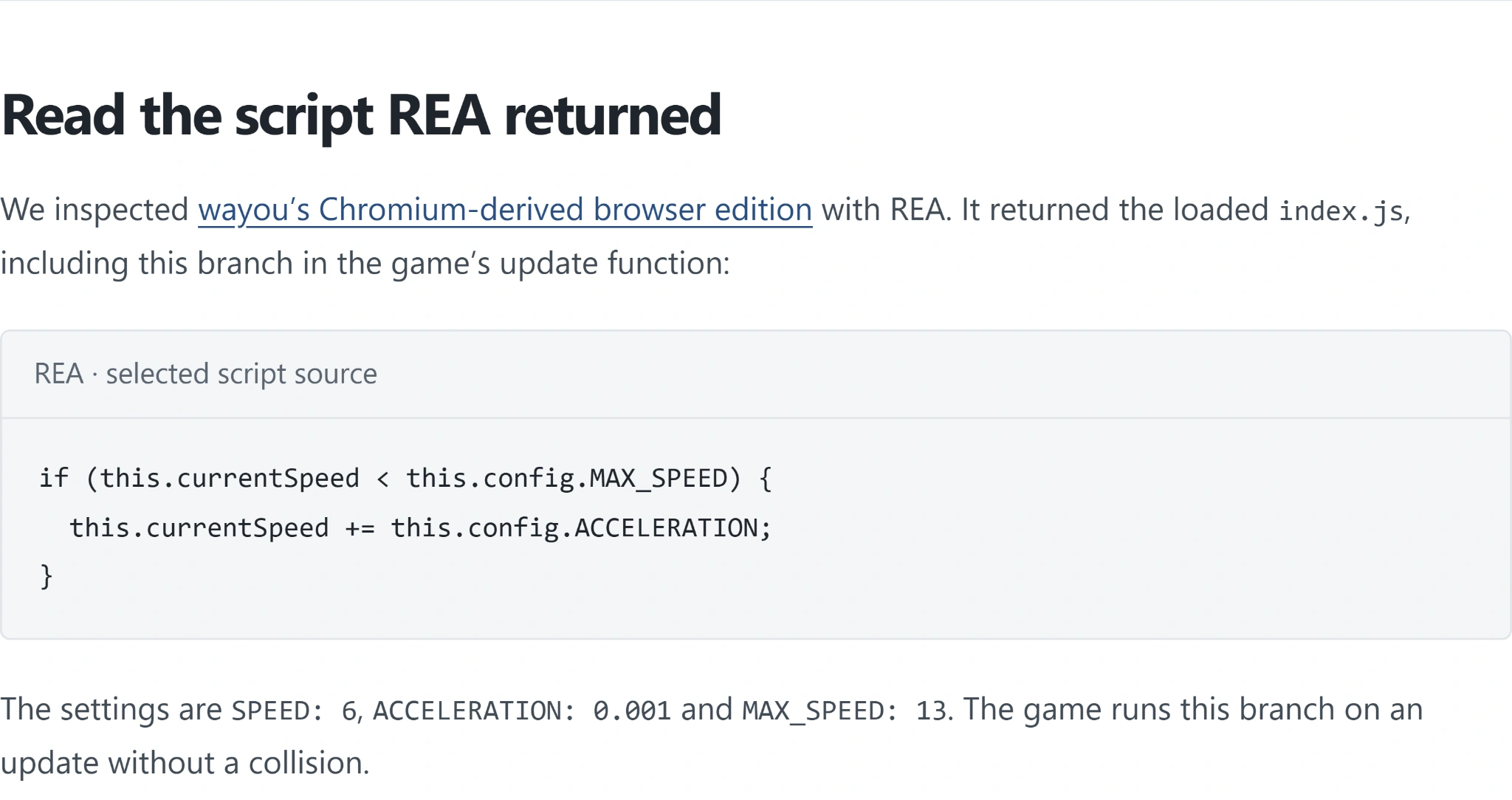
The recovered branch adds acceleration while the current speed is below the threshold.
Each collision free update adds 0.001 while speed is below 13. That is an increment per update, not per second. These are the two details the practice version must preserve: when the increment happens and when it stops.
3. Check the rule before rebuilding it
The documented investigation separately called the original game's update function with obstacles and automatic scheduling disabled. Its recorded speeds provide a comparison for the recovered rule.
After 4,000 updates, speed is 10.000. After 10,000, it is 13.001. The small overshoot occurs because the condition checks the speed before adding the next increment. Replacing it with a hard clamp at 13 would change that behavior.
The lab's Run the speed check button repeats the reconstruction replay against those recorded values. It does not rerun the original game.
4. Add a fixed speed mode
Now give the agent one follow up:
Build a small dinosaur practice game using the recovered acceleration rule. Add a speed slider. Moving it should select a fixed speed; selecting automatic acceleration should restart at 6 and use the original update rule.
The published reconstruction has those controls. Move its slider to 4, press Play, then Jump. The speed stays at 4.0 with automatic acceleration unchecked. Selecting the recovered rule restores the gradual increase.
The practice game running at a fixed speed of 4.0, with automatic acceleration disabled.
Applications of REA Beyond Games
REA isn't limited to games. The same process can help you understand existing software before debugging, extending or rebuilding a feature.
- Desktop applications: Trace an export or clipboard operation through an Electron app to find which code handles it and where the data goes.
- Web applications: Inspect loaded JavaScript and network requests to understand what happens behind a button, calculation or interaction.
- Legacy software: Investigate compiled programs to understand calculations or behavior when the original source code is unavailable.
Start with one feature and ask for the code or evidence behind the explanation. Then use those findings to build and check your implementation, just as we did with the dinosaur game's speed rule.
Conclusion
The problem is solved: a practice game can preserve the inspected acceleration or hold a chosen pace. Only the speed mechanic was recovered; the demo's graphics, jumping and collision checks are newly written.
Frequently Asked Questions
Does this require Ghidra?
No. This investigation reads a browser page's JavaScript.
Does it use chrome://dino?
No. It uses the public HTTP edition specified in the prompt.
Why does speed reach 13.001?
The code checks the threshold before adding the next increment.
Was the whole game reverse engineered?
This walkthrough recovers and checks the acceleration mechanic.