

MCP and AI agents often appear together, but they solve different problems. An AI agent plans and acts toward a goal, while MCP gives it a standardized way to access tools and live data.
Agents can work without MCP, and MCP can support simple assistants too. This guide explains how they differ, where they overlap, and when you need one, the other, or both.
QUICK ANSWER An AI agent owns the decision loop. MCP owns a connection contract between an AI application and external systems. Use both when a goal-driven agent must work across tools you want to connect consistently.
MCP vs AI Agents at a Glance
| Question | MCP | AI agent |
|---|---|---|
| What is it? | An open connection protocol | A goal-driven software system |
| Main job | Expose tools, data and prompts | Choose and execute steps |
| Owns decisions? | No | Yes, within its instructions |
| Contains a model? | Not necessarily | Usually |
| Can take action? | A server can expose actions | The agent decides when to call them |
| Reusable unit | One server across compatible clients | One workflow across repeated tasks |
What Is MCP?
The Model Context Protocol is an open standard for connecting AI applications to external systems. Instead of writing a different integration for every model and app, a compatible client can discover what an MCP server exposes and call it through a shared interface.
MCP focuses on context exchange. It does not tell the application how to reason, plan, remember or approve work. That boundary is the entire comparison.
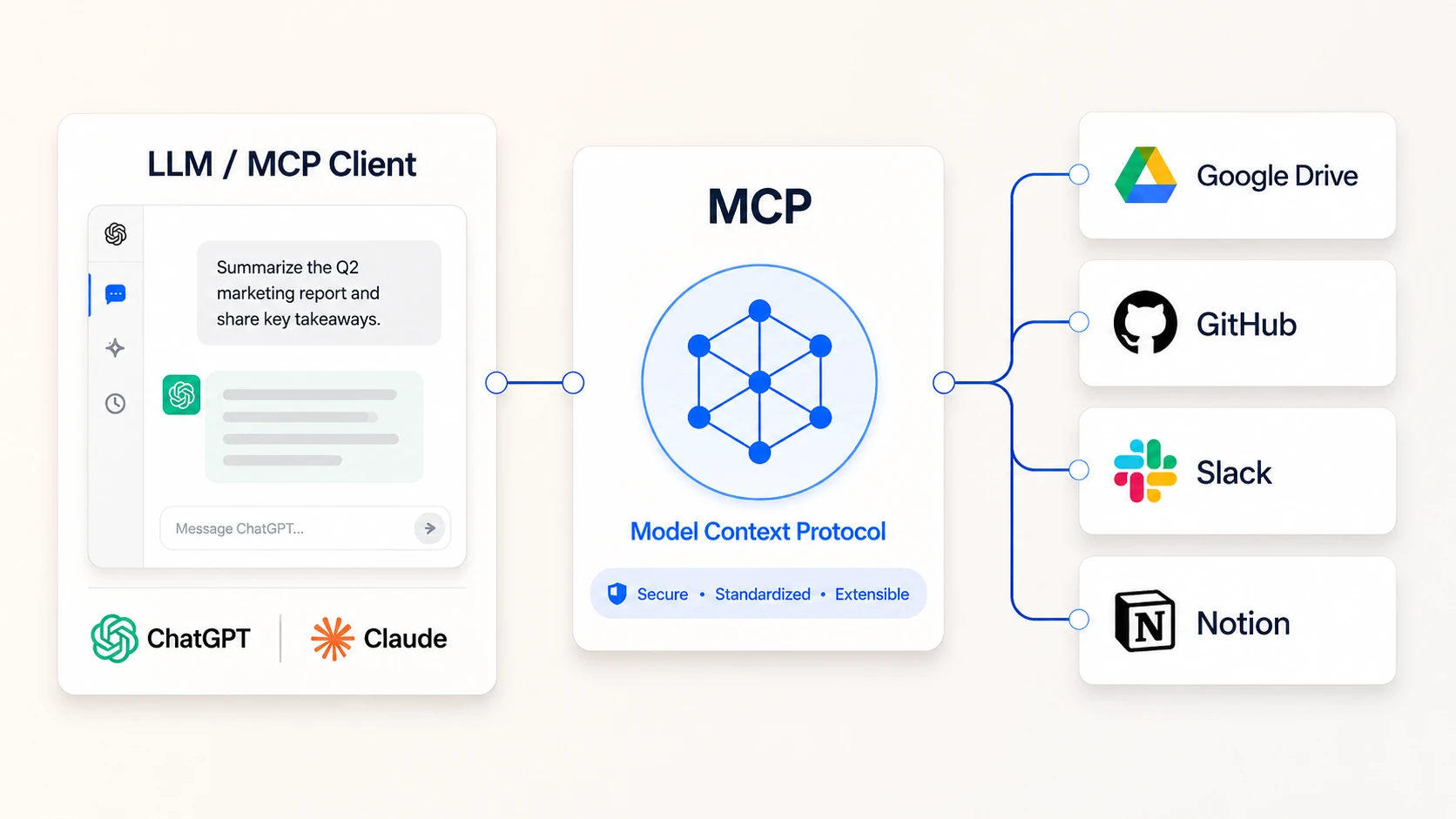
What MCP Actually Standardizes
| Capability | What it carries | Example |
|---|---|---|
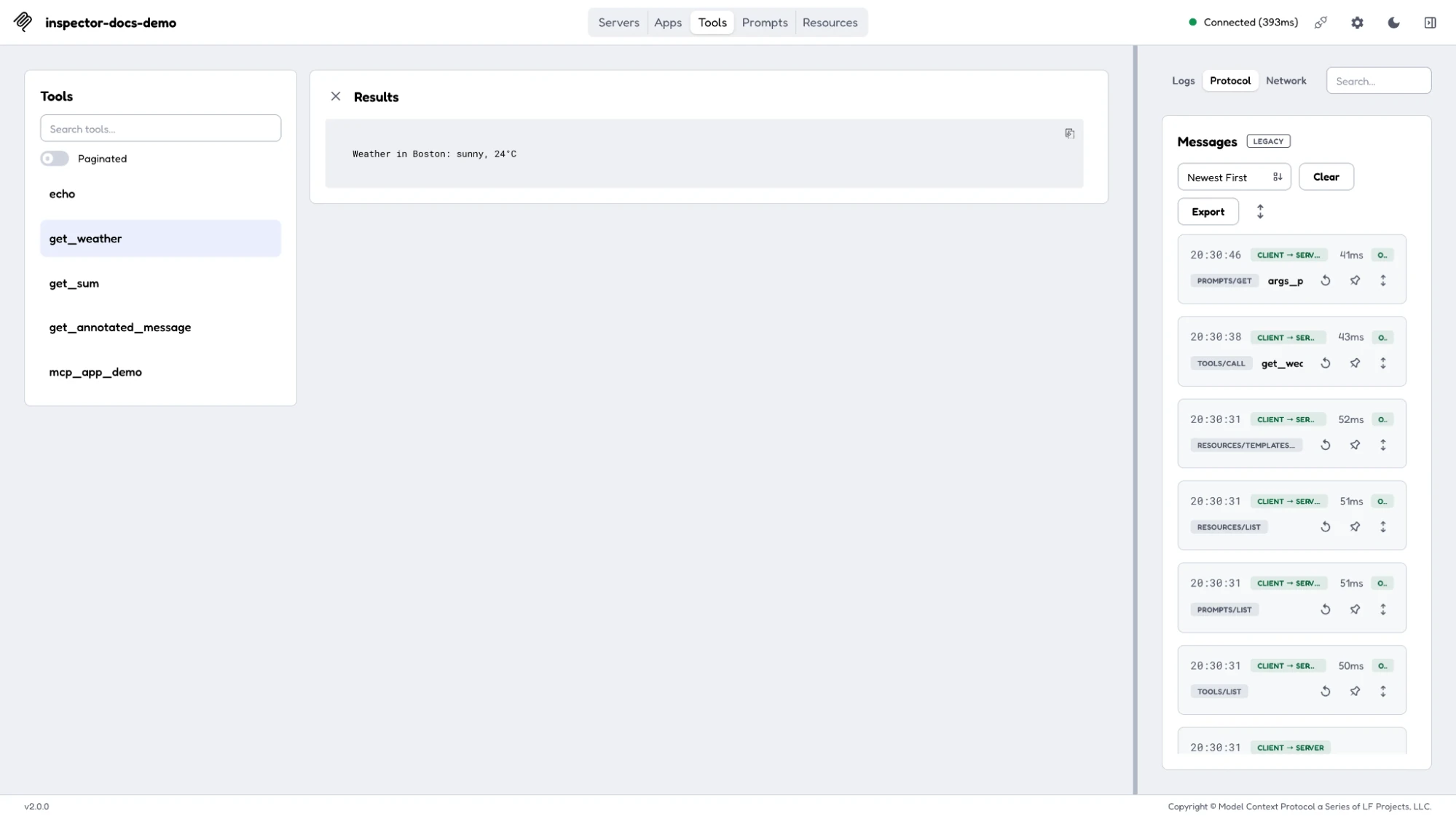
| Tools | Callable actions with defined inputs | Create a ticket or query an order |
| Resources | Readable context or data | A policy file or database record |
| Prompts | Reusable instruction templates | A standard incident-review prompt |
The server describes what is available. The host decides what enters the model's context, whether a call needs approval and how the result appears to the user.
What MCP Does Not Do
- Set the goal: MCP does not decide what outcome the user wants.
- Plan the work: It does not choose a sequence of steps or specialists.
- Judge success: It does not decide whether the result is good enough.
- Own safety: Authentication helps, but the host still needs permissions, approvals and logs.
What Is an AI Agent?
An AI agent is an application that can pursue a goal across multiple steps. It combines a model with instructions, tools, state and control logic. The model proposes what to do next. The surrounding runtime decides what is allowed, executes tools, stores progress and stops or escalates the run.
SIMPLE TEST If the system can choose a next step, observe the result and adapt, it is behaving like an agent. If it only returns one answer, it is closer to an assistant.
The Agent Loop
- Receive: Take a goal, trigger or new piece of context.
- Reason: Choose the next useful action within the rules.
- Act: Call a tool, delegate work or produce an artifact.
- Observe: Read the result and update the working state.
- Stop or continue: Finish, retry safely or ask for help.
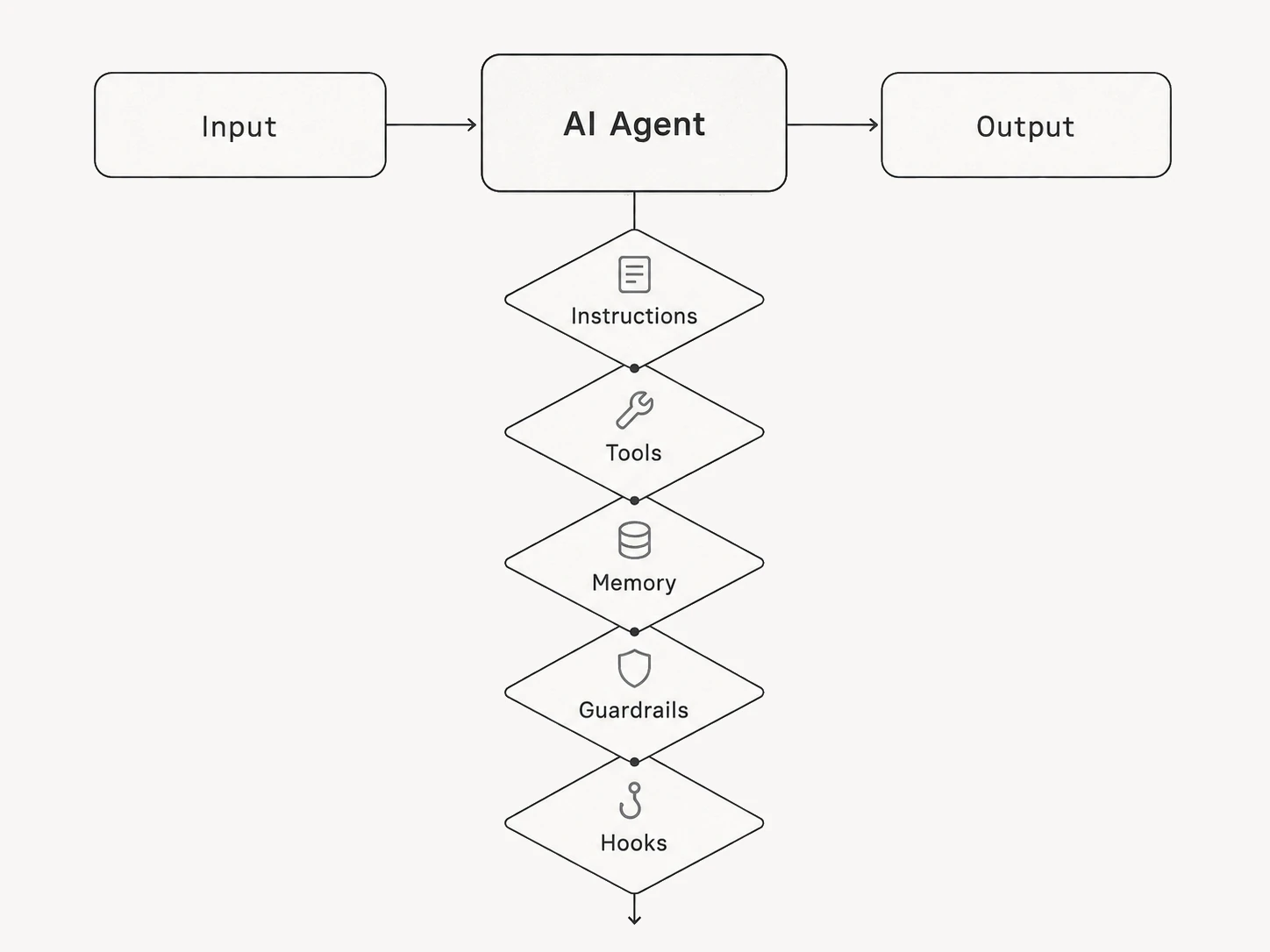
Agents Are Defined by the Loop, Not the Label
| If the system... | It is usually... |
|---|---|
| Answers once and stops | A chatbot or AI assistant |
| Follows the same fixed path every time | Workflow automation |
| Chooses steps, uses tools and checks outcomes | An AI agent |
Autonomy is not all-or-nothing. A useful agent can still be narrow: classify a request, check two systems, propose one action and wait for approval. More freedom is not automatically better.
One Agent or Many?
Use one agent until the job develops clear specialist boundaries. Multiple agents help when tasks need different instructions, tools or approval rules. Otherwise, they add handoffs without adding quality.
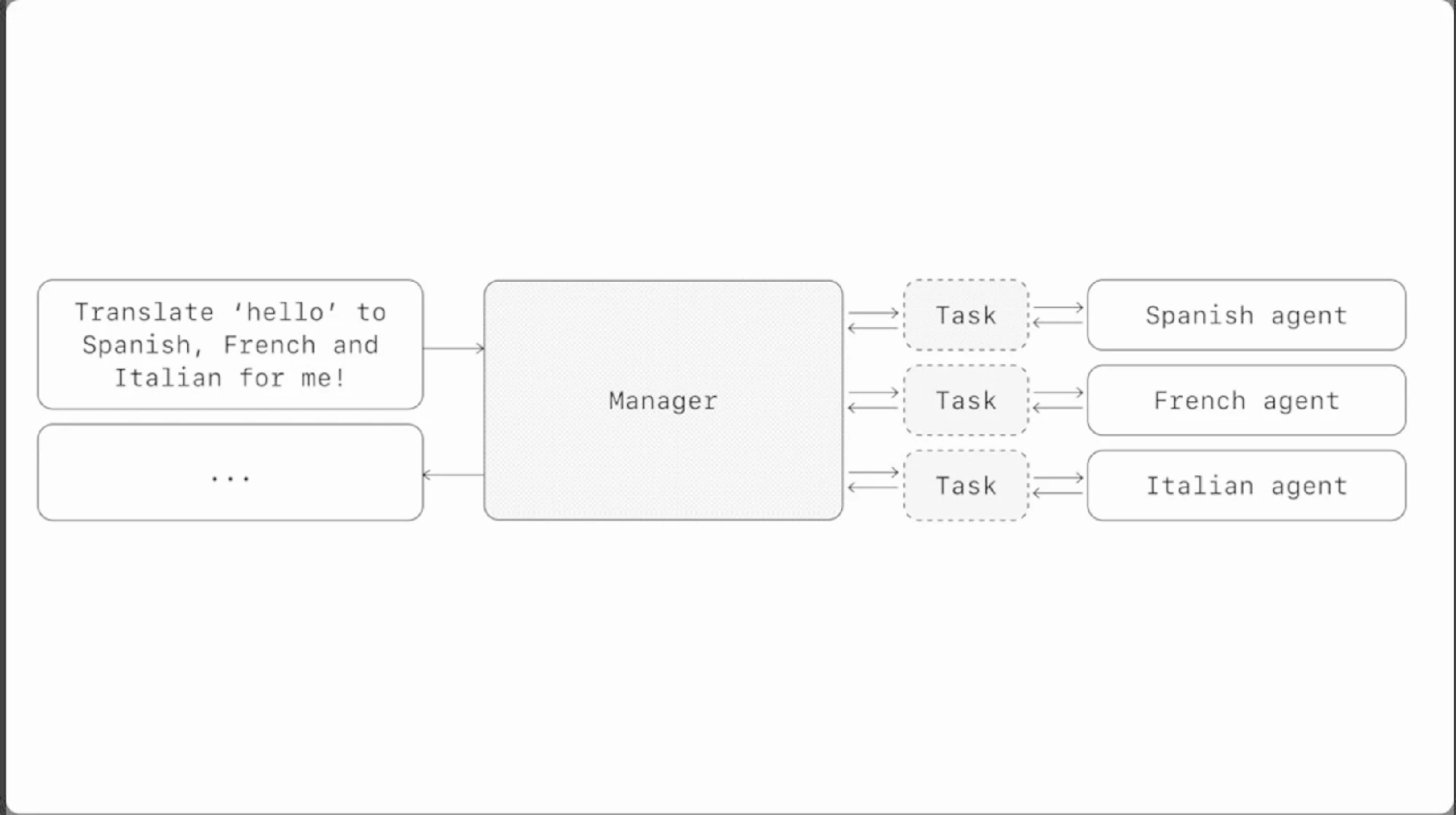
A manager pattern is useful when specialists have distinct jobs. It is wasteful when one well-scoped agent can finish the task.
RULE OF THUMB Split agents by responsibility, not for theatre. Every handoff should reduce confusion or risk.
How MCP and AI Agents Work Together
The agent sits above the connection layer. It decides that it needs a customer record, a calendar slot or a file. The MCP client discovers the relevant server capability, sends the structured request and returns the result. The agent then decides what to do next.
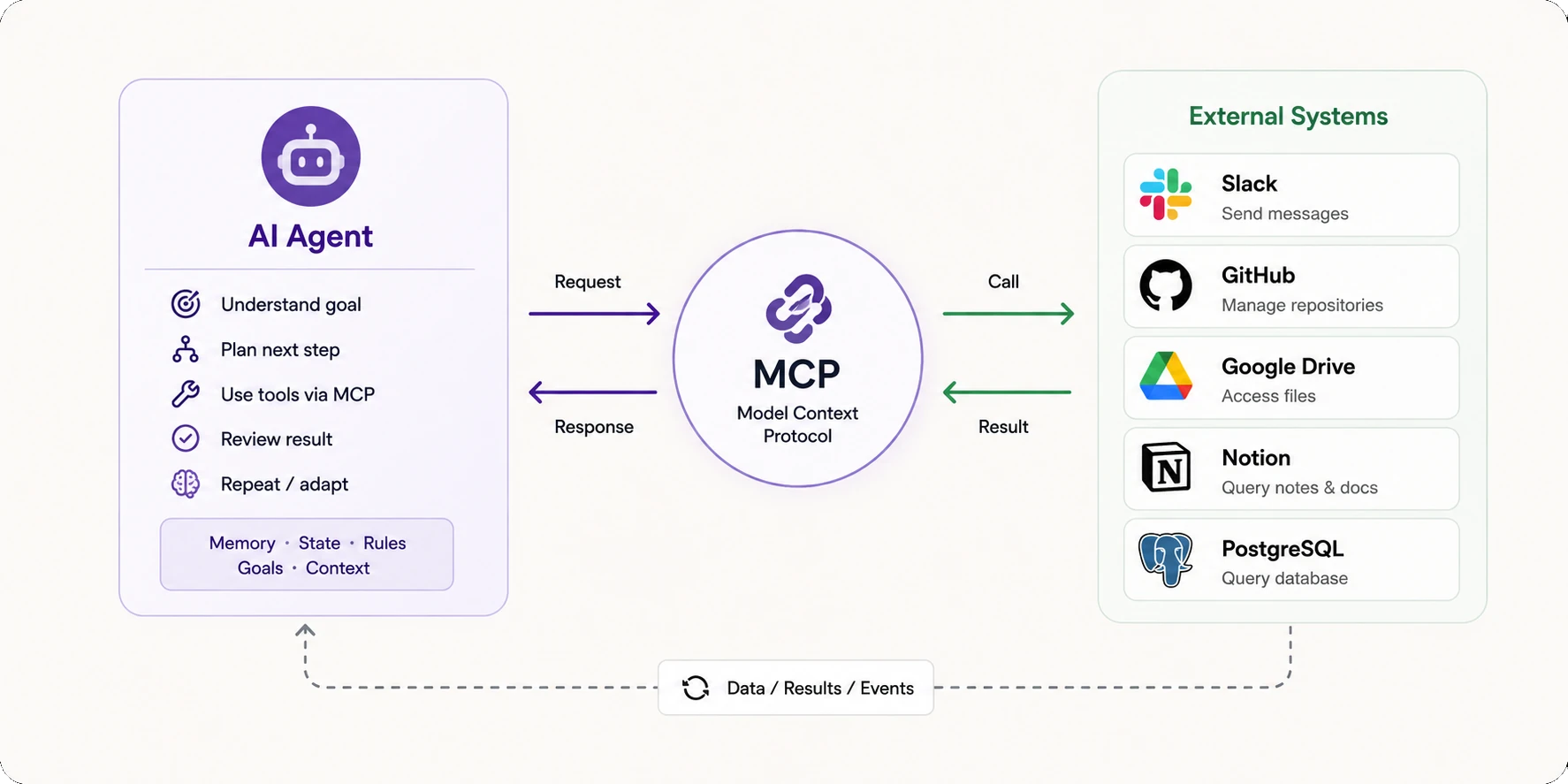
The agent owns the decision loop. MCP carries calls and results between the runtime and connected systems.
The Runtime Flow
1. Goal: The user asks for an outcome, not a tool call.
2. Decision: The agent chooses the next useful capability.
3. Connection: The MCP client discovers and calls the server.
4. Result: The server returns data, an error or action output.
5. Verification: The agent checks the result and continues, stops or escalates.
CRUX MCP makes capabilities portable. The agent makes use of them.
Worked Example: A Customer-Support Agent
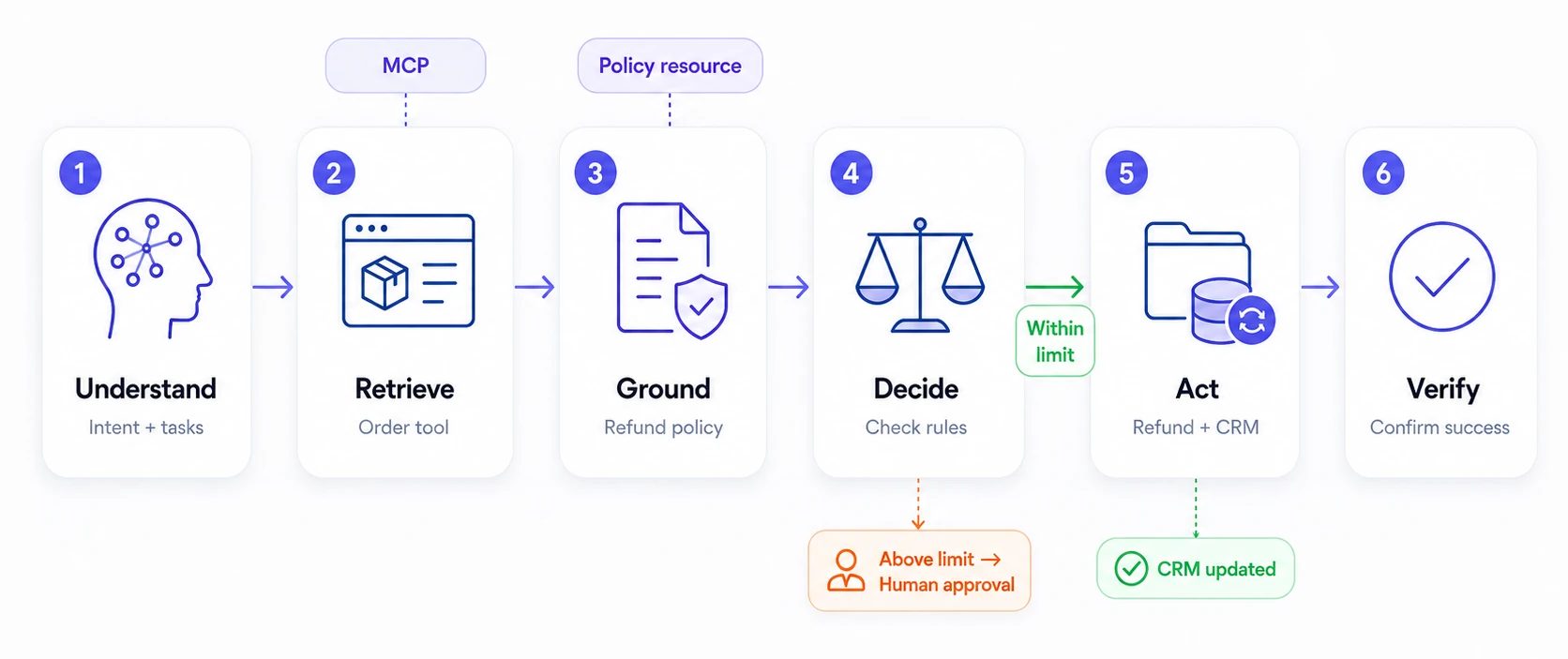
A customer asks, 'Where is my order, and can I get a refund if it is late?' One request touches intent, policy, live order data and a potentially costly action.
Step 1: Understand
The agent identifies two jobs: track the order and assess refund eligibility.
Step 2: Retrieve
It calls an order-system tool through MCP and reads the current shipment state.
Step 3: Ground
It loads the approved refund policy as a resource instead of guessing from memory.
Step 4: Decide
It compares the facts with the policy. A refund above the set limit triggers human approval.
Step 5: Act
After approval, it calls the permitted refund tool and records the case in the CRM.
Step 6: Verify
It confirms both actions succeeded before sending the customer a final answer.
When You Need MCP, an Agent or Both
| Need | Start with |
|---|---|
| Let an assistant read one external data source | MCP or a direct connector |
| Run a fully fixed if-this-then-that process | Traditional automation |
| Make one bounded function call | Native tool calling or an API |
| Handle a variable, multi-step task | An AI agent |
| Reuse the same capabilities across compatible clients | MCP |
| Run variable work across several connected systems | An agent plus MCP |
START SMALLER Use a direct API for one stable integration. Add an agent when the path must adapt. Add MCP when reusable tool access becomes the problem.
Takeaway
MCP is plumbing. An AI agent is the worker using it.
Neither replaces the other, and neither is mandatory for every build. Start with the job. Add an agent when the path needs judgment. Add MCP when connections need to be reusable. Use both when adaptive work must cross several systems without turning every integration into a new engineering project.
Frequently Asked Questions
Is MCP an AI agent?
No. MCP is a connection protocol. An agent is a goal-driven application that can use MCP capabilities.
Do AI agents need MCP?
No. Agents can use native tools, function calls or direct APIs. MCP helps when portability and reuse matter.
Can MCP work without an agent?
Yes. A simple assistant can use MCP to retrieve data or call a tool without running an autonomous loop.
Is an MCP server the same as an API?
No. An MCP server can wrap APIs and expose them through a standard interface designed for AI clients.