

TLDR: ChatGPT Images 2.0 runs on OpenAI's new gpt-image-2 model, the first image model with a native reasoning loop. It renders sharp multilingual text, edits with localized inpainting, and holds character consistency across up to eight images from one prompt.
AI image generation stopped being a novelty and became production tooling. On April 21, 2026, OpenAI shipped ChatGPT Images 2.0, powered by gpt-image-2. It replaced GPT Image 1.5 as the default model across ChatGPT, Codex, and the API.
The headline change is a reasoning step that plans each image before it renders. We break down the architecture, the hard specs, the benchmark numbers, and a live test in this article.
The Architectural Shift: Why This Engine Thinks Before It Draws
Old image tools bolted two systems together:
- A language model reads your prompt
- It passed that text to a separate diffusion model
The handoff dropped context, so layouts and in-image text broke.
gpt-image-2 collapses the pipeline. Text and pixels move through one network, and a reasoning pass runs first. The model decomposes the prompt, plans the layout, counts objects, and checks the result against your constraints before it renders. This is the real 2.0 story, not the resolution bump.
It ships in two modes. Instant mode brings the quality jump to every ChatGPT user, including the free tier. Thinking mode adds the full reasoning loop plus live web search, so the model can pull current logos, prices, or event dates into an image. Thinking mode is limited to Plus, Pro, Business, and Enterprise plans.
How It Compares to GPT Image 1.5 and Nano Banana 2
The real predecessor is GPT Image 1.5, not DALL-E 3. Both DALL-E 2 and DALL-E 3 retire on May 12, 2026, which makes the GPT Image line the only migration path inside OpenAI's stack.
| Feature | GPT Image 1.5 (previous default) | gpt-image-2 (Images 2.0) |
|---|---|---|
| Reasoning | None. Generates directly from the prompt | Native thinking pass before render |
| Typography | Frequent errors on dense or non-Latin text | Around 95% accuracy across non-Latin scripts |
| Editing | Full re-render of the whole image | Localized inpainting on the edit endpoint |
| Batch output | One image per prompt | Up to 8 consistent images per prompt |
| Live data | None | Web search folded into the image (Thinking mode) |
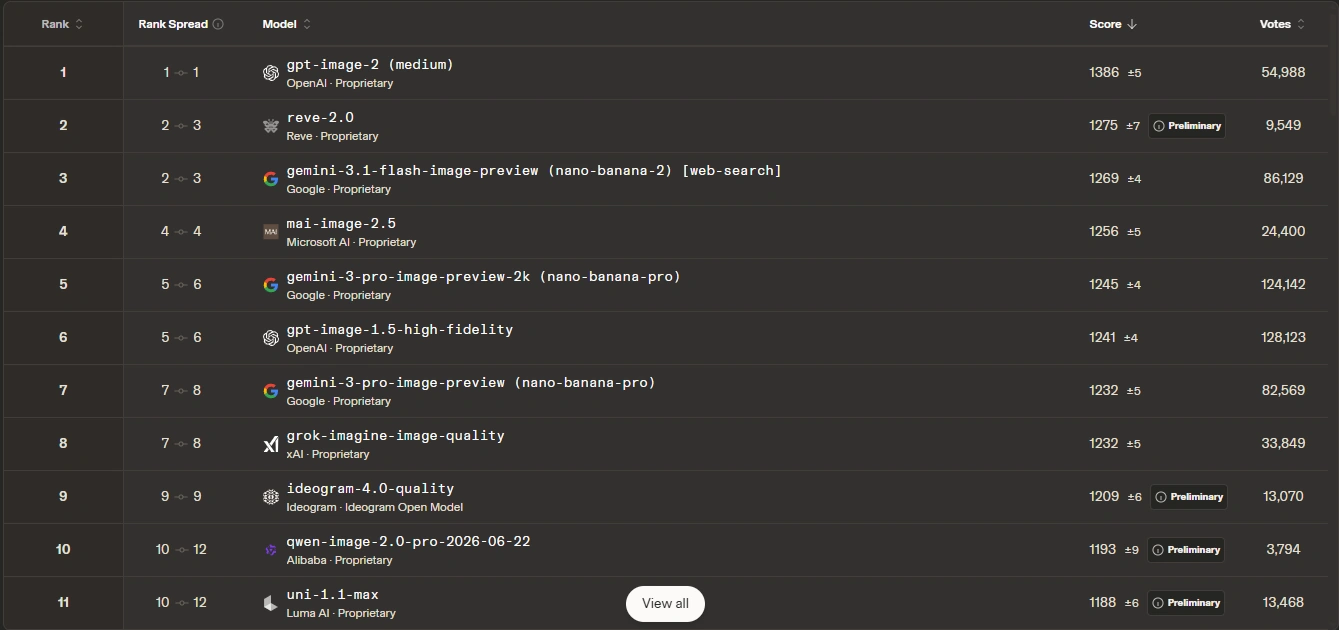
The closest current rival is Nano Banana 2 (Google's Gemini 3.1 Flash Image). At launch, gpt-image-2 took the top spot on the LM Arena image leaderboard with a 1,512 Elo, a 242-point gap over Nano Banana 2 at 1,360. That is the widest lead the board has recorded. OpenAI tested it there under the codename "duct tape." Nano Banana 2 still competes on photorealism and runs cheaper on large batches. gpt-image-2 wins on text density, in-chat editing, and prompt fidelity.
The Specs That Matter
The marketing skips the numbers. Here they are.
- Model name: gpt-image-2 (snapshot
gpt-image-2-2026-04-21). - Resolution up to 4K, with the longest edge at 3840px.
- Aspect ratios from 3:1 wide down to 1:3 tall.
- Up to 8 consistent images from a single prompt.
- Token-based API pricing, roughly $0.006 to $0.21 per 1024x1024 image by quality tier.
- Latency around 10 to 20 seconds at higher quality, because of the reasoning step.
- Model world knowledge current to December 2025, with web search to fill the gap (which we’ll put to test later).
Testing ChatGPT Image 2
I’d be testing GPT Image 2 on three separate tests, each aimed at a different claim.
- Test one is a live product-banner pipeline that chains generation, editing, and outpainting.
- Test two stresses dense in-image text with a multi-panel infographic.
- Test three checks the reasoning loop and live web search.
Hands-On 1: Product Banner Pipeline
This test runs as a single continuous pipeline. The three steps below execute in sequence, and each one edits or expands the previous output rather than starting fresh. Thinking mode adds a wait of roughly 10 to 20 seconds per generation.
Step 1: Set the Foundation
Use structural commands, not vague buzzwords. Specify light paths and surface physics instead of "hyper-detailed."
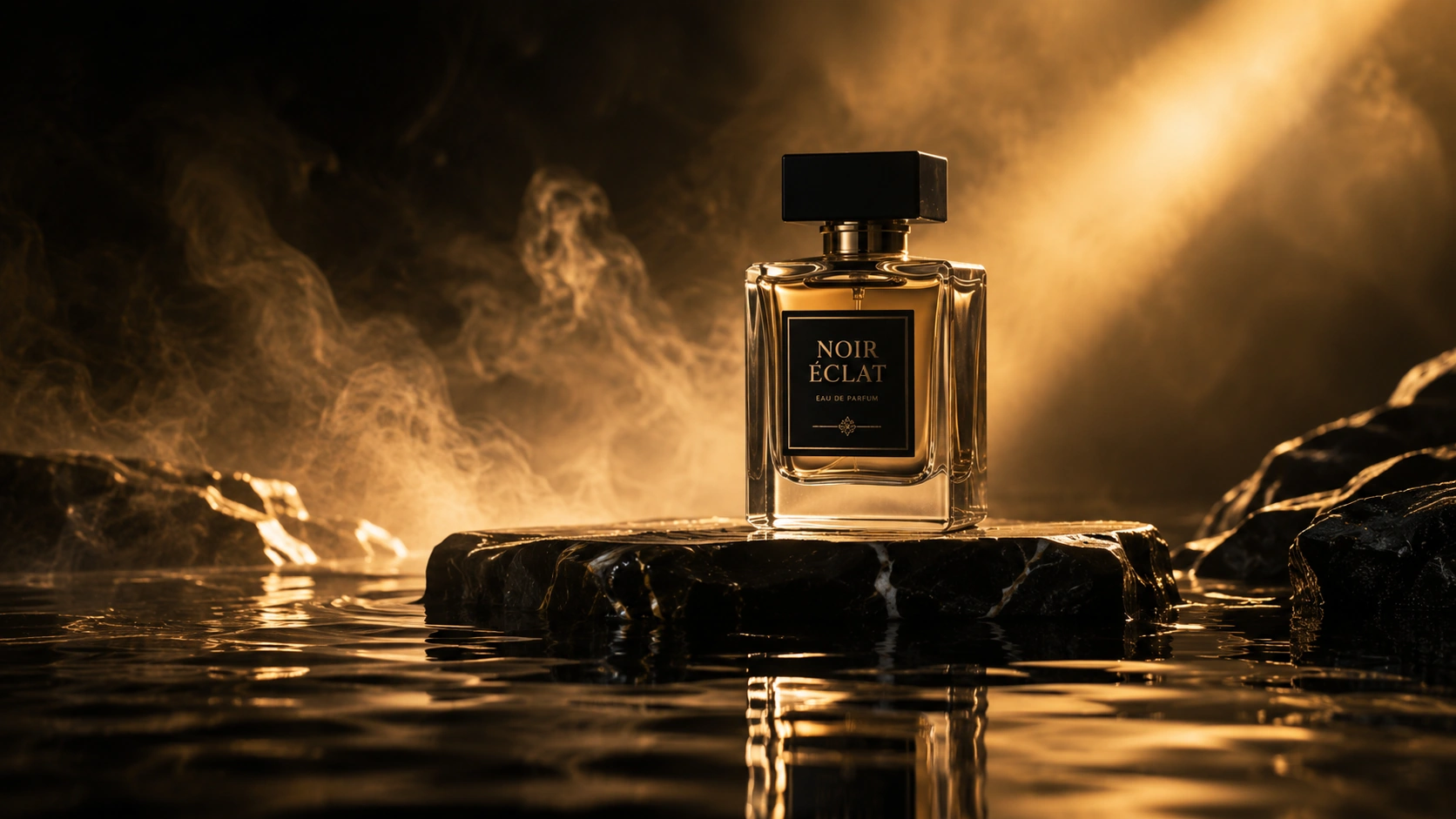
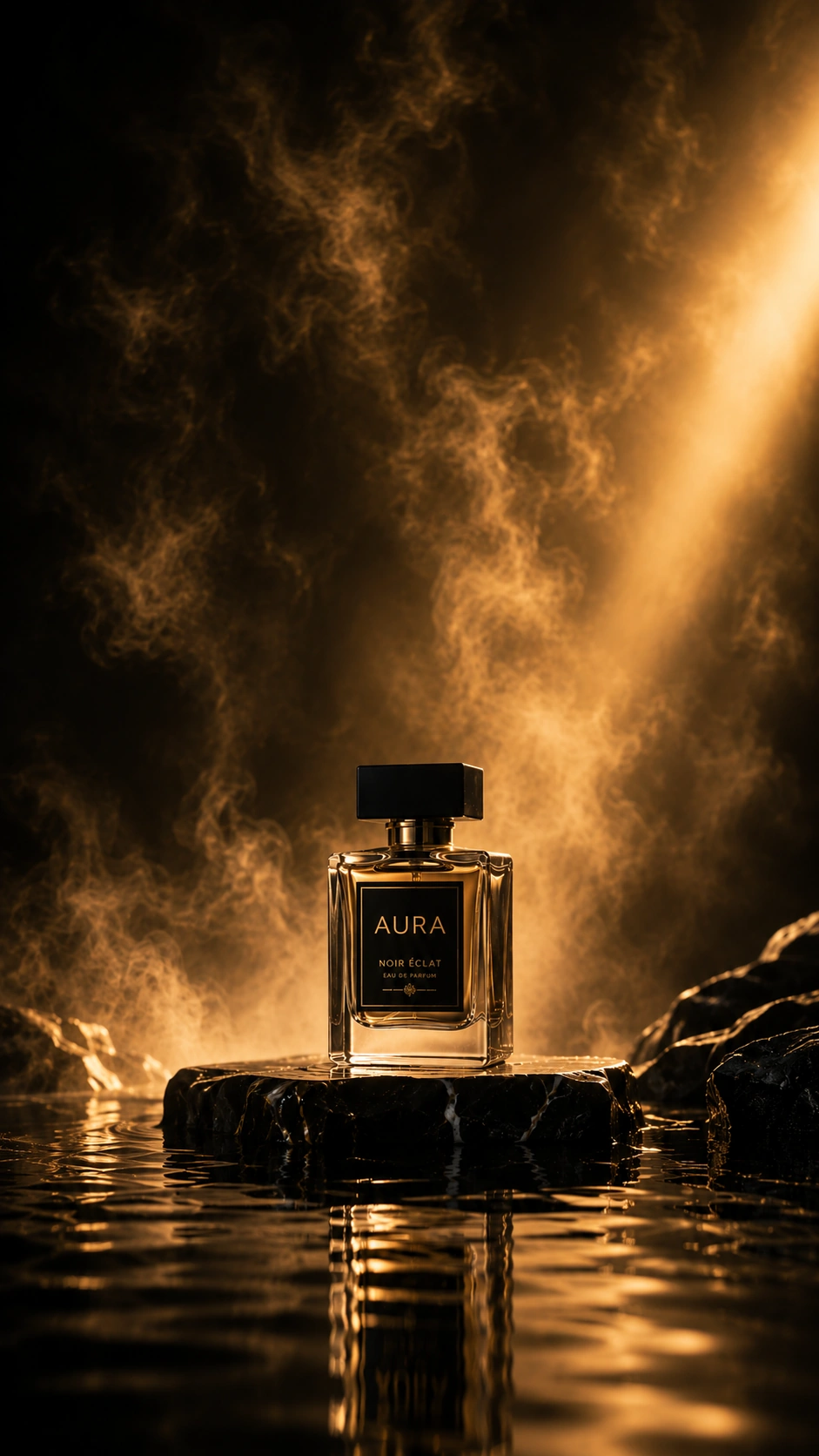
Base prompt: A cinematic studio shot of a sleek glass perfume bottle. The bottle rests on a black marble slab. Soft golden backlighting cuts through thin mist. The foreground shows clean water reflections. Scale the canvas to a 16:9 widescreen layout.
The first render landed the composition and the reflections on one pass. The clean marble and mist held without artifacts.
Step 2: Apply the Text Overlay
Now we edit the existing image rather than regenerate it. This is the inpainting endpoint in action.
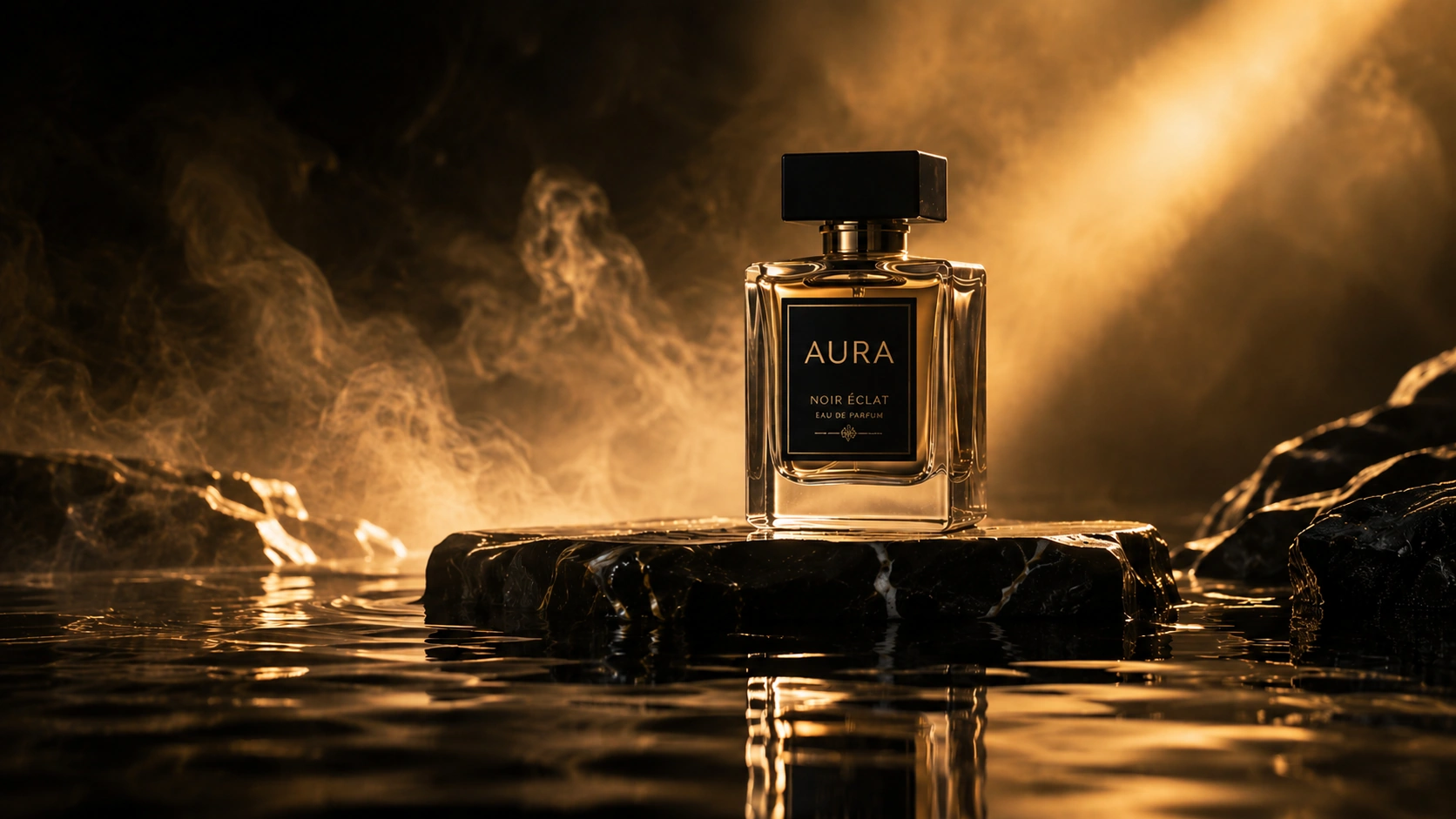
Edit prompt: Modify the painted area on the glass bottle. Add the brand word "AURA" in clean matte-gold letters. Ensure the text reflects the golden backlighting naturally.
The label rendered legibly and picked up the backlight, and the rest of the bottle stayed untouched. This is the test that broke every prior model: readable, styled text placed on a curved surface.
Step 3: Scale for Multi-Platform Delivery
Finally we expand the frame to a vertical format without losing the subject. Outpainting fills the new space.
Expansion prompt: Shift the layout into a 9:16 vertical scale. Expand the misty background upwards. Maintain the exact bottle position, lighting balance, and logo style below.
The subject stayed locked while the mist extended upward to fill the taller canvas. One base asset produced a matching story-format variant.
Hands-On 2: Dense-Text Infographic
This test is unrelated to the banner. It is a fresh single-prompt generation that stresses dense, multi-panel text, which is where every older model fell apart. One word on a bottle proves nothing. A full infographic does.
Prompt: A clean 3-panel vertical infographic titled "THREE MODES OF GPT-IMAGE-2." Panel 1 header "INSTANT," body text "Free tier. Fast render. No reasoning step." Panel 2 header "THINKING," body text "Paid tiers. Plans the layout. Searches the web." Panel 3 header "BATCH," body text "Up to 8 images. One prompt. Consistent subject." Dark navy background, gold headers, white body text, clean sans-serif, generous spacing. 4:5 portrait.
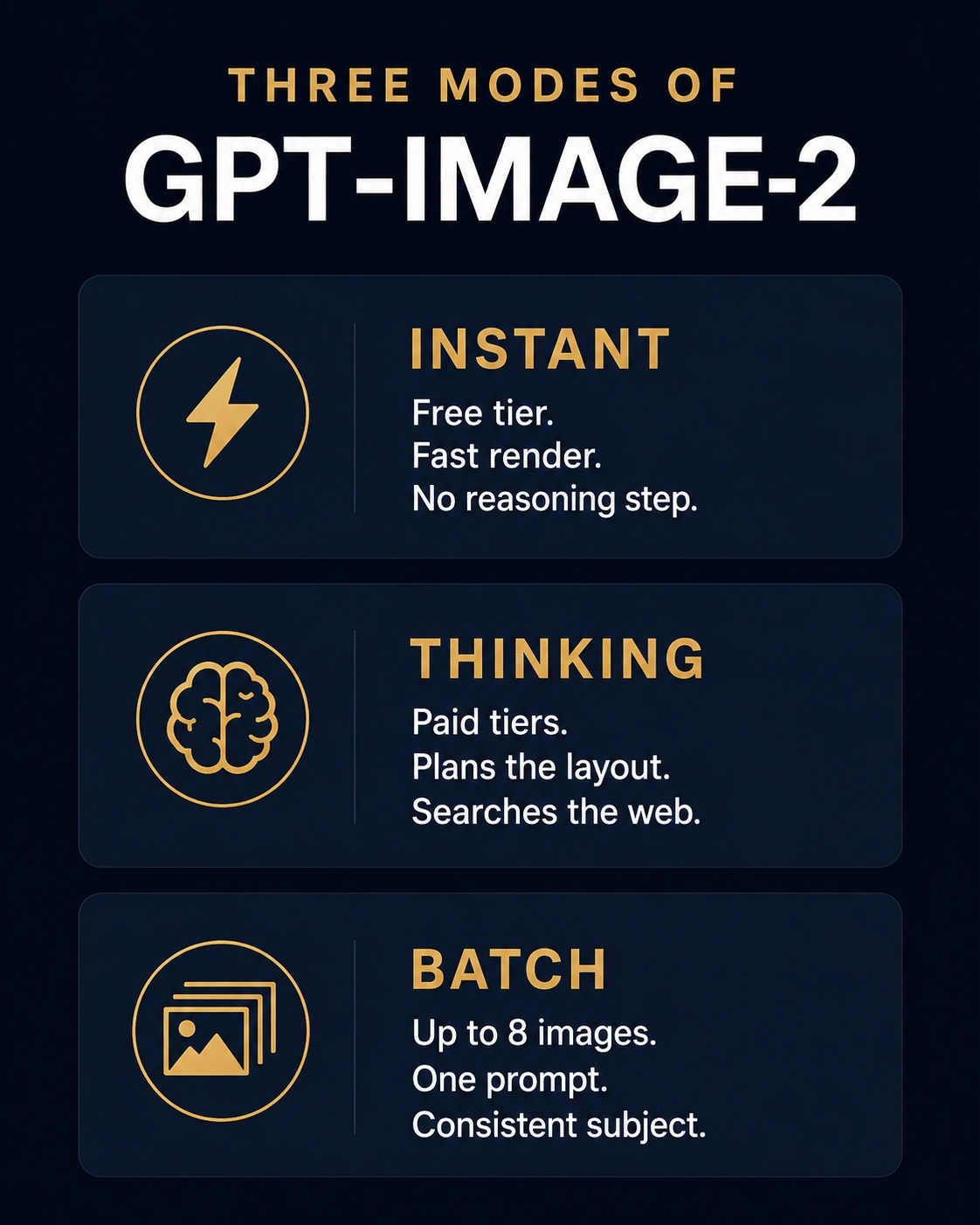
The panels rendered with the headers and body copy spelled correctly at small size, which is the exact task that broke DALL-E 3 and GPT Image 1.5. Watch for hallucinated extra words the prompt never asked for, since that is the honest failure mode on dense text.
Hands-On 3: Live Web Search in Thinking Mode
The last test targets the headline feature of 2.0, the reasoning loop with live web search. It is a separate one-off generation. Switch to Thinking mode before you run it, because Instant mode has no search step.
Prompt: A minimalist event poster for an AI meetup. Search the web for today's date and render it in the top-right corner as the event date. Headline text "AI BUILDERS NIGHT." Center a simple line-art robot. Black background, single cyan accent color, nothing else. 3:4 portrait.
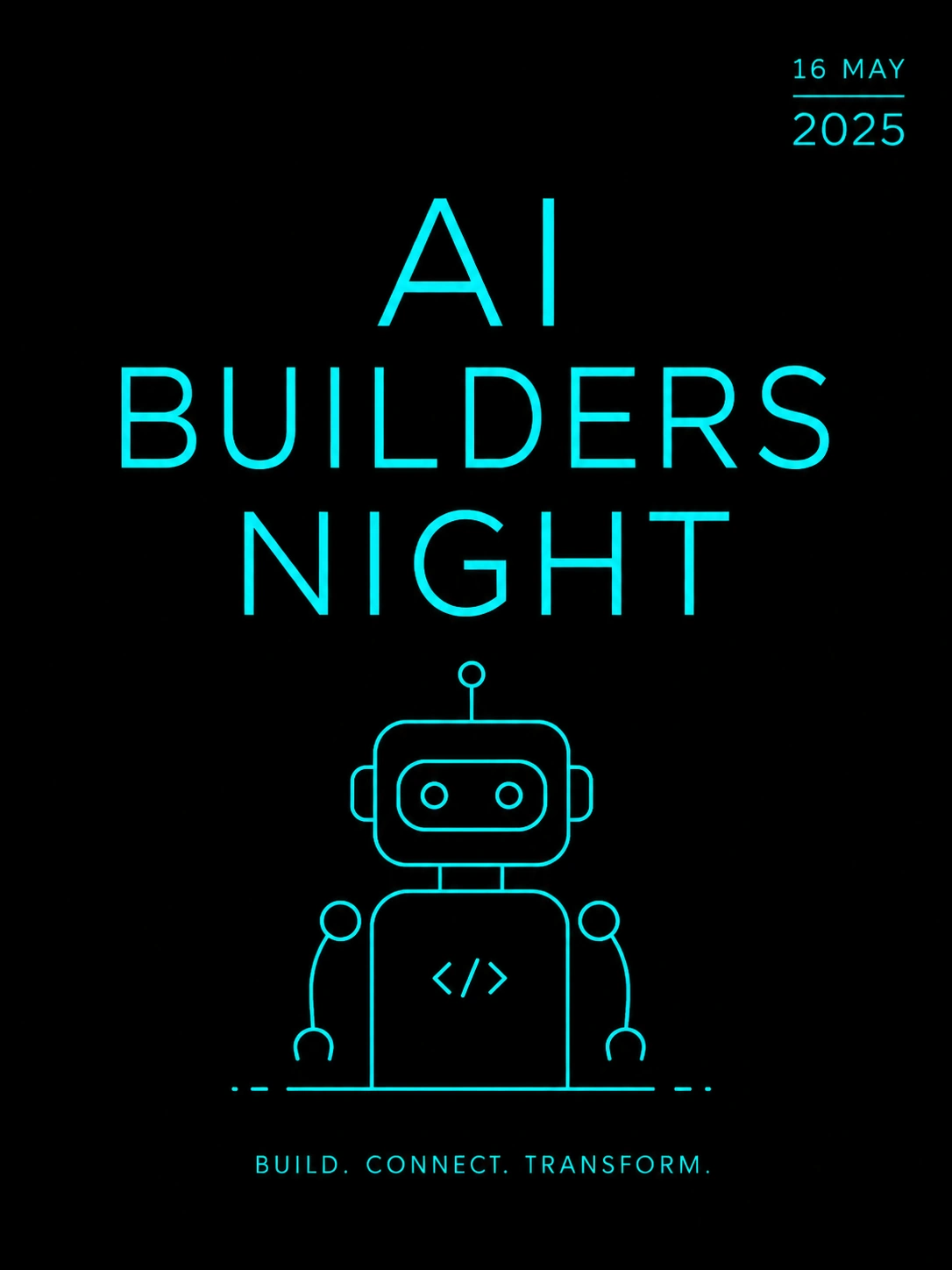
The model didn’t run a search step to get the current date. Instead it just took a guess: which turned out to be wrong. The model's own knowledge stops at December 2025, so a correct date could’ve only come from live search. Thinking mode did not fire, and that is a result worth reporting.
Core Production Features
1. Multilingual Typography
Typography was the weak point for every prior generator. Letters blurred into shapes because the systems had no literal spelling comprehension.
gpt-image-2 prints clean copy on demand and hits around 95% text accuracy across non-Latin scripts. You can generate English, Cyrillic, Hindi, Japanese, and Arabic text inside the same image. It also renders working QR codes, which unlocks posters, UI mockups, and packaging without a Figma round trip.
2. Selective Canvas Inpainting
Real design work needs micro-adjustments. Changing one shoe color should not warp a face. Old tools forced a full re-render every time.
The edit endpoint acts like a targeted brush. You highlight the zone, type the correction in plain English, and the surrounding shadows, lighting, and textures stay intact. Partial regeneration also keeps the edit cost lower than a full render.
3. Consistency Across a Batch
Campaigns need coherent visual narratives. A mascot must look identical across banners, clips, and print.
gpt-image-2 holds structural attributes across a batch of up to eight images. You can change the camera angle, the location, or the lighting, and the subject keeps its facial structure and proportions. Batch consistency is the new production primitive here.
4. New Artifact Types
The model now produces formats that used to need a designer: multi-panel infographics, slide layouts, floor plans, maps, manga panels, and realistic UI screenshots. This is where the reasoning pass earns its latency.
Verdict
ChatGPT Images 2.0 moves image generation from a guessing game to a planned process. The reasoning pass, localized editing, and batch consistency give teams real production control. gpt-image-2 leads the current benchmarks and replaces GPT Image 1.5 as OpenAI's default. It is available on the free tier which helps, but the inconsistent thinking mode leaves a lot on the table.
For text-heavy, iterative design work, it is the strongest image editing tool available right now.
Frequently Asked Questions
Who can access ChatGPT Images 2.0, and is it free?
Instant mode ships to every ChatGPT user, including the free tier. Thinking mode, which adds the reasoning loop and web search, is limited to Plus, Pro, Business, and Enterprise plans.
Can it keep a character consistent across different scenes?
Yes. It can generate up to eight images from one prompt while holding facial structure, proportions, and style across the whole batch, even as you change angle or setting.
Does the editor change the parts of the image I did not select?
No. The edit endpoint uses localized inpainting. It regenerates only the region you target and leaves the surrounding pixels intact, which also keeps the edit cost lower than a full render.
What languages does the typography support?
It renders text across dozens of scripts at roughly 95% accuracy, including English, Spanish, Hindi, Japanese, Arabic, and Cyrillic. It also produces working QR codes.
How does it compare to Nano Banana 2?
gpt-image-2 leads the LM Arena image board by 242 Elo points and wins on text density, in-chat editing, and prompt fidelity. Nano Banana 2 stays competitive on photorealism and is cheaper on large batch jobs, so many teams run both.