

OpenAI is offering API credits to eligible ChatGPT Pro and Business subscribers, with the $100 Pro plan providing up to $100 in credits per monthly billing cycle. These credits can fund API-powered apps, agents, and experiments, but claiming them requires linking an API organization.
The initial grant may also be prorated. In our test, the offer advertised $100 monthly, but the confirmation and billing dashboard showed just $1. In this article, we'll explain how to claim, verify, and use these API credits.
Who can claim the OpenAI API credits
You need an eligible paid Pro or Business subscription that has been active for at least seven days. Free trials and complimentary subscriptions don't qualify. Plus, Go, and Free are outside this offer.
Use the same email address for ChatGPT and the API account. You must own both the subscription or Business workspace and the API organization receiving the grant. A Business admin role by itself isn't enough.
| Eligible plan | Full monthly API allowance |
|---|---|
| ChatGPT Pro 100 | $100 |
| ChatGPT Pro 200 | $200 |
| ChatGPT Pro 500 | $500 |
| Business Standard | $20 per paid seat |
| Business Premium | $100 per paid seat |
Business credits are pooled, with a $500 monthly workspace cap. Annually prepaid Business workspaces receive an annual grant instead, capped at $6,000 and expiring at the annual cycle's end.
Availability also depends on country and rollout cohort. Check the offer displayed in your billing settings before treating a plan name as confirmation that you can claim.
How to Claim $100 API Credits for Free in ChatGPT
The screenshots follow the Pro claim path. An API organization is the billing container for your API projects; you don't need to be running a company to have one. For someone new to the API, the claim flow can use a Personal API Organization.
1. Open Settings and select Billing
Sign in to the ChatGPT account with the eligible subscription and open Settings. Scroll down the left sidebar until you find Billing, directly below Usage, and select it.
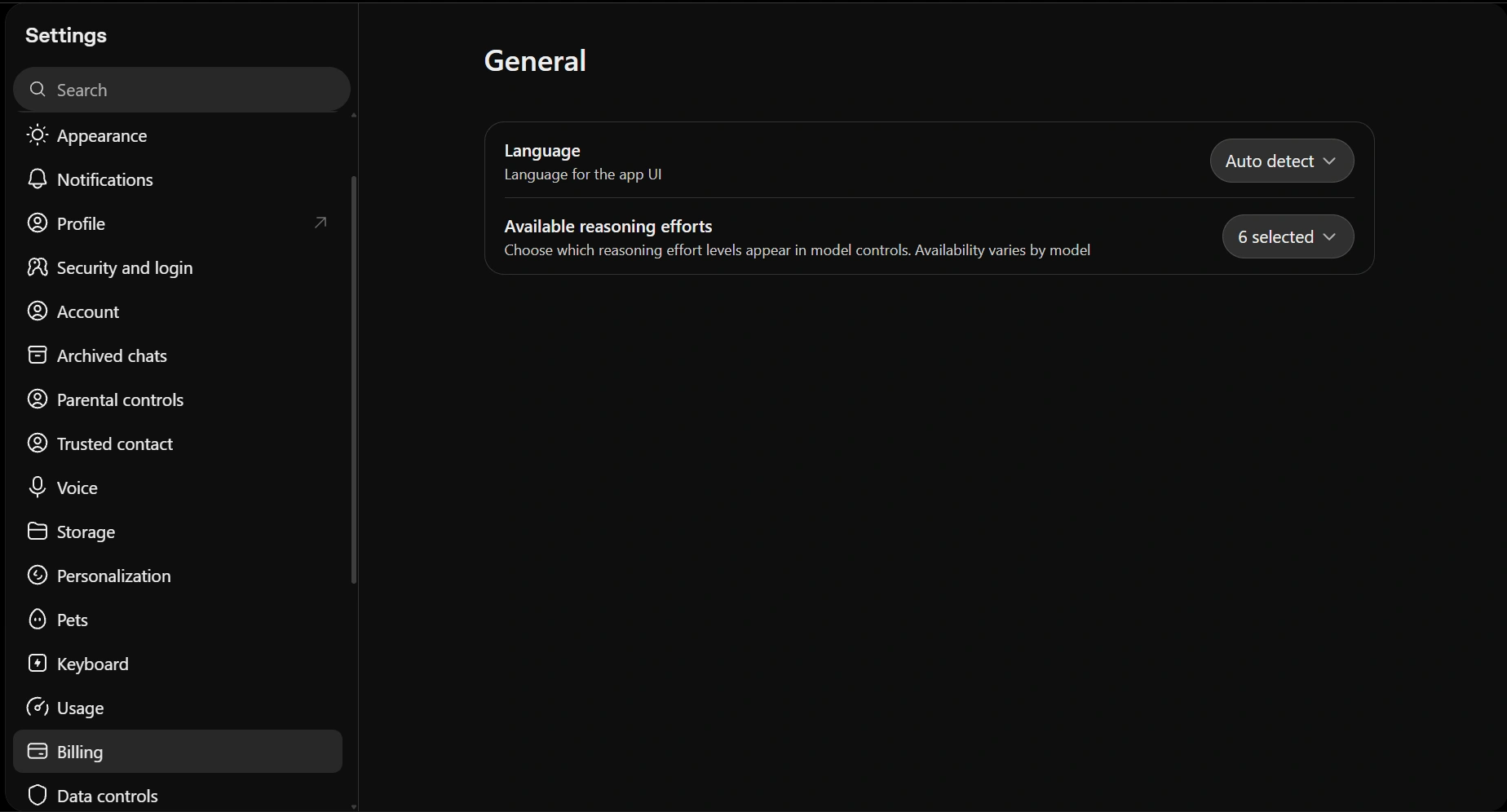
In Settings, scroll down the left sidebar and select Billing below Usage.
2. Find the monthly API credit benefit
On the Billing page, find the Monthly subscription benefit card. In this walkthrough, it reads Get $100 in API credits each month with Pro and provides a Link organization button.
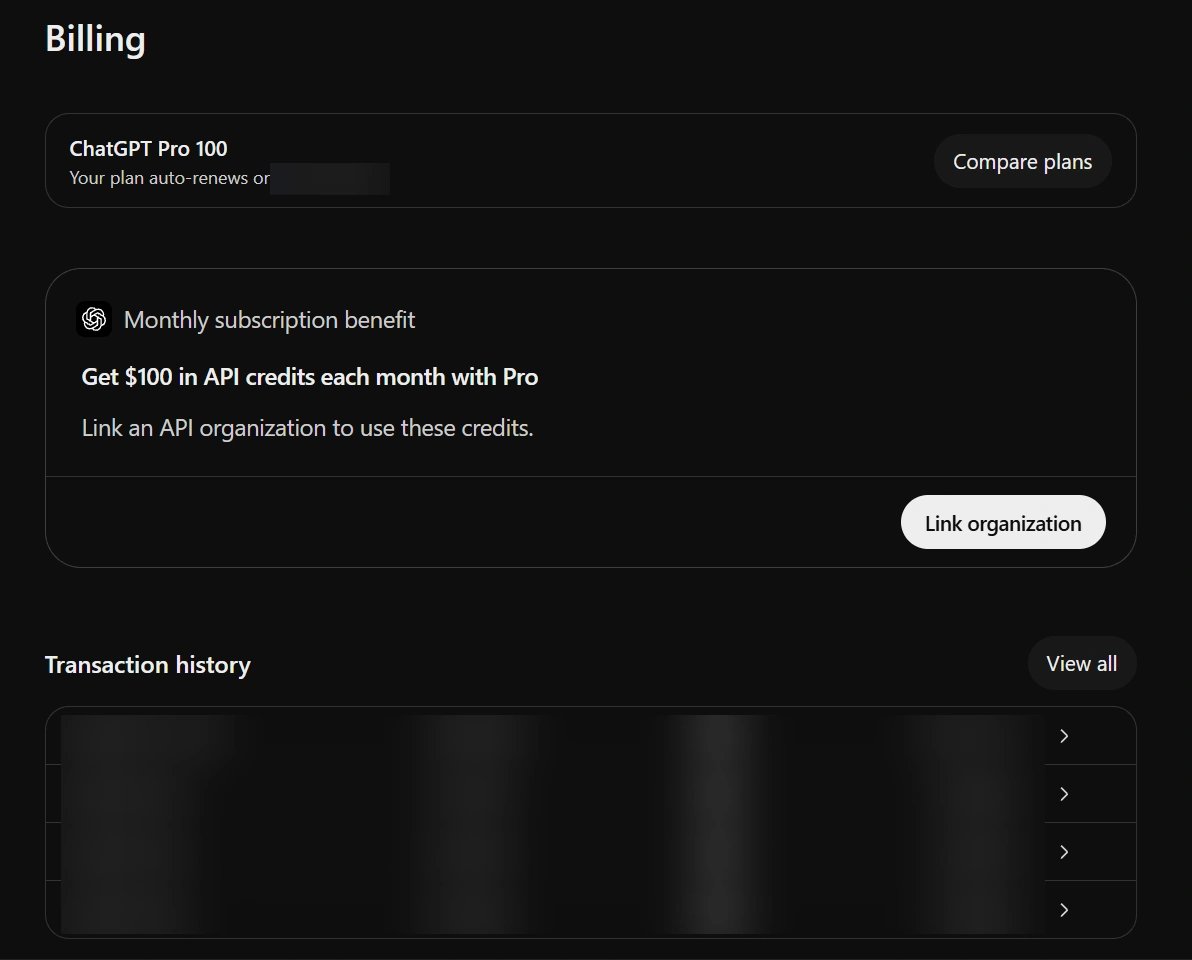
The Billing page contains the Monthly subscription benefit card. Personal renewal and transaction details are blurred.
3. Start the claim with Link organization
Within the benefit card, select Link organization to open the claim window. Business owners should start from their workspace's billing settings or the Admin Console instead of an individual Pro billing page.
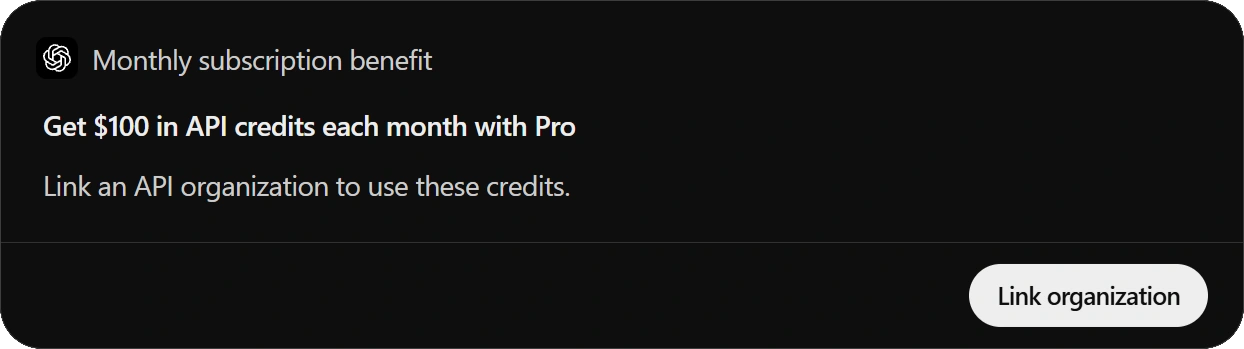
Select Link organization on the API credit benefit card to begin the claim.
4. Review the initial grant and receiving organization
The Claim your credits window is the screen to read carefully. Check both the amount available now and the organization that will receive it before selecting Link & claim.
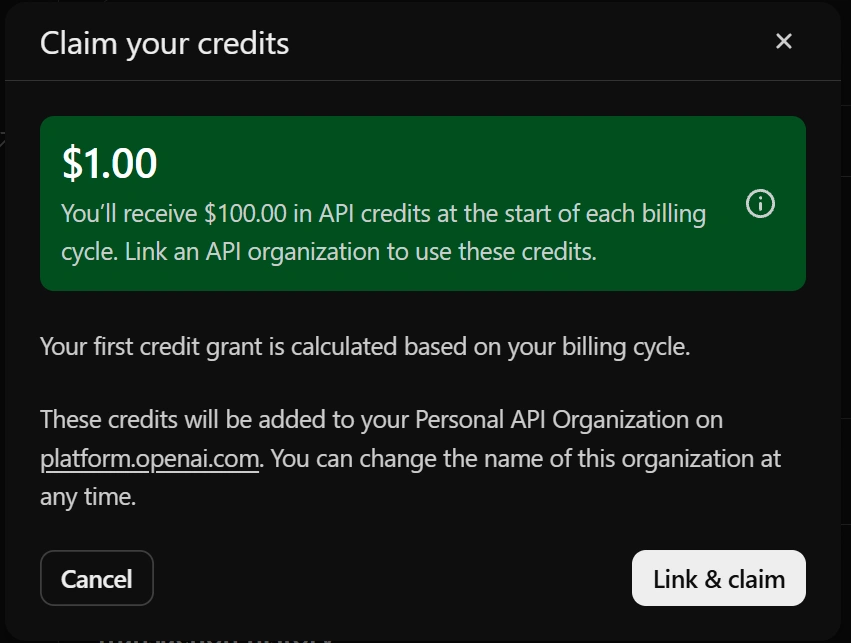
The claim window separates the $1 initial grant from the $100 allowance for a full billing cycle.
The $1 at the top is the immediate grant in this example. The text underneath says $100 will arrive at the start of each billing cycle and explains that the first grant is calculated using the current cycle. A late-cycle claim can therefore begin with a small balance.
Review your own displayed amount and receiving organization before confirming. This example uses Personal. If the flow offers multiple organizations you own, choose the one whose API projects you intend to fund.
5. Confirm the link
Select Link & claim after checking those details. The next screen should confirm that the API organization is linked. In the captured flow, it also says the credits will appear once processing is complete.
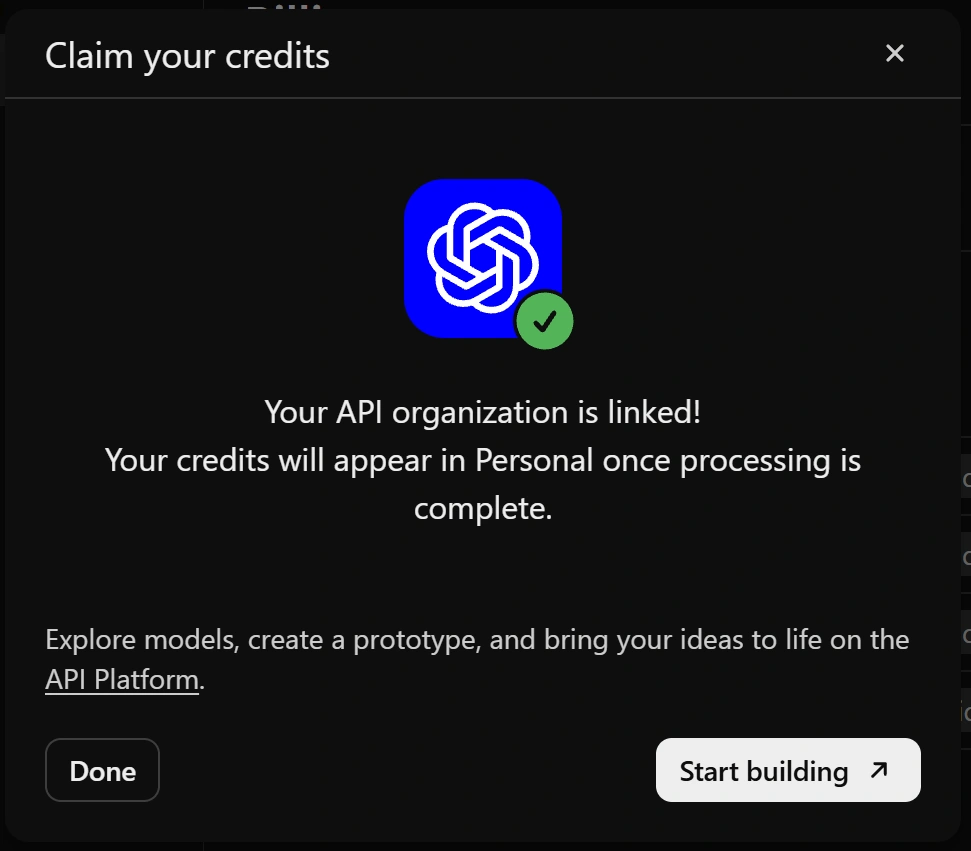
The success message confirms the organization link while credit processing may still be underway.
Choose Done to return to billing, or Start building to open the API Platform. Treat this screen as confirmation of the link; check the actual balance next.
6. Check that the benefit is active
Back in ChatGPT billing, the benefit should show Active alongside the connected API organization. The screenshot below shows that state.

Active confirms that the subscription benefit is connected to an API organization.
7. Verify the grant in API billing
Now open the API billing overview and select that same organization. Check the API credit balance, then open Credit grants to inspect the grant and its expiry.
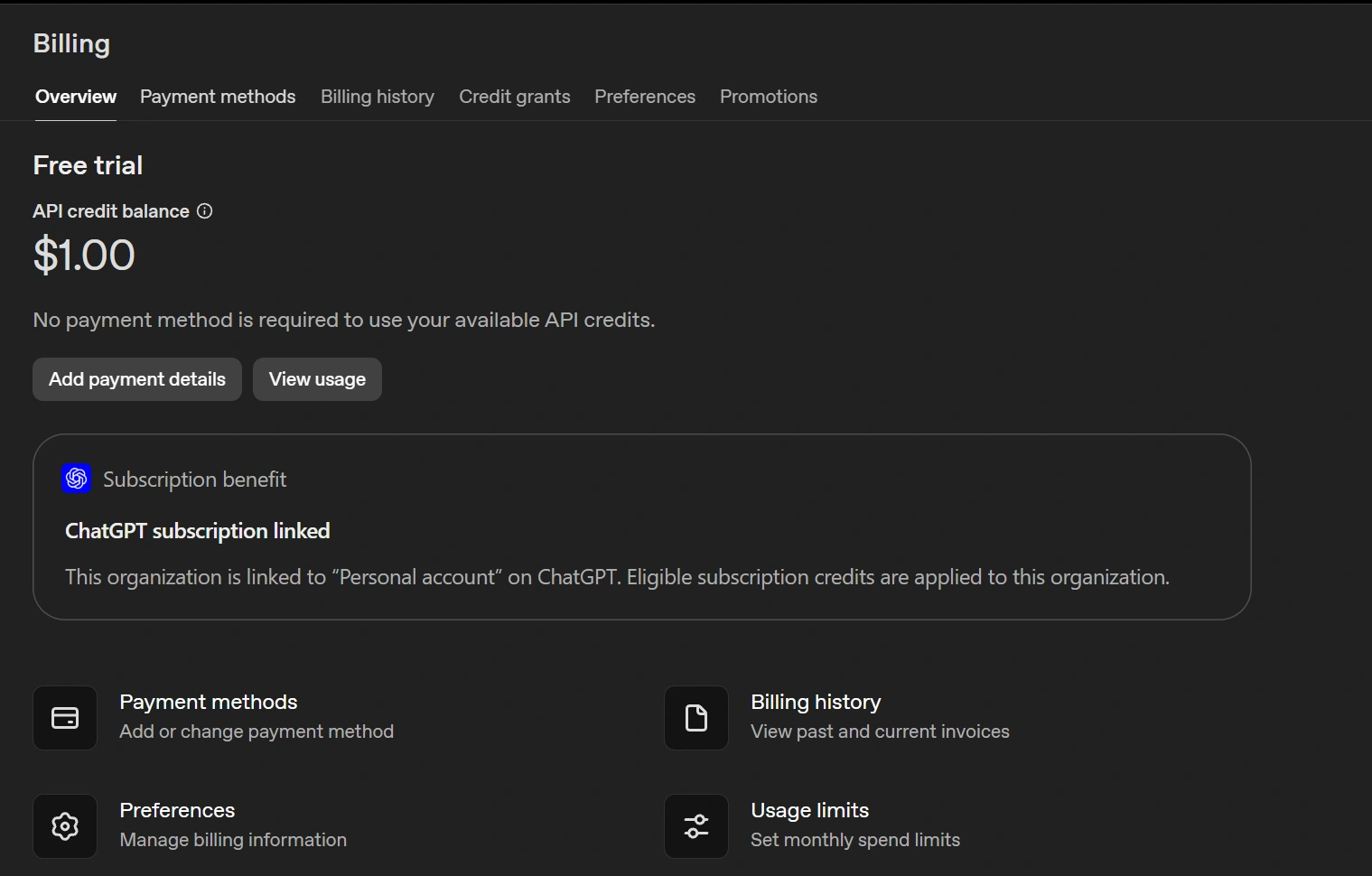
The API billing page shows the $1 initial balance, the linked subscription, and the message that no payment method is required.
The balance here matches the $1 shown before confirmation. The Free trial label doesn't turn this into a general signup giveaway; the claim screens establish that it came through the subscription benefit. The important checks are the receiving organization, issued amount, and expiry.
What you can spend the credits on
The grant pays for supported usage on the OpenAI API Platform, including text and image understanding, image generation, voice interactions, agents, and applicable built-in tool charges. Requests must bill to the linked organization, using one of its project API keys.
A sensible first project is something small enough to finish: a document summarizer that returns a fixed set of fields, or an image description tool for a small catalog. Try a handful of inputs, inspect the results, and check the usage cost before scaling up.
These API credits don't increase your ChatGPT or signed-in Codex allowance, and Codex usage through API keys is excluded. That distinction also separates this offer from the 100 dollar Claude credit guide: that promotion funded Claude usage credits rather than Console API credits. A matching dollar amount doesn't mean the same spending destination.
How far 100 dollars could go
The model and the size of each request determine how quickly you spend the grant. For a concrete example, GPT-6.1 Sol's standard short-context text rates are $2 per million input tokens and $10 per million output tokens. Our GPT-6.1 Sol review covers the kinds of tasks you might want to try.
At those rates, the arithmetic looks like this. These are token-budget estimates, not measured task results.
| Tokens per request | Cost | Runs on $1 | Runs on $100 |
|---|---|---|---|
| 2,000 input and 500 output | $0.009 | 111 | 11,111 |
| 10,000 input and 2,000 output | $0.04 | 25 | 2,500 |
| 50,000 input and 5,000 output | $0.15 | 6 | 666 |
Each row counts completed requests rounded down. It assumes uncached text input and the stated total billable output budget, including any reasoning tokens. Tools, storage, retries, and other charges aren't included. Different processing modes and long-context pricing can change the result.
Even the $1 initial balance can cover a modest text experiment. Keep the first request short, look at what it actually cost, and use that figure to plan the next batch. There's little value in sending the same huge document repeatedly just because the balance is promotional.
If the offer or balance is missing
Start with the place where the process stopped. A missing offer calls for checking the plan, paid subscription age, selected workspace, and rollout availability. A failed link calls for checking matching emails and ownership on both sides.
If the link succeeded but the balance is absent, switch to the linked API organization and inspect its billing page and Credit grants. Contact support if it remains missing. A smaller first grant should be compared with the claim window and remaining billing period before you treat it as an error.
Changing the receiving organization requires support; the Active card says so too. Choose carefully during the claim rather than planning to move the balance later.
Conclusion
If you already pay for an eligible Pro plan and want to try the API, this is a useful benefit to activate. Link the organization you actually intend to use, confirm the issued amount and expiry, and start with a small request. That gives you a real cost to work from before you commit the rest of the grant.
Frequently Asked Questions
Can ChatGPT Plus users claim these credits?
No. This benefit covers eligible paid Pro and Business subscriptions, subject to the offer's availability.
Why does a 100 dollar offer show a 1 dollar grant?
The first grant is prorated for the time remaining in the current billing cycle.
Do I need to add an API payment method?
No. An active promotional grant can be used without adding a separate API payment method.
Do unused monthly API credits roll over?
No. They expire at the end of the subscription billing cycle.