


ChatGPT Images 2.5 arrived on September 8, 2026, with sharper images, faster generation and more precise edits. Templates, Sketch and prompt sharing also give users more ways to create and reuse visuals.
In this article, we cover the key features, access and API options, then examine sketch conversions, product edits, advertising copy and complex scenes.
Key Features
There are improvements to the underlying image generation model as well as some new features:
| Feature | What it does |
|---|---|
| Templates | Start with a format such as a poster, merchandise or product photo; add your details and answer follow-up questions. |
| Sketch | Draw a reference directly in ChatGPT, then describe the finished image. |
| Image comments | Place feedback on the part of an image you want changed. |
| Prompt sharing | Share an image with its prompt so others can create their own version. |
| Quality and editing | OpenAI reports better reference fidelity, textures and consistency across edits, plus up to 50% lower latency than Images 2.0. |
How to Access GPT Image 2.5
Open ChatGPT and ask for an image, or upload one to edit. For guided creation, open Images → Templates. For a drawn reference, type @Sketch.
Available across ChatGPT, ChatGPT Work and Codex on all tiers. Templates are not yet available in Work mode; existing image limits still apply.
Hands On With Sketch
A rough drawing can establish the shape or composition before you describe the finish. The examples below show two uses of the same approach.
Test note: These are the original outputs. Longer prompts are abridged below for readability; the underlying model version was not verified in the test record.
1. Turn a Doodle Into a Portrait
Prompt: Turn this into a realistic portrait.
| INPUT | GPT IMAGE OUTPUT |
|---|---|
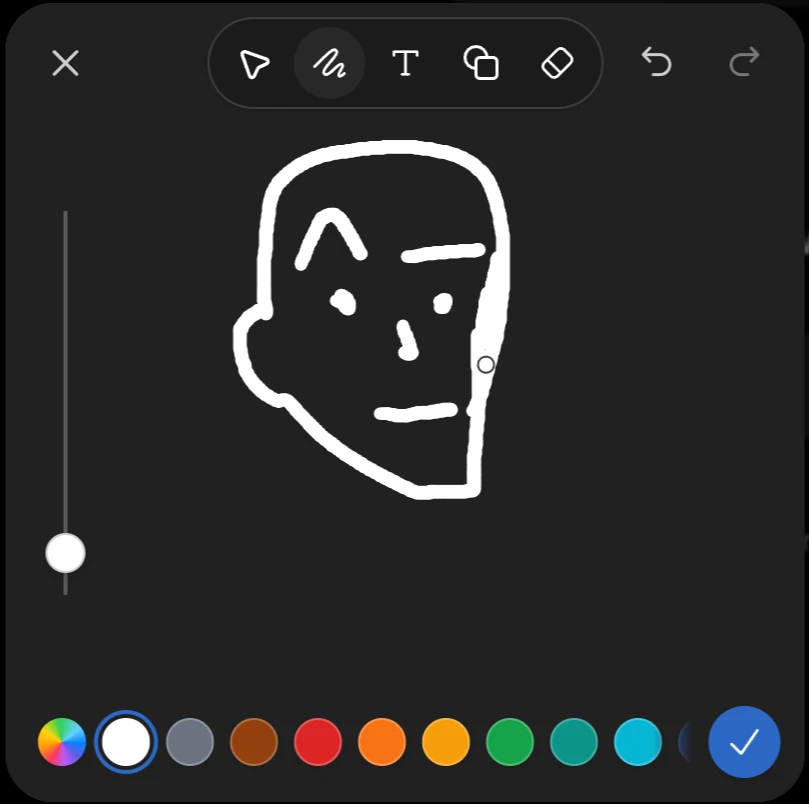 | 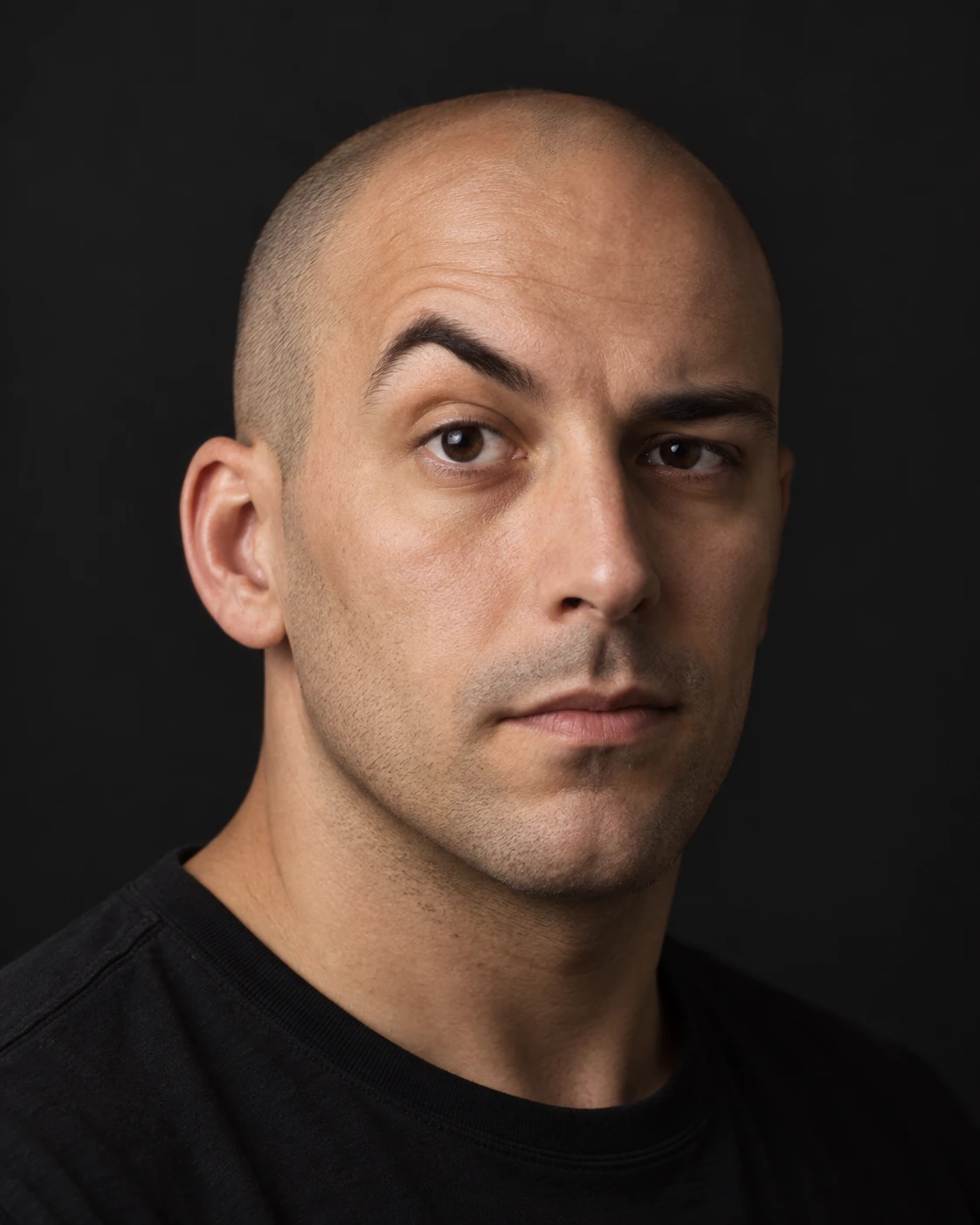 |
Result: The simple face becomes a realistic studio portrait. The model invents the lighting, clothing and facial detail absent from the sketch.
2. Turn a Sketch Into a Product Concept
Prompt: Create a smartphone that looks like this (the outer box is the display here).
| INPUT | GPT IMAGE OUTPUT |
|---|---|
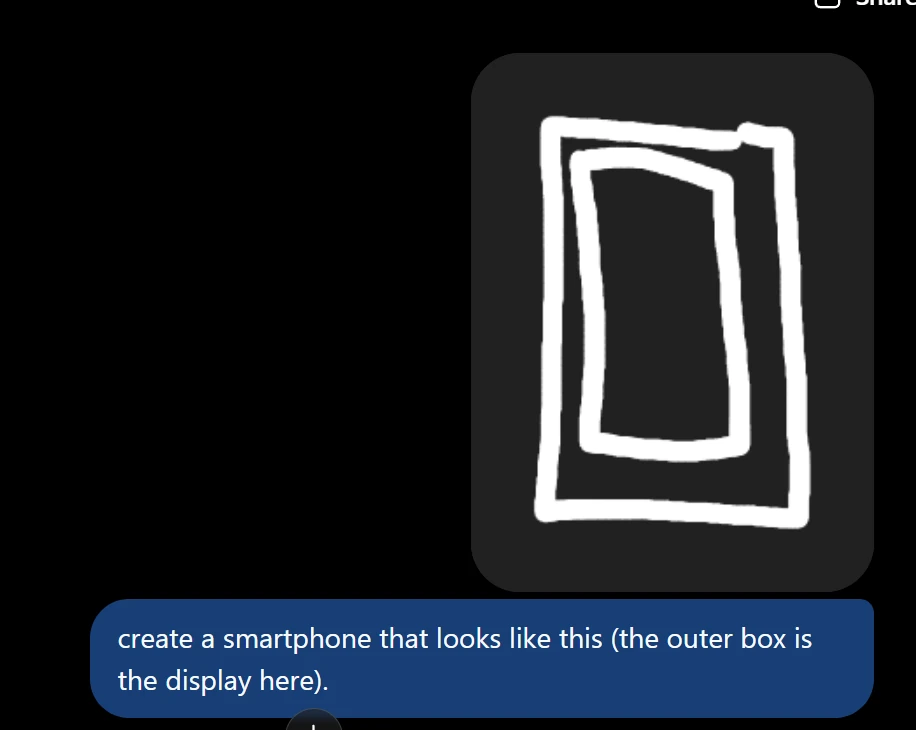 | 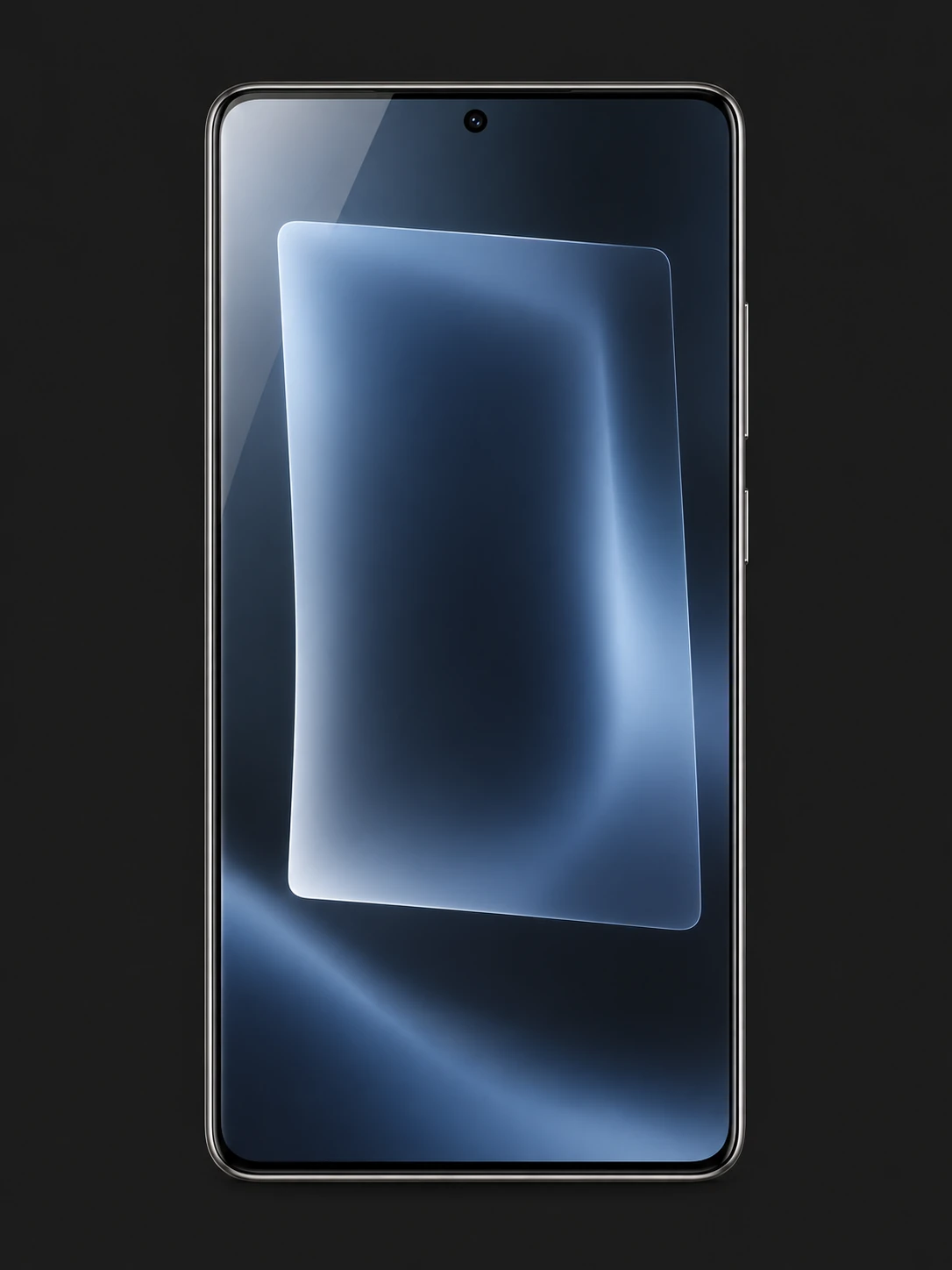 |
Result: The nested rectangles become a polished phone render. The inner rectangle is interpreted as screen artwork, showing why labels help clarify ambiguous sketches.
3. Try the 80s Flashback Look
OpenAI’s ’80s Flashback prompt turns a photo into a retro portrait. We adapted it for a sourced photo of Keanu Reeves and ran the edit with the built-in image tool.
Prompt brief: Restyle this photo of Keanu Reeves as a 1985 snapshot. Keep his face, complexion and apparent age. Give him period clothing, hair and accessories, with a retro backdrop. Use film grain, faded colours, flash lighting and a red-orange date stamp. Keep the portrait square and exclude modern objects.
| INPUT · KEANU REEVES | GPT IMAGE OUTPUT · 80S EDIT |
|---|---|
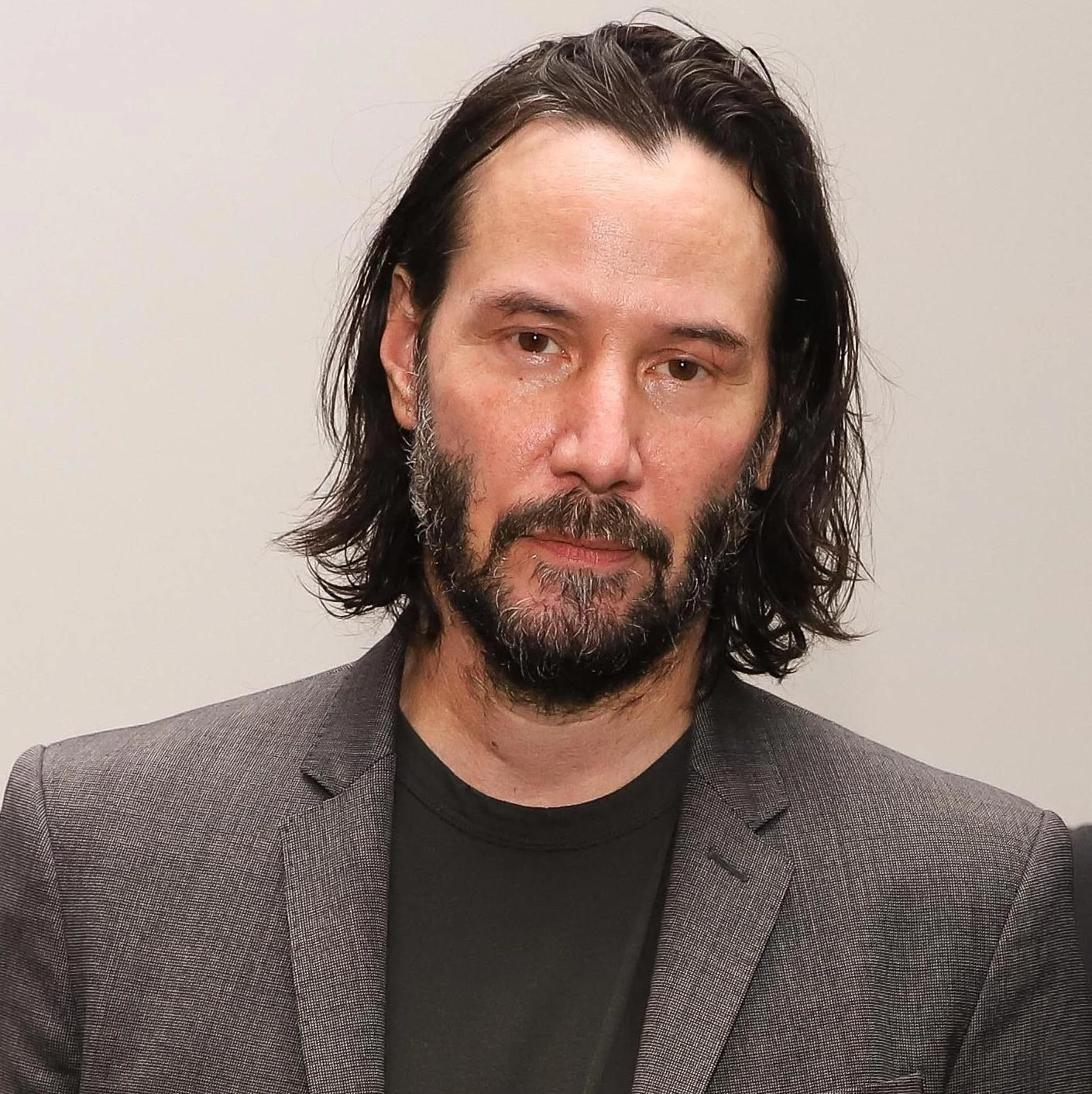 | 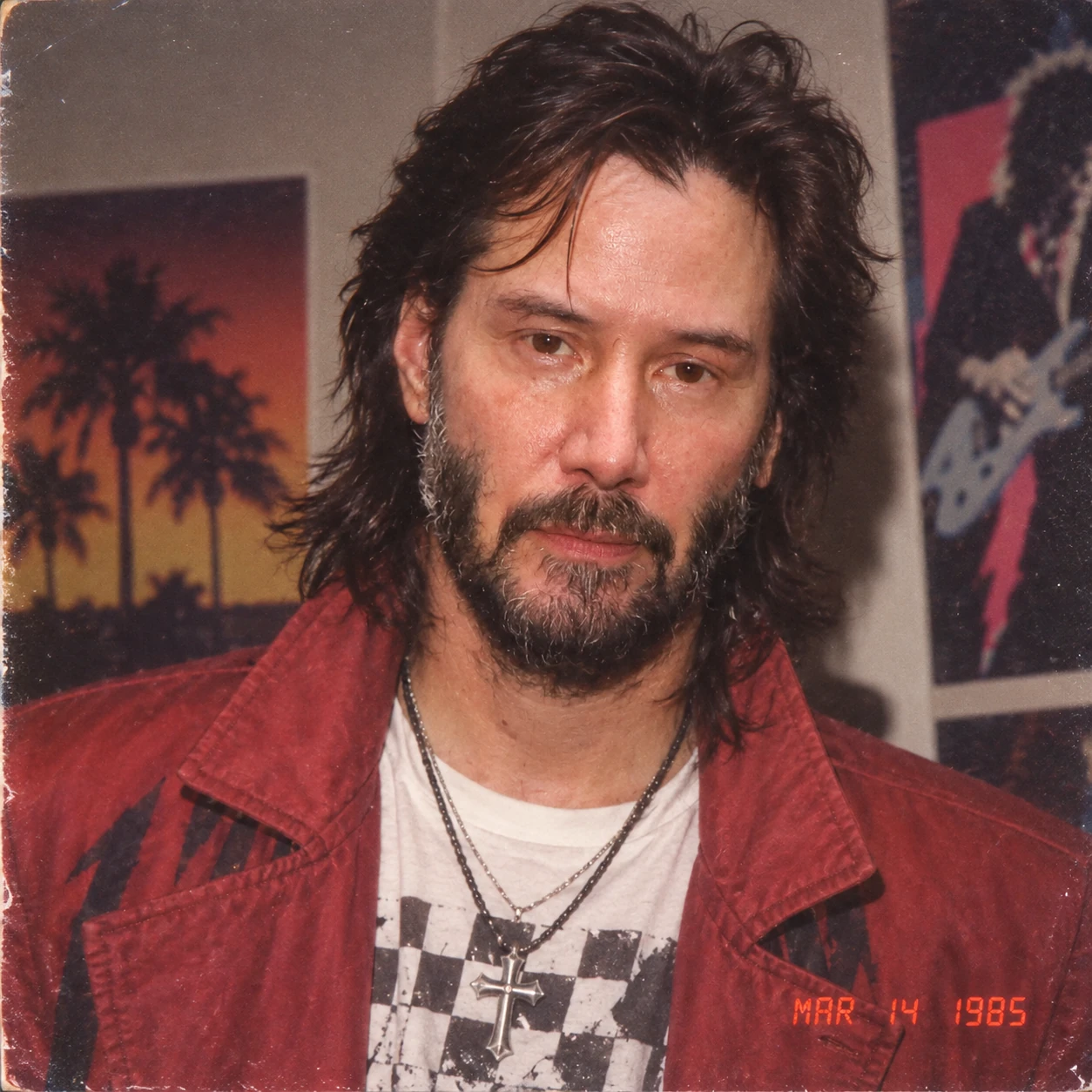 |
Result: Keanu’s face stays recognizable while the jacket, accessories and setting adopt the retro style. Grain, worn edges and the date stamp complete the effect; the brief preserves his apparent age rather than recreating his younger self.
4. Create a Product Photo and Edit It
This workflow starts with a product concept, then changes its colour in the same conversation.
Create the Bottle
Prompt brief: Create a photorealistic 16:9 studio photograph of a matte terracotta insulated bottle with a black cap on an ivory surface, right of centre. Print only “DAYBREAK” and “750 ml” in crisp ivory lettering. Use soft light from the left, a rightward shadow and powder-coated texture. Leave the left third empty. No props, extra text or watermark; subtly rounded corners.
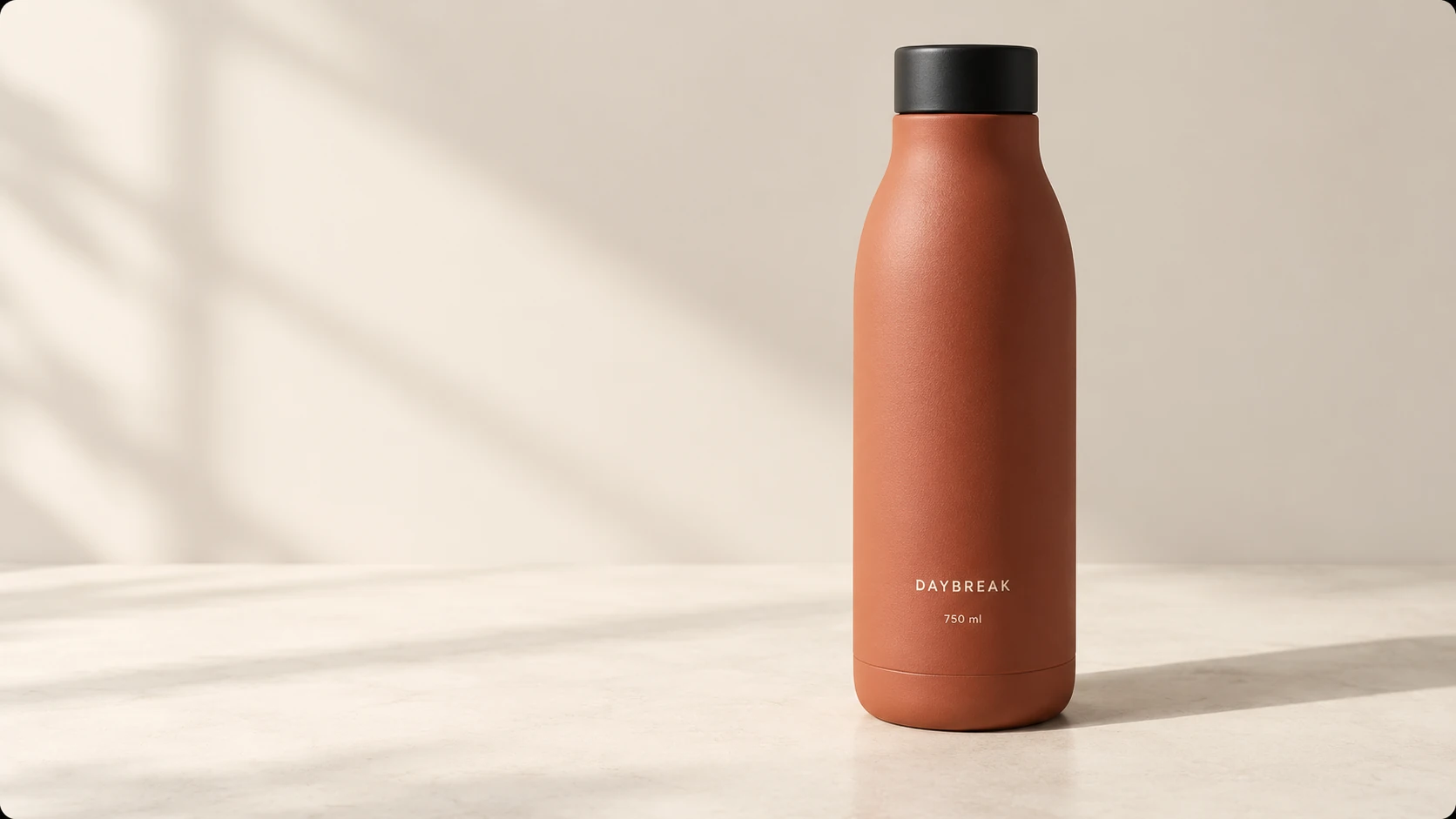
Result: The label is readable, the lighting is consistent and the empty space leaves room for copy. This is an invented product, so it does not test real-product fidelity.
Extend the Test With a Colour Change
Prompt brief: Change ONLY the bottle body from terracotta to muted sage green. Preserve the black cap, silhouette, position, scale, texture, “DAYBREAK” and “750 ml” lettering, background, lighting, shadow, camera angle and rounded corners. Add or remove nothing.
| INPUT · ORIGINAL BOTTLE | GPT IMAGE OUTPUT · COLOUR EDIT |
|---|---|
| 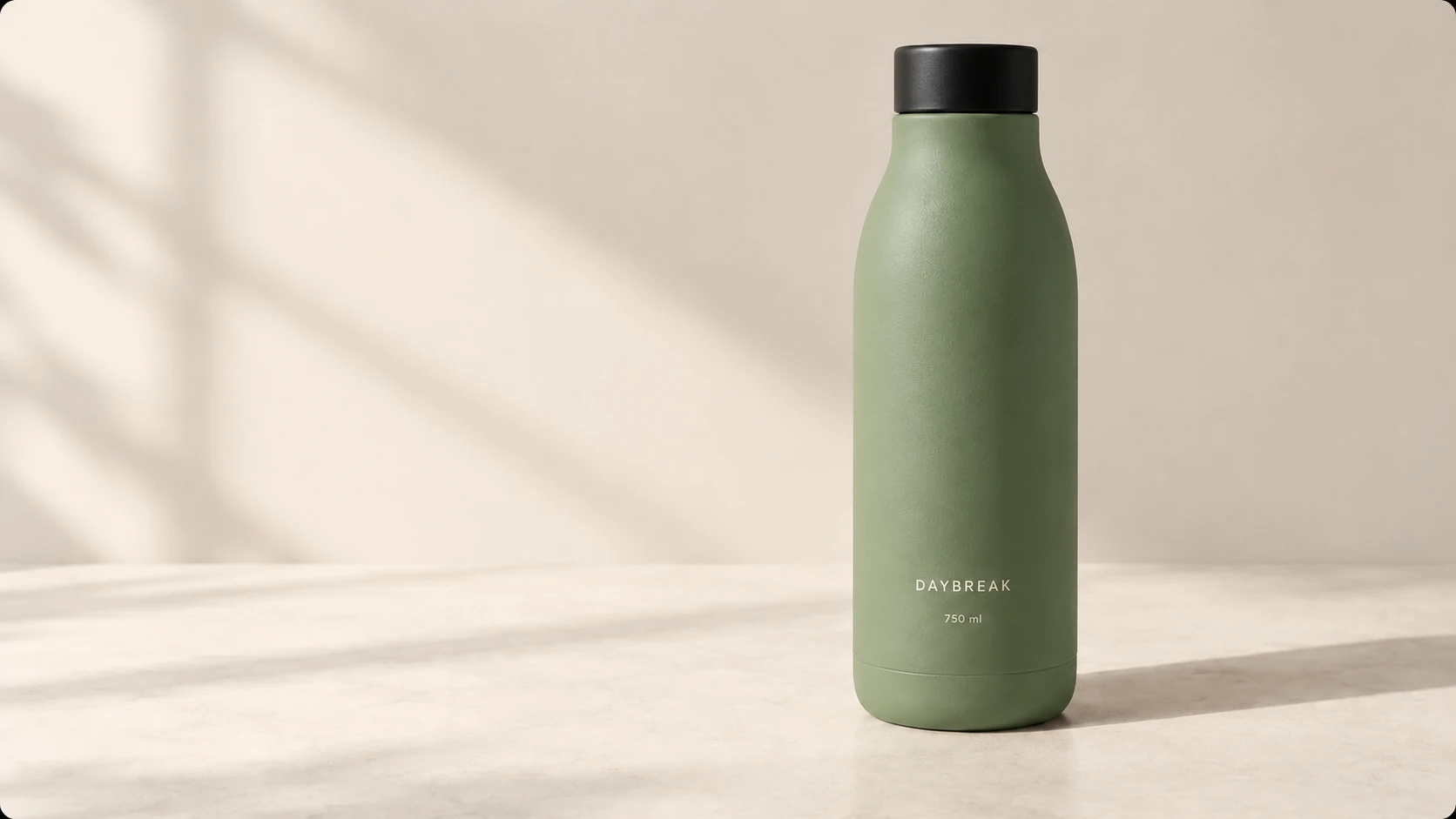 |
Result: The colour changes while the label and overall composition remain consistent. Some surface texture shifts; the edit is not pixel-identical outside the colour change.
5. Create an Advertisement With Exact Text
Prompt brief: Create a minimal 16:9 coffee-shop advertisement with an ivory background, dark brown typography and terracotta accents. Put a realistic white coffee cup on the right. On the left, use exactly: “Good mornings start here.” “Coffee + croissant · ₹249” “Every weekday, 8–11 AM”. Use a large serif headline, sans-serif details and generous margins. No other text, logos or clutter; subtly rounded corners.
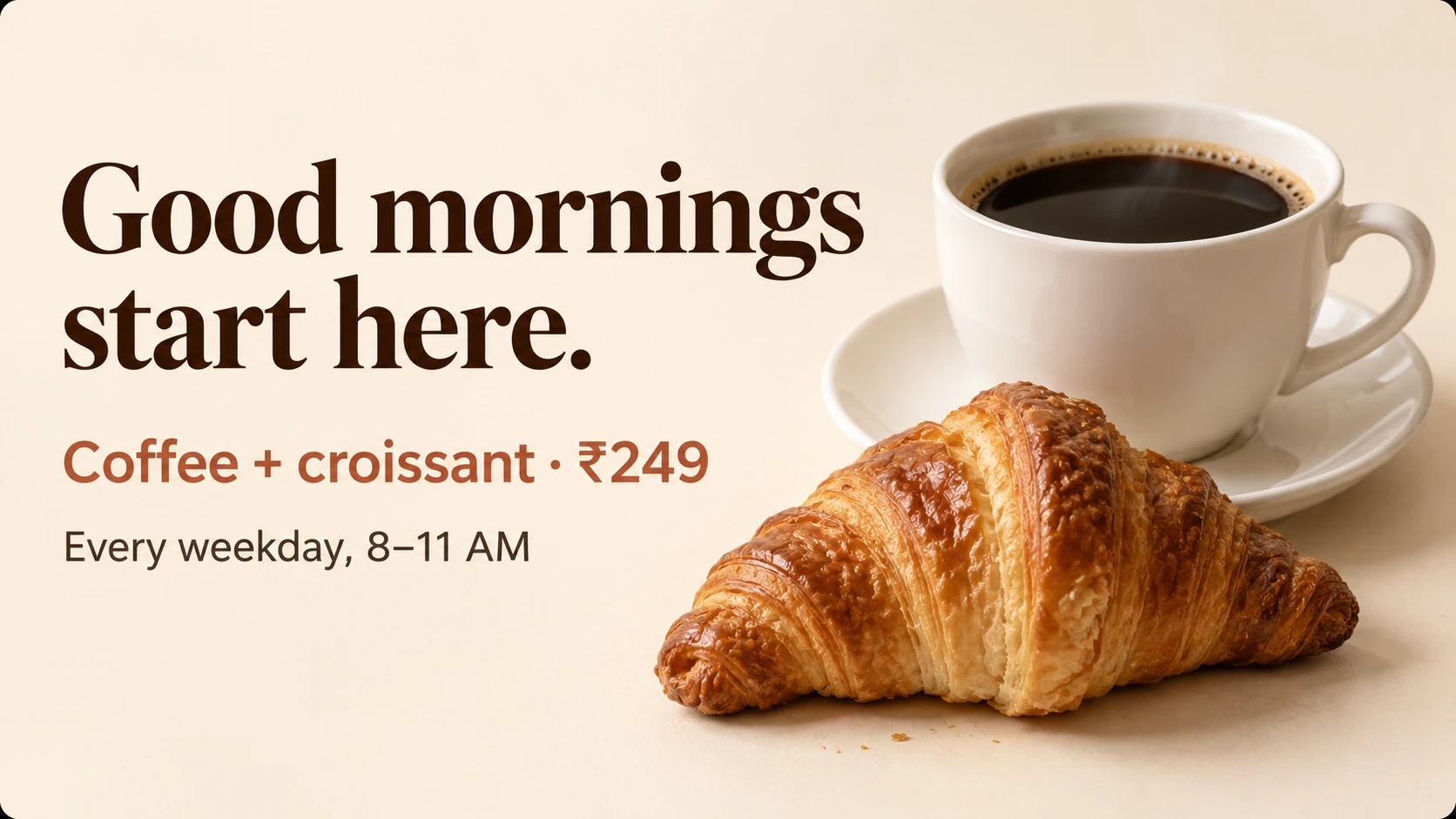
Result: The wording, ₹249 price and hours are correct. The headline wraps, and the model adds a croissant and saucer. Text accuracy holds up better than strict layout compliance.
6. A Pigeon Board Meeting in Space
Prompt brief: Create a wide photorealistic scene of exactly three suited pigeons at a glass table on a giant croissant in space. Left: holds a yellow umbrella. Centre: stands on a red stapler on the table. Right: sleeps beside a white espresso cup. Keep Saturn visible behind them. No extra birds, table objects or text.
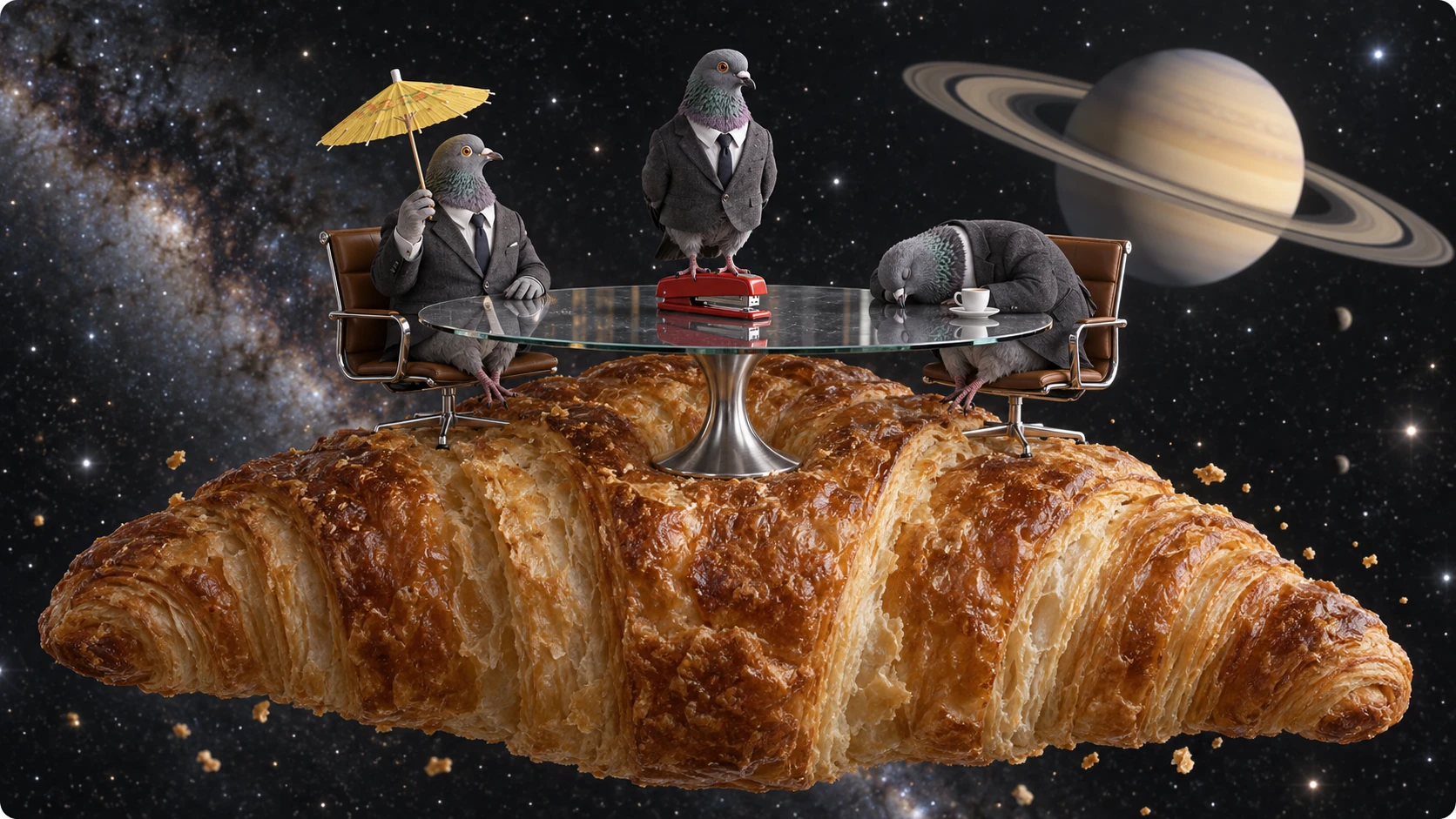
Result: All three birds and their assigned props appear correctly. Added chairs, humanlike hands and a saucer show where the model embellishes the brief.
Flare and Sunburst in the API
| Model | Use case | API model ID |
|---|---|---|
| Flare | Fast everyday generation | gpt-image-2.5-flare |
| Sunburst | More demanding generation and edits | gpt-image-2.5-sunburst |
Select either model through the Image API or the Responses API image-generation tool. Both accept text and images and support quality settings from low through max, plus auto.
API Pricing
Both variants publish the same rates per million tokens. Actual image cost depends on token usage.
| Token type | Input | Cached input | Output |
|---|---|---|---|
| Text | $5 | $1.25 | — |
| Image | $8 | $2 | $30 |
Conclusion
Sketch helps establish an idea; templates help structure a request; prompt sharing makes it reusable. The tests show useful drafts and controlled edits, but text, object counts and unintended additions still need a final check.
Frequently Asked Questions
Is GPT Image 2.5 available to free users?
Yes! OpenAI announced a rollout across all tiers. Free access remains subject to usage limits.
What is the difference between Flare and Sunburst?
Flare emphasizes fast everyday generation. Sunburst targets more demanding creative and editing work.
Can GPT Image 2.5 edit existing images?
Yes. Both variants support editing with image inputs. Supply the original and identify the change and the details to preserve.