

When someone asks ChatGPT or another AI assistant to recommend the best tools in your industry, does your brand make the list? Traditional SEO tools track search rankings, but AI visibility tools reveal whether your brand appears in AI-generated answers, which competitors get recommended, and what sources influence those recommendations.
However, not every tool measures visibility the same way. Some analyze large databases of AI responses, while others monitor specific prompts across different platforms. In this blog, we compare the best AI visibility tools, their tracking capabilities, and where each fits best.
1. OtterlyAI for a small daily monitoring budget
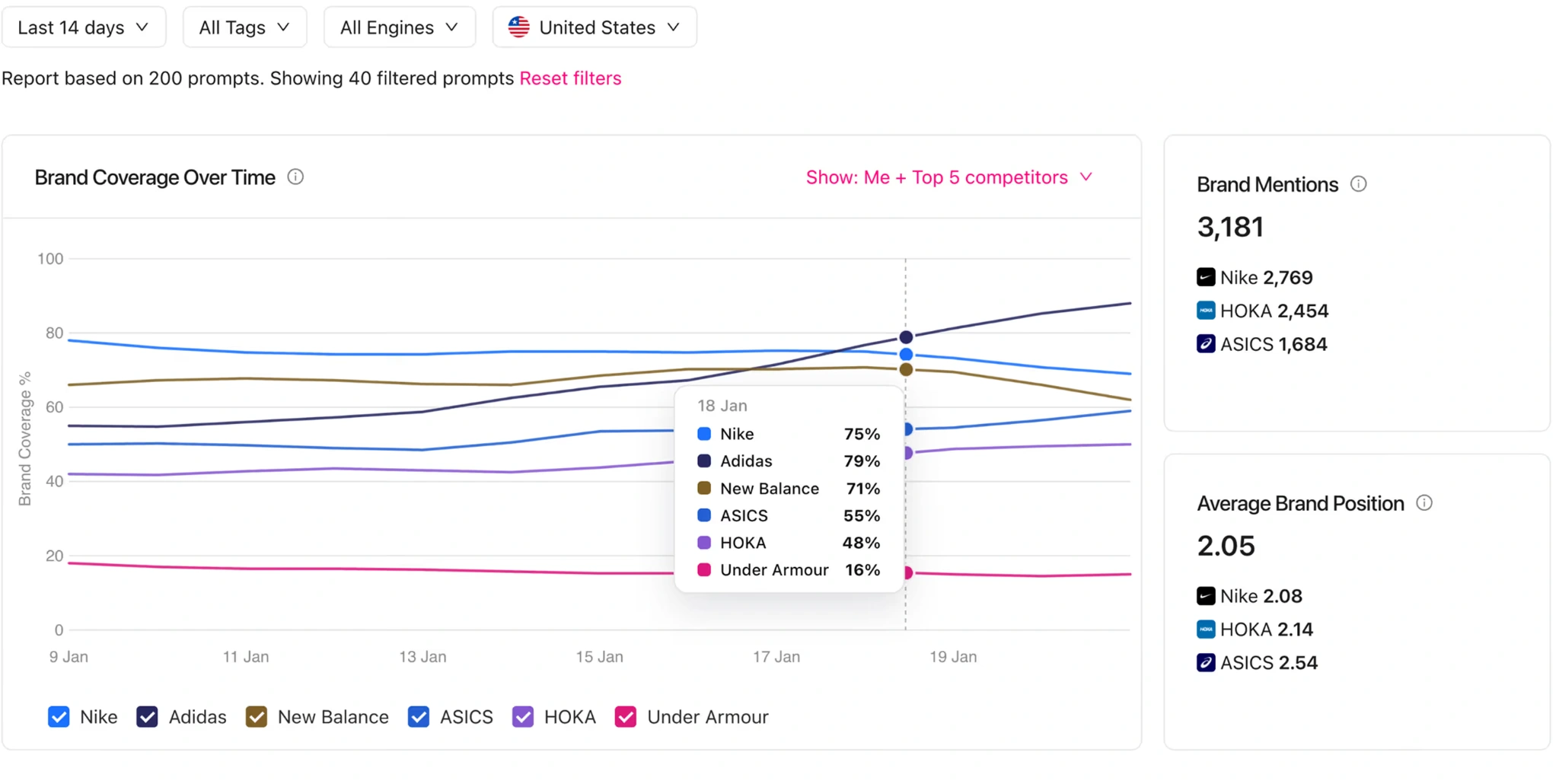
OtterlyAI is the clearest starting point here when you have a short list of questions and want daily checks without a large commitment. Add your search prompts, select their country context, and inspect brand coverage, sentiment, and cited domains as results accumulate.
Lite costs $29 a month for 15 prompts. ChatGPT, Perplexity, Google AI Overviews, and Copilot are included. Google AI Mode adds $9 a month on Lite, making that combination $38. Gemini and Claude are also paid additions.
Fifteen prompts suit a focused first panel, but leave little room for several product categories. Choose the questions before choosing the plan. Engine availability also varies by market, so check your target country during setup.
2. Peec AI for finding the sources behind the answer
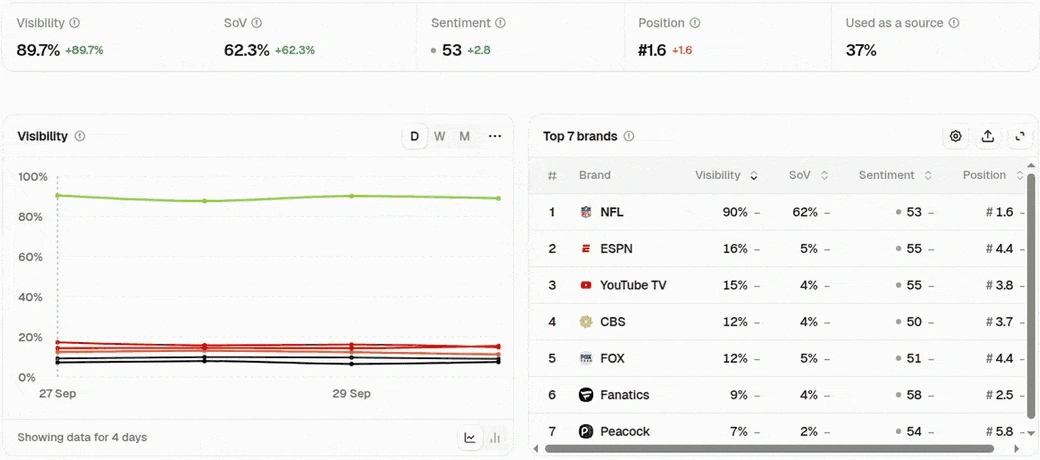
Peec AI tracks ChatGPT, Google AI Mode, and AI Overviews, with domain and URL views that help identify the pages feeding responses. That makes it useful when you're deciding where to work on visibility: a missing comparison page, an outdated directory listing, or a publication that repeatedly features competitors.
It separates brand mentions from use of your own pages as sources. You can also filter by topic, tag, and model, then build shared dashboard views for different readers. That makes it useful for recurring content and competitive reporting.
Starter is $95 a month for 50 prompts, one project, one country, and three active models, with daily tracking. Confirm Perplexity's packaging before subscribing: it appears in the additional-model options but is absent from the current self-serve available-model list. Don't assume every advertised engine fits inside the entry price.
3. Ahrefs Brand Radar for exploring a whole category
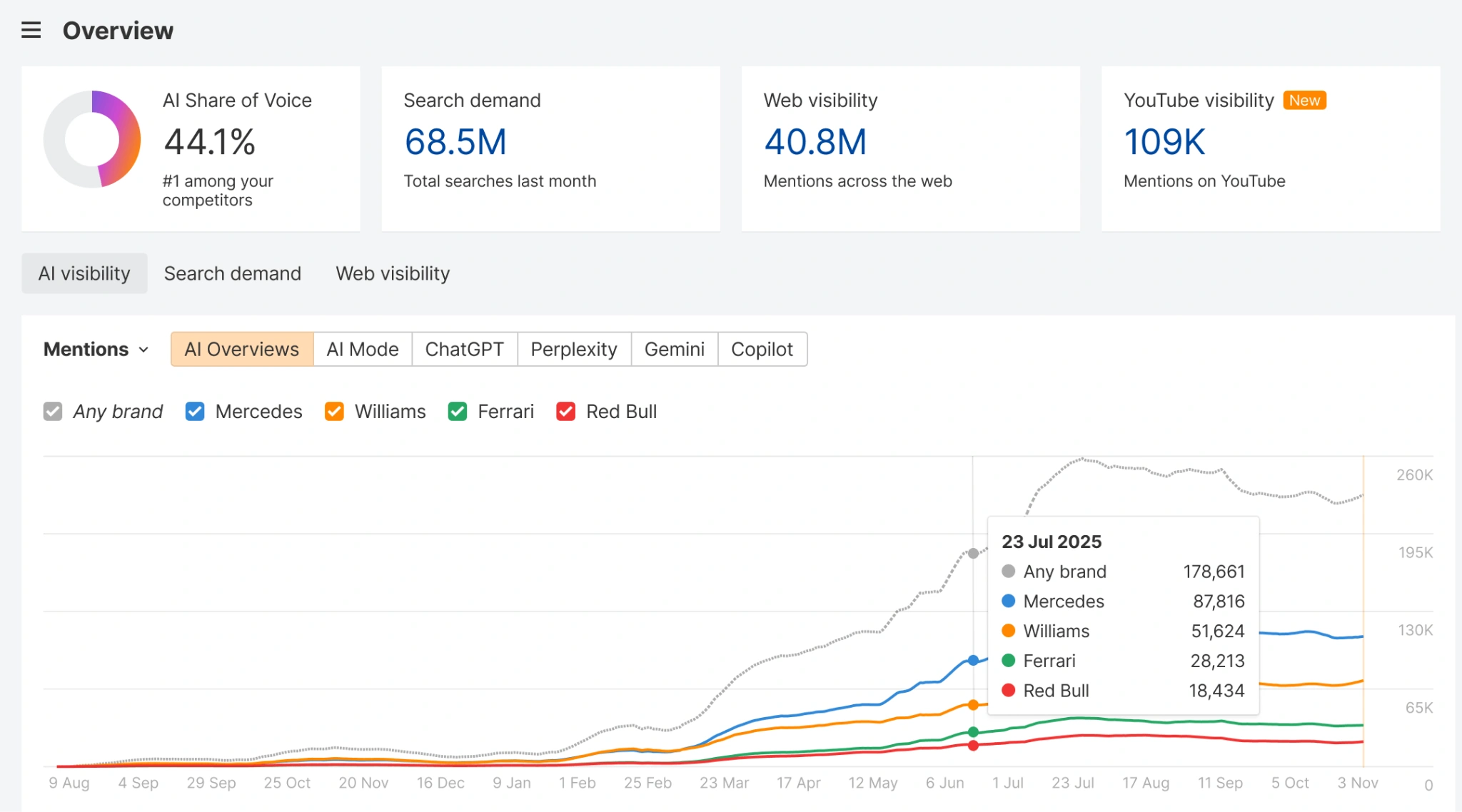
Brand Radar is especially useful before you know which questions to track. Its AI Visibility Index lets you explore pre-collected answers, compare brands, and find cited pages across a category. Coverage includes ChatGPT, Perplexity, Google AI Overviews, AI Mode, Gemini, and Copilot.
The index starts at $199 a month per platform index, or $699 for all platforms, including 2,500 custom checks monthly. Its prompts come from search-demand data expanded into questions; they aren't a census of private AI conversations. Question sets are refreshed monthly, so use custom tracking for a tighter monitoring cadence.
Standalone custom tracking starts at $50 a month for 2,500 checks. Budget by executions: 20 prompts across three platforms, two locations, and 30 days require 3,600 standard checks. Existing Ahrefs Lite and higher plans include smaller allowances. This distinction matters more than the headline prompt count.
4. Semrush AI Visibility Toolkit for an existing SEO workflow
Semrush makes sense when AI visibility needs to sit beside keyword research, competitor analysis, and site audits. Its toolkit combines a broad prompt database, brand reports, prompt research, and AI-readiness checks, so an SEO team can investigate visibility without starting a separate reporting process.
Base is advertised at $99 a month per domain, billed annually, with 25 custom prompts. Read the coverage by report: Brand Performance uses automatically generated prompts and includes Perplexity, with weekly updates. The custom daily Prompt Tracking documentation names ChatGPT Search, Google AI Mode, and Gemini.
If daily checks of your exact Perplexity questions are the main reason you're buying, verify that requirement first. A Perplexity logo on the broader toolkit page doesn't settle it. Also distinguish the standalone toolkit from Semrush One bundles and separately priced content or traffic products.
5. Scrunch for connecting visibility with site diagnosis
Scrunch connects several useful investigations: whether AI mentions you, which URLs it cites, and whether agents can retrieve your content. Country, persona, topic, and buying-stage filters help separate audiences that would otherwise disappear inside one average.
It covers ChatGPT, Perplexity, Google AI Overviews, and AI Mode alongside other assistants. Starter costs $300 month to month, or $250 a month billed annually, for 350 custom prompts, 1,000 industry prompts, three users, three personas, and five page audits.
Check the collection cadence against your reporting needs: its published method describes daily collection for new prompts initially, then every 72 hours, with on-demand refreshes. Agent traffic is a separate signal from a human referral or an answer mention. Confirm the package for optional site-delivery features such as AXP before budgeting for them.
6. Profound for a larger brand intelligence program
Profound is the shortlist option for a brand team that needs more than a mention trend. Answer Engine Insights combines competitor visibility, sentiment, citation analysis, and FactCheck. The last feature is particularly relevant when AI repeatedly gives the wrong account of your pricing or capabilities.
Prompt Volumes adds demand research to help decide which questions deserve attention. Ongoing brand plans are currently Enterprise with custom pricing; have the quote specify the engines, regions, languages, and prompt volume you need, including Perplexity and both Google surfaces.
The seven-day free trial runs 50 recommended prompts daily across ChatGPT, Gemini, and Google AI Overviews. You can't customize those prompts, and it excludes history, exports, and API access. It's useful for seeing the reporting experience, while a meaningful evaluation of your exact buyer questions needs a tailored setup.
Set up a panel you can actually learn from
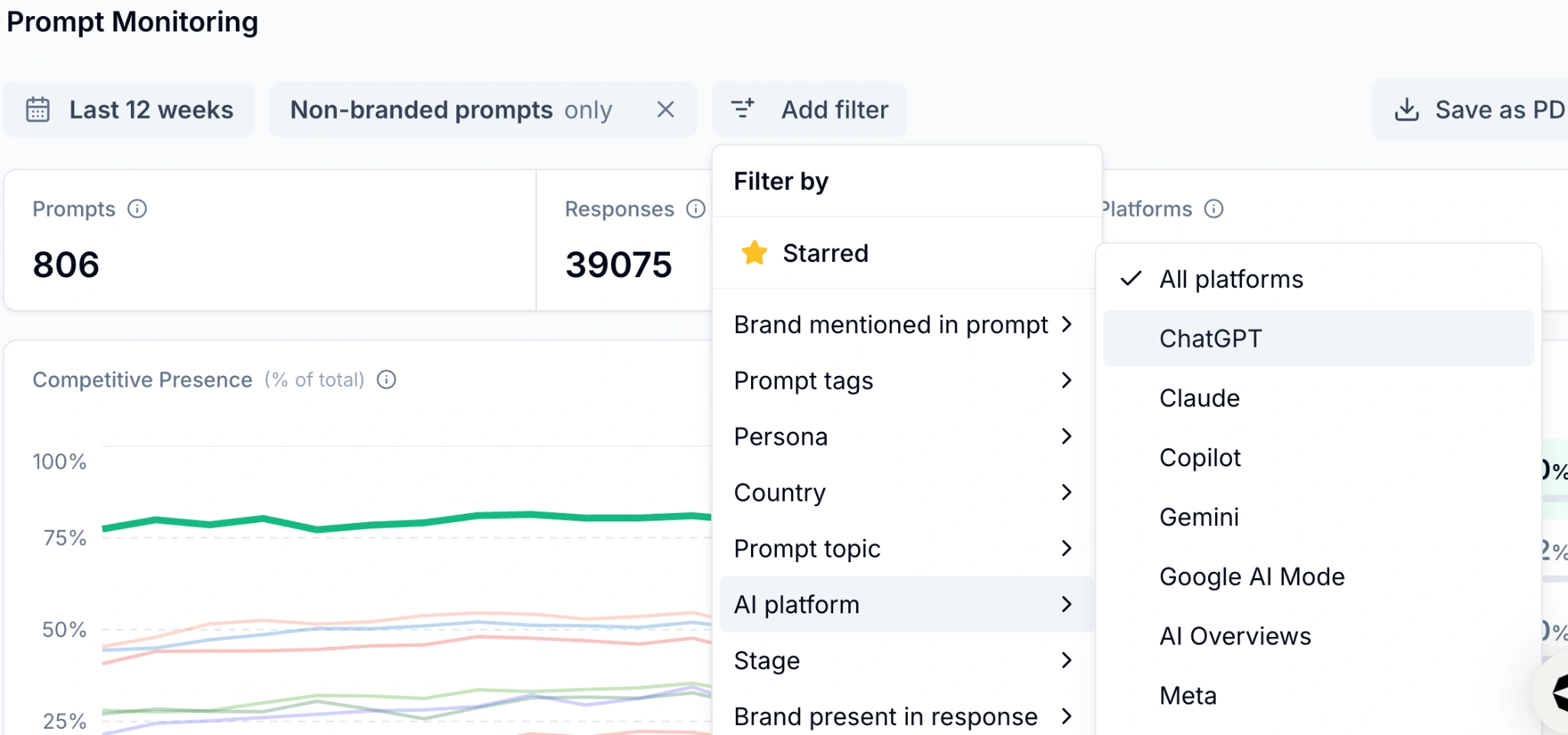
Start with 10–15 buyer questions covering discovery, comparisons, and brand queries. Add your brand, aliases, domain, and key competitors while keeping branded queries separate to protect data accuracy. Define your target country, language, platforms, and check frequency. Confirm whether collection uses consumer interfaces or APIs to properly interpret percentage metrics.
Track mentions, citations, and site visits separately. Review underlying answers and URLs before making updates. After running the panel for a few weeks, target a specific gap like an incorrect fact or uncited page. Record edit dates to observe follow-up trends, noting that external factors also influence movement over time.
If checking those source pages becomes repetitive, the web-research example in popular n8n AI workflows offers a starting point. For moving reviewed findings into your document and project tools, see the Claude connector guide.
Conclusion
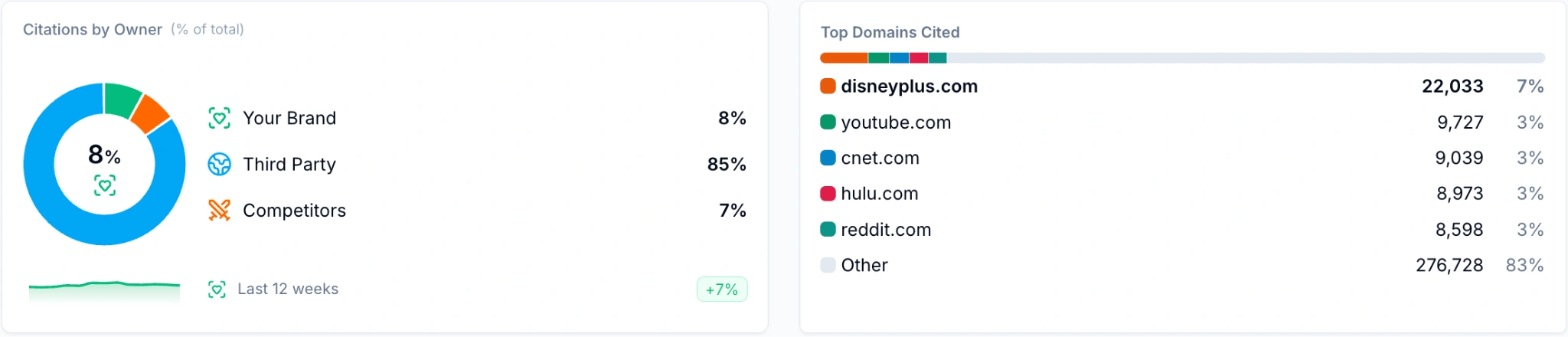
Before committing, open one stored answer, trace its citations, and identify a change worth making. A tool that helps you do that repeatedly is more useful than a large visibility score with no clear next action.
Frequently Asked Questions
Can I track AI visibility for free?
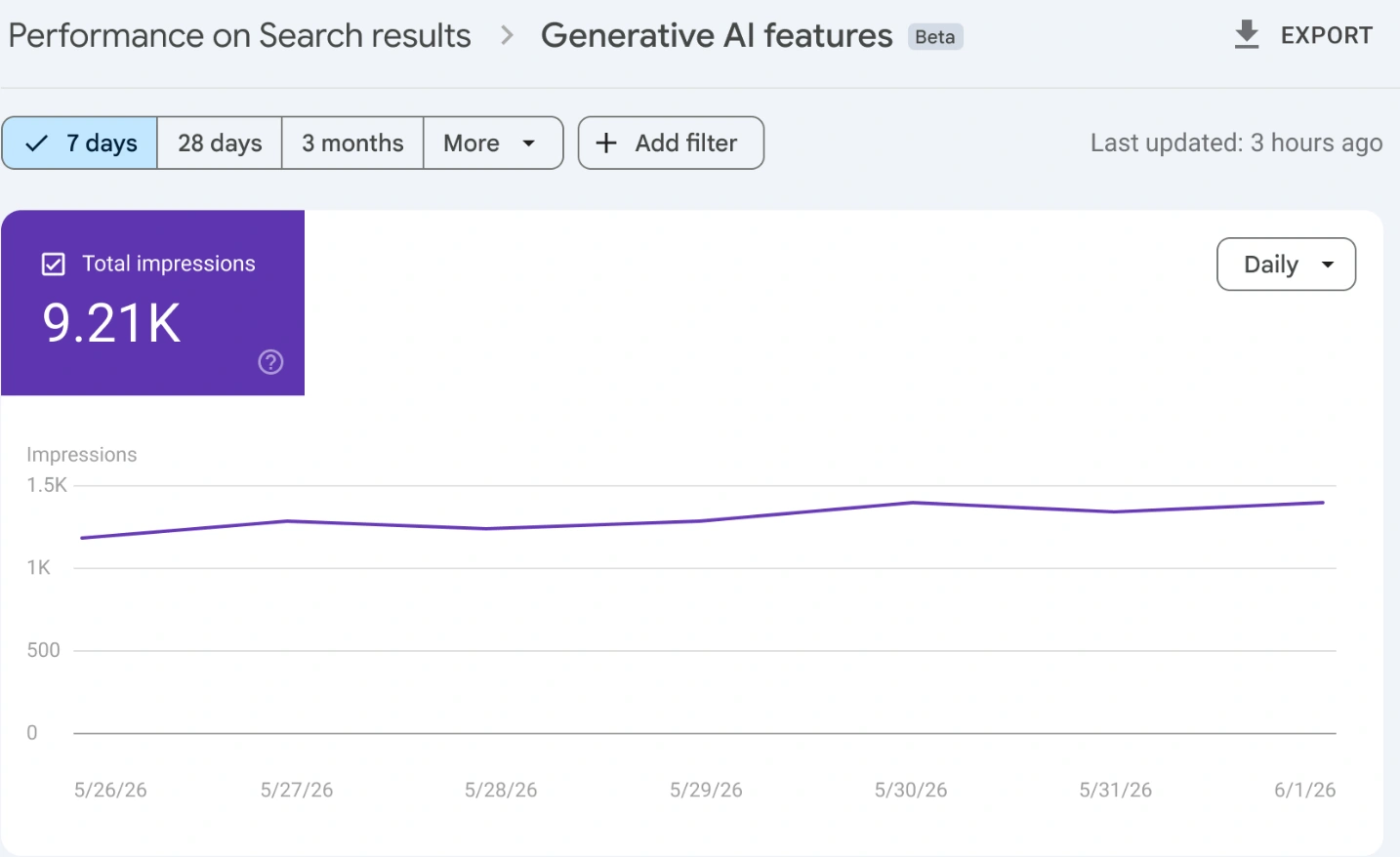
Use free trials and manual checks. Search Console's Generative AI report tracks your site's Google impressions; it doesn't cover ChatGPT or Perplexity.
Are AI Mode and AI Overviews the same?
No. They are separate Google experiences with different answers and links. Check both coverage and pricing.
Do crawler visits prove my brand was recommended?
No. A bot retrieving a page doesn't establish a brand mention, a visible citation, or a human visit.
Can these tools guarantee inclusion in AI answers?
No. They monitor selected answers and reveal opportunities. Inclusion still depends on the platform, question, location, and changing responses.