

You can like Claude and still need another assistant: a second opinion on a draft, research with an easier source trail, or AI closer to your team's files. Those are useful reasons to look at Claude alternatives.
Start with your bottleneck. Try ChatGPT for mixed tasks and finished files, Perplexity for research, and DeepSeek for a free second opinion. Gemini and Copilot bring different routes into office tools. Oasis addresses shared work with agents.
These eight assistants and workspaces help with different jobs. Claude Code alternatives require a separate look at repository access, developer tools and testing.
1. ChatGPT: for tasks that change shape as you work
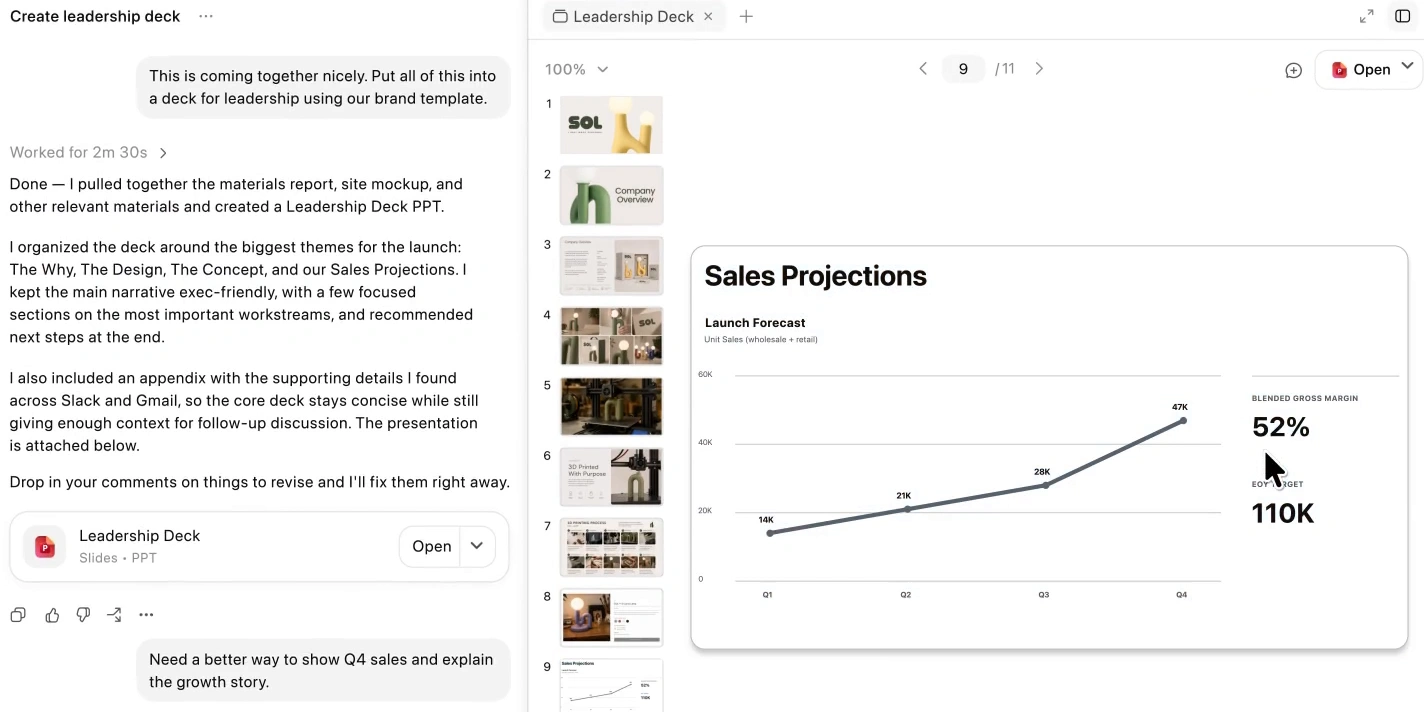
A ChatGPT Work demo shows a completed slide deck and a request to revise its sales chart.
ChatGPT is a useful Claude alternative when an assignment moves between research, analysis and creating a deliverable. Use Chat to explore the question, then Work to develop reviewable files.
Suppose you have customer feedback and a spreadsheet of support requests. Ask for the main complaint categories, check the classification, then request a report and a presentation for the product team. Files, projects and plugins supply context and tools.
Free access lets you explore the product. Plus is listed at US$20 monthly; higher plans offer different models, capacity and features. Check your intended workflow's plan requirements.
There is a capacity tradeoff here too. ChatGPT Work and Codex share usage, and a long task can consume more allowance than several brief questions. Budget for the entire assignment, including revisions.
Best for: People whose work moves from an answer into analysis and shareable files.
2. Gemini: for work that already lives in Google
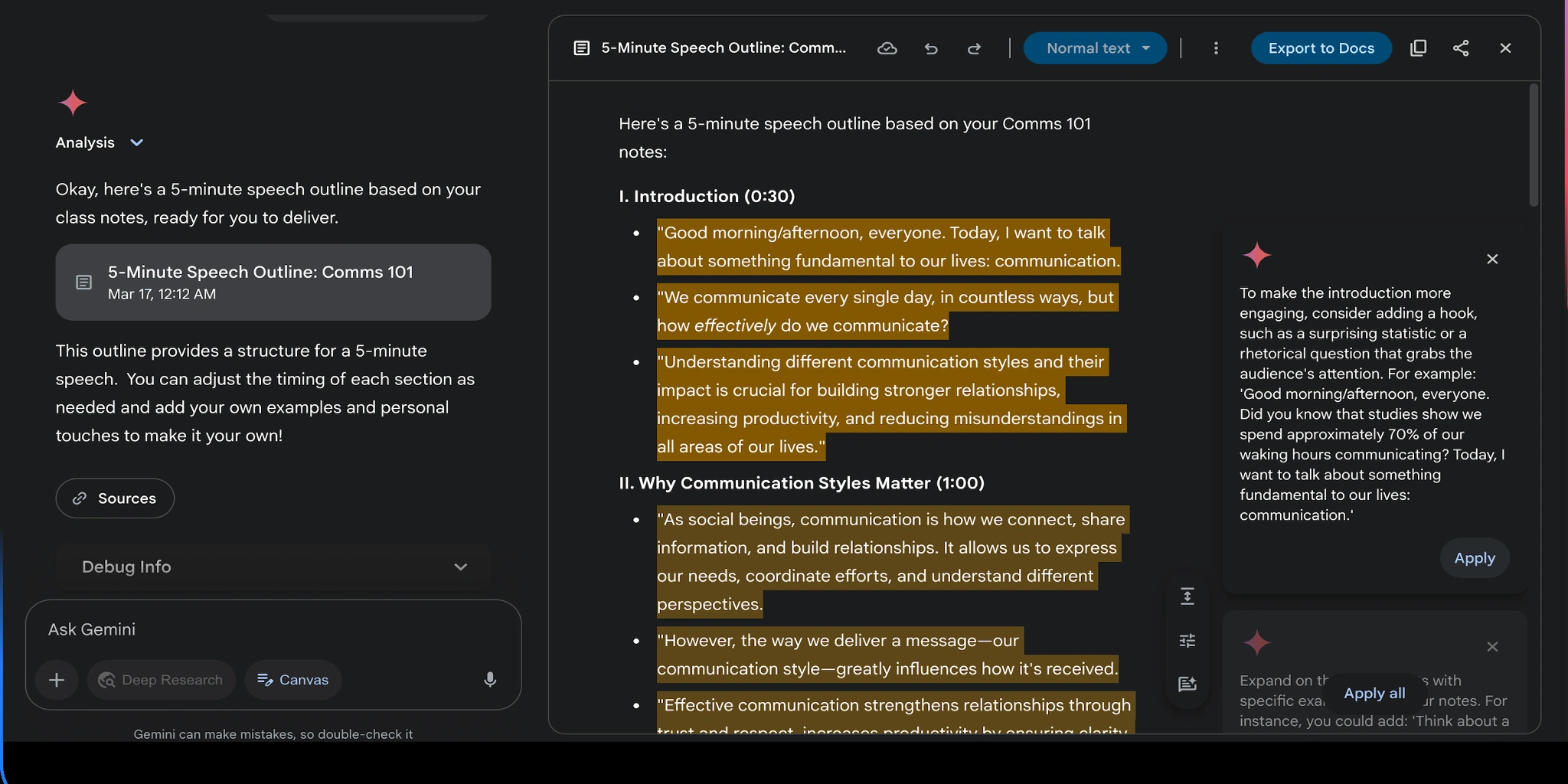
Gemini's Canvas example places an editable speech outline beside the conversation, with suggestions and Export to Docs controls.
Gemini connects relevant information from Gmail, Docs and Drive through Google Workspace. Canvas gives you a place to develop the result.
Ask it to find the latest supplier emails and project specification, then prepare a checklist of outstanding requirements. Develop the checklist in Canvas and export to Docs. The surrounding Google workflow is a practical reason to switch.
Canvas is available without a paid Google AI plan. Google AI Plus, Pro and Ultra expand access and allowances. Usage is compute based, with five-hour and weekly limits affected by the task and model.
Check connection settings first. Work and school accounts depend on administrator access, and the Workspace connection has boundaries: it cannot read comments or images in Docs and Gmail. Attach missing material when it matters.
Best for: Google users who want source retrieval and an editable document in one workflow.
3. Perplexity: for checking what an answer rests on
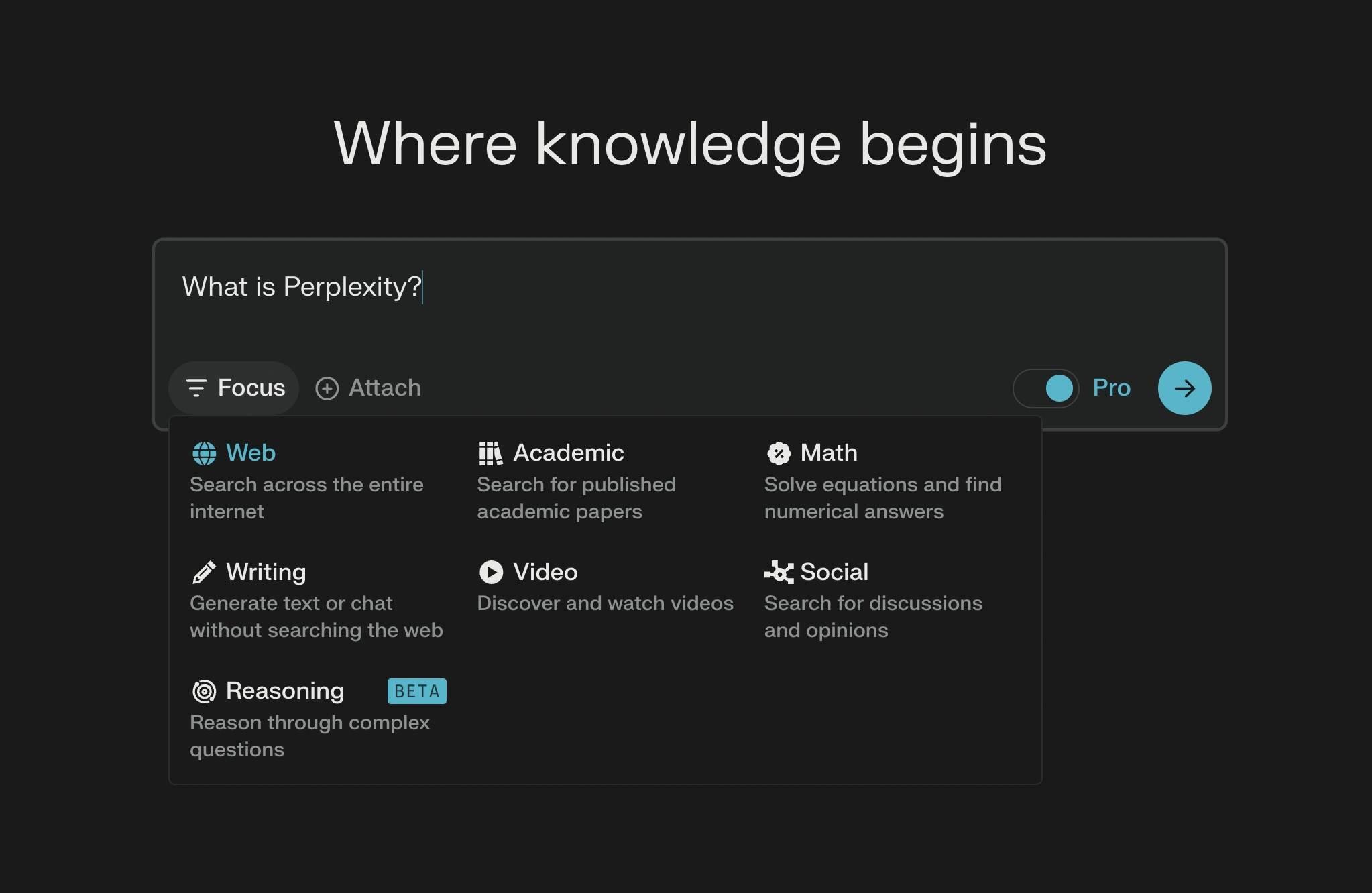
A Perplexity Computer example turns portfolio information into a dashboard with holdings, performance charts and risk panels.
Perplexity is a convenient Claude alternative for research. Its web searches and citations let you move quickly from a claim to its supporting page.
Investigate a software migration: which export formats does your existing tool support, which does the replacement accept, and where does the documentation confirm each point? Follow citations, check dates and ask about gaps. A traceable checklist beats a confident general answer.
The Free plan covers basic searches, limited uploads and a small advanced-search allowance. Pro expands advanced models, file analysis and research capabilities; premium functions still have their own limits.
You are buying a research interface as well as model access. A citation can point to a relevant page while failing to support a particular detail. Inspect the original documentation before a consequential decision.
Best for: Current research where checking the evidence is part of the job.
4. Microsoft Copilot: for writing where the document lives
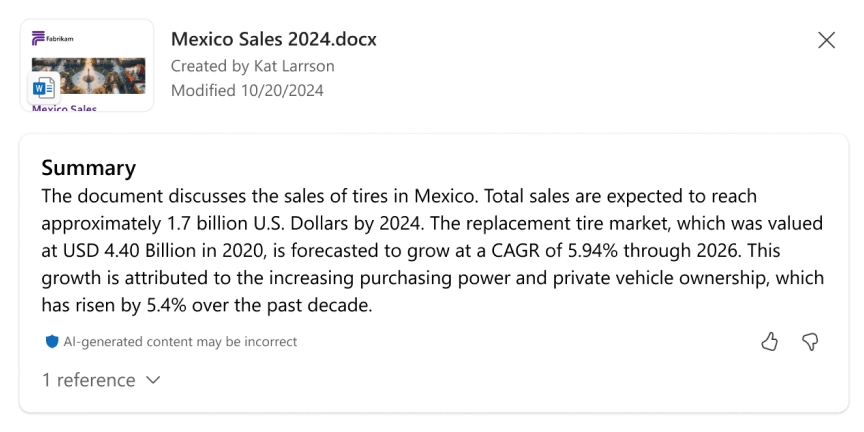
Copilot in OneDrive turns a document into a summary with its source attached.
Consider Microsoft Copilot when your finished work belongs in Word, Outlook or Excel. Their editing and formatting tools remain close at hand.
For an internal policy update, use an eligible Microsoft 365 experience to develop the draft in Word, refine a section, and prepare the message in Outlook. Assess what remains before sharing. Location matters alongside the quality of the first paragraph.
Microsoft also offers a free personal Copilot for writing help, questions and web-based tasks. That free assistant and Copilot inside Microsoft 365 have different entitlements.
Individual plans, business licenses, devices and account settings affect access. In Microsoft 365 Family, the subscription owner's AI benefits do not extend to every family member. Confirm the actual app feature and account that will use it before paying.
Best for: Microsoft users who want drafting and revision close to their everyday documents.
5. DeepSeek: for a free second reasoning opinion
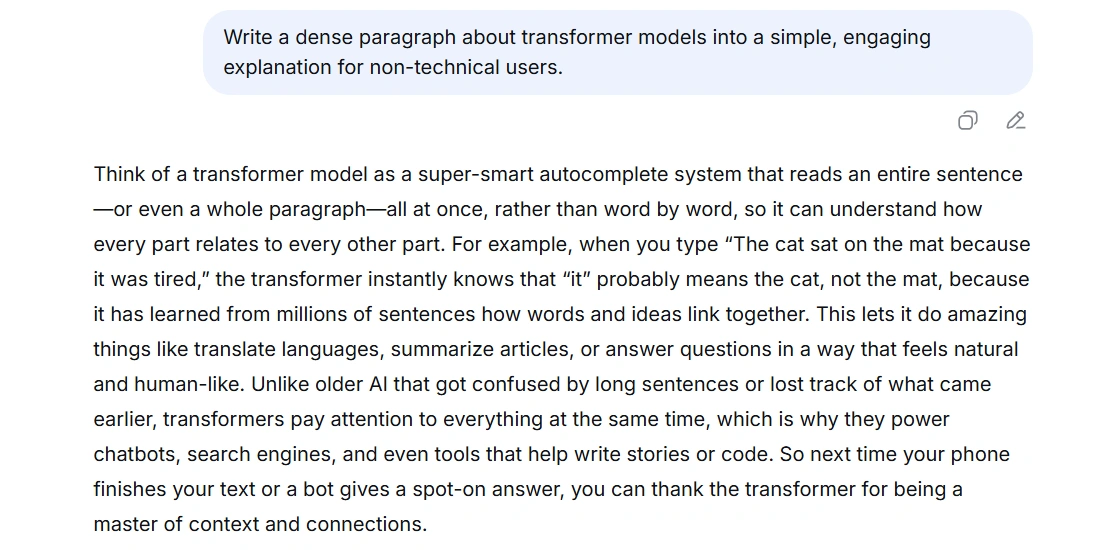
DeepSeek turns a technical prompt into a plain-language explanation of transformer models.
DeepSeek is worth trying when subscription cost is your main constraint. Its free official assistant includes thinking, web search, file upload and text extraction.
Use it to challenge an existing answer. Paste a small Python function and ask which inputs could break it, with examples and expected results. Compare the suggestions with the actual function. This gives a second model a defined job.
For writing, the same approach works with an argument: ask it to identify unsupported assumptions and the strongest objection. You still decide whether the objection holds.
Keep the assistant and API costs separate. DeepSeek's developer API bills by tokens, so free app access does not make an automated integration free. Chat-based code suggestions also need execution and review before you treat them as a fix.
Best for: Budget-conscious users seeking another view on reasoning, writing or focused code questions.
6. Mistral Vibe: for taking a brief across tools
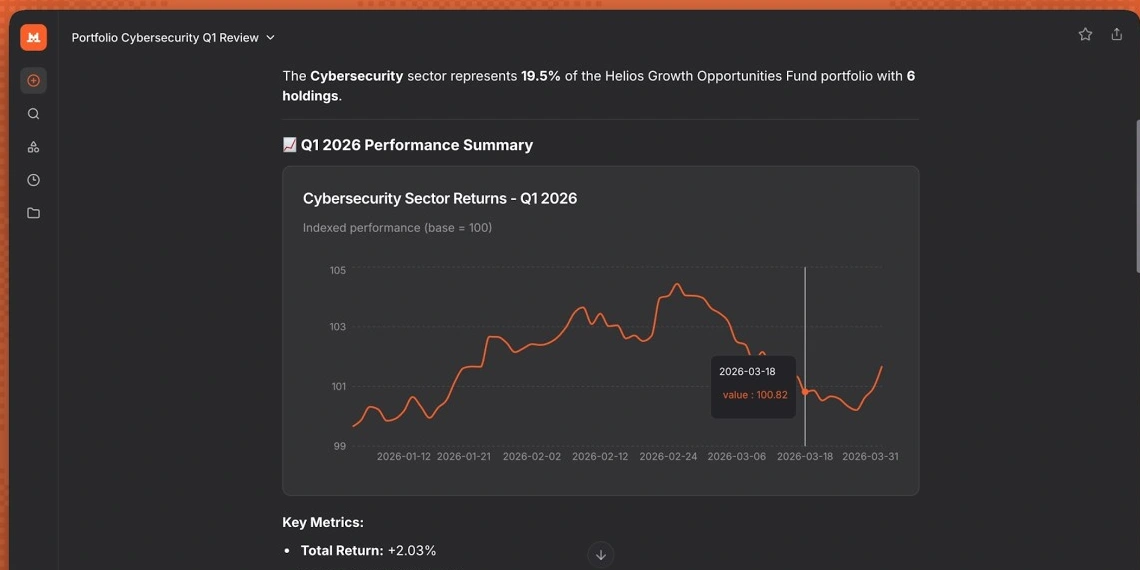
Vibe's Work example presents a portfolio review with a performance chart and an interactive value tooltip.
Le Chat is now Mistral Vibe. Chat, Work and Code modes cover different jobs; existing accounts, conversations and plans carry over.
Try Vibe Work for an assignment involving several sources. Supply a sales spreadsheet and account notes, ask for anomalies worth discussing, then develop a quarterly management brief. Connected sources can add context once you configure access.
The Free plan supports quick answers, web search and simple tasks. Pro expands access to agents and longer assignments; Team adds a shared workspace and administration. Enterprise deployment options have separate arrangements.
The deciding question is whether Vibe supports the tools and permissions your task needs. A promise to prepare a brief is useful only when the assistant can reach the right information. Start with a bounded assignment and inspect what it used.
Best for: Users who want chat to lead into delegated research and document work.
7. Oasis: for shared work with people and agents
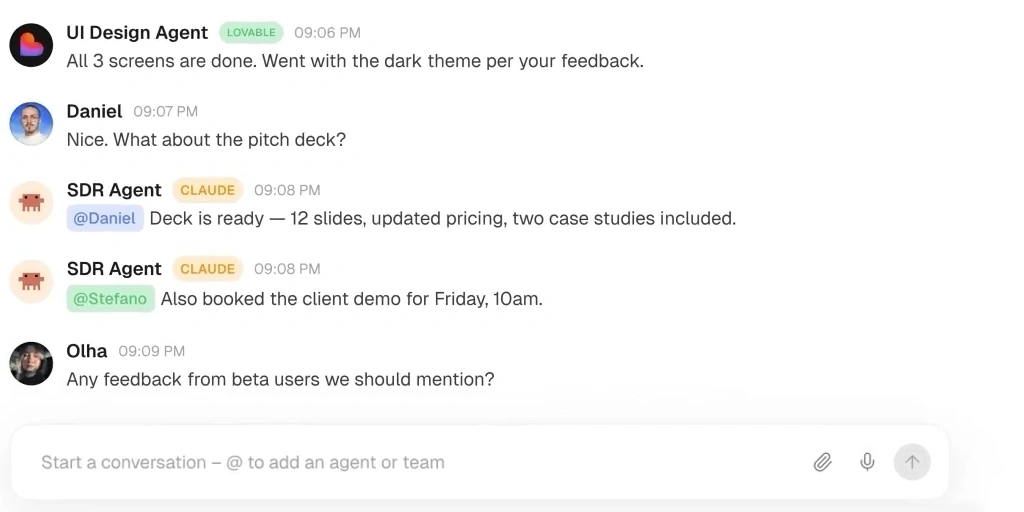
An Oasis room keeps teammate questions and agent updates in one conversation.
Oasis fits work whose context is spread across teammates and individual conversations. Rooms bring humans and shared agents into the same group chat.
For a customer guide, an editor supplies the brief, a specialist corrects technical details, and an agent helps draft. The shared document and room decisions provide context for the next assignment.
Oasis supports people and agents working live in a document, spreadsheet or codebase, alongside shared memory of decisions and tasks. It is a collaboration workspace, so assess it for coordination and shared deliverables rather than expecting a standalone Claude-style assistant.
Access currently runs through an early-access waitlist. Confirm availability, supported agents and what your team can use before planning a rollout. The useful test is whether the next person can continue the work with its context intact.
Best for: Teams coordinating shared agents, decisions and editable work.
Which Claude alternative solves your problem
| Alternative | Main reason to try it | Check before switching |
|---|---|---|
| ChatGPT | Mixed tasks and finished files | Plan features and shared Work/Codex usage |
| Gemini | Google sources and Canvas | Account permissions and compute limits |
| Perplexity | A convenient research trail | Whether citations support the details |
| Microsoft Copilot | Work inside Microsoft apps | App entitlement and subscription owner |
| DeepSeek | A free second opinion | Verification and separate API costs |
| Mistral Vibe | Delegated work across sources | Supported connections and agent access |
| Poe | Several model families | Bot identity, rates and points |
| Oasis | Shared team and agent context | Early-access availability |
Pick the constraint you actually want to remove. If your draft is good but the handoff is messy, another prose generator may leave the problem intact. If the issue is paid capacity, check the alternative's limits before moving a long assignment.
Compare two candidates on one representative task. Include the source material, a clear output requirement and a revision that changes a meaningful detail. Judge the finished work: correctness, editability, effort remaining and the route to sharing it.
Frequently Asked Questions
What is the best free Claude alternative?
Start with DeepSeek for a second reasoning opinion, Gemini for Canvas and Google workflows, or Copilot for everyday questions and writing. ChatGPT, Perplexity, Mistral Vibe and Poe also offer free access. Compare their allowances and feature gates for the workflow you need.
Which Claude alternative is better for writing?
Try ChatGPT for several input files and output formats, Gemini for Canvas documents, or Copilot for writing within Microsoft apps. Compare the same passage and revision instructions. The practical winner should preserve your facts and reduce cleanup; no single prose-quality winner is established here.
Are these also alternatives to Claude Code?
Some products include separate coding experiences. Codex and Mistral Vibe Code are candidates to investigate for repository work. Compare their supported development surfaces, permissions, ability to run tests and usage terms. The conversational features described here answer a broader assistant query; they do not demonstrate an equivalent replacement for your Claude Code workflow.