

Codex has enough slash commands now that memorizing the entire menu is unnecessary. A smaller set covers most of the useful work: setting repository instructions, planning changes, switching models, controlling permissions, checking session state and reviewing what changed.
This article lists some of the most used Codex CLI commands, along with how to use them and more importantly when to!
1. /init: Give Codex Repository Instructions
/init
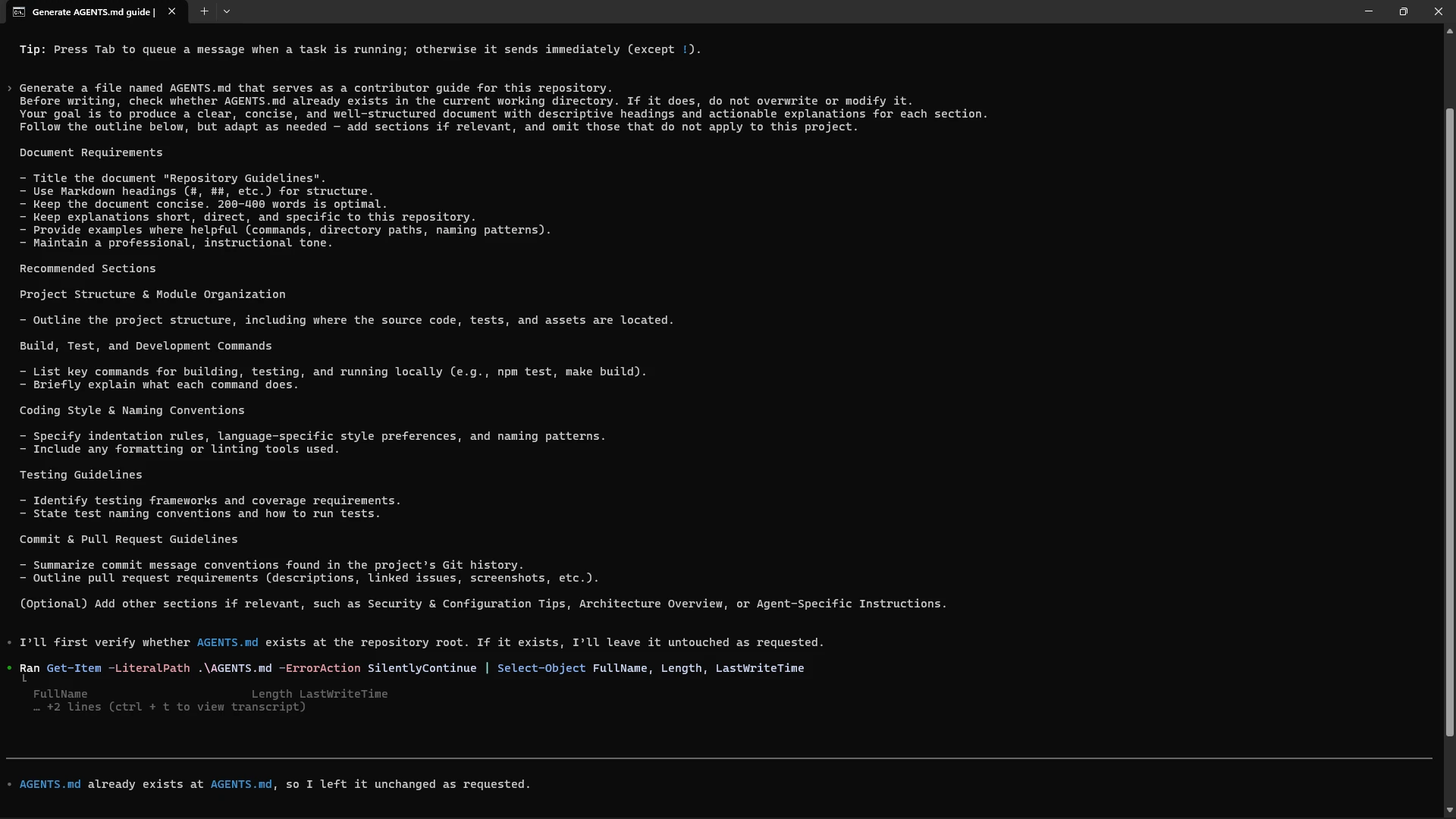
Run this once when you bring Codex into a repository. It creates or guides the creation of an AGENTS.md file that can hold build commands, testing rules, coding conventions and repository-specific instructions.
In the run, Codex first checked whether AGENTS.md already existed and correctly left the existing file untouched instead of overwriting it.
2. /plan: Make Codex Plan Before It Edits
/plan
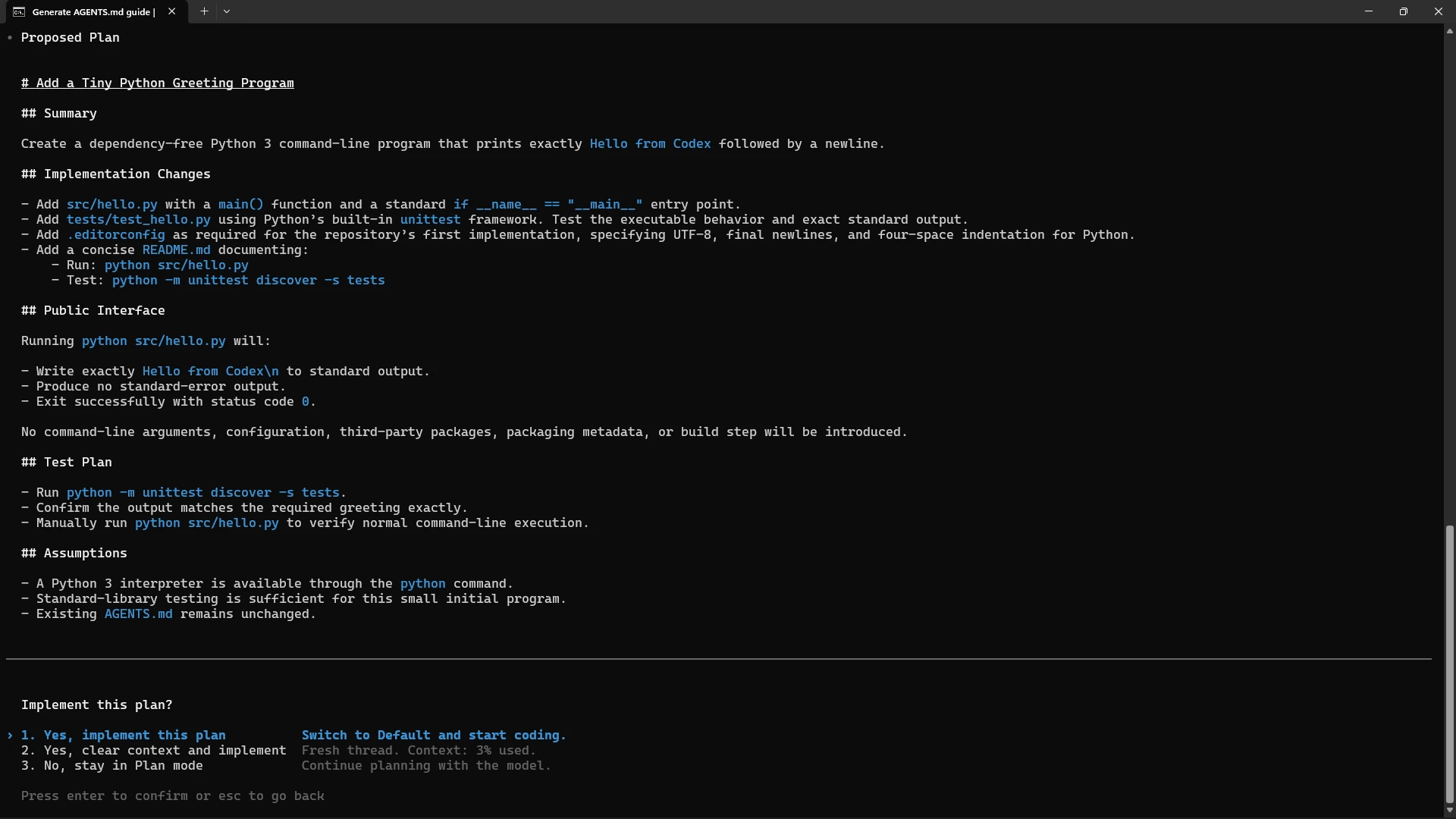
Use /plan when a task touches several files or when you want to inspect the approach before Codex starts changing code. Plan mode separates reasoning about the work from actually implementing it.
For a tiny Python greeting program, Codex proposed the source file, unit test, editor configuration, README changes, public behavior and test plan before asking whether to implement anything.
3. /model: Switch Model and Reasoning Effort
/model
The model picker lets you change the active Codex model without leaving the CLI. This is useful when a routine edit does not need the same reasoning budget as a difficult debugging or architecture task.
The current CLI also surfaces the reasoning effort alongside the available models, so the tradeoff is visible before you continue.
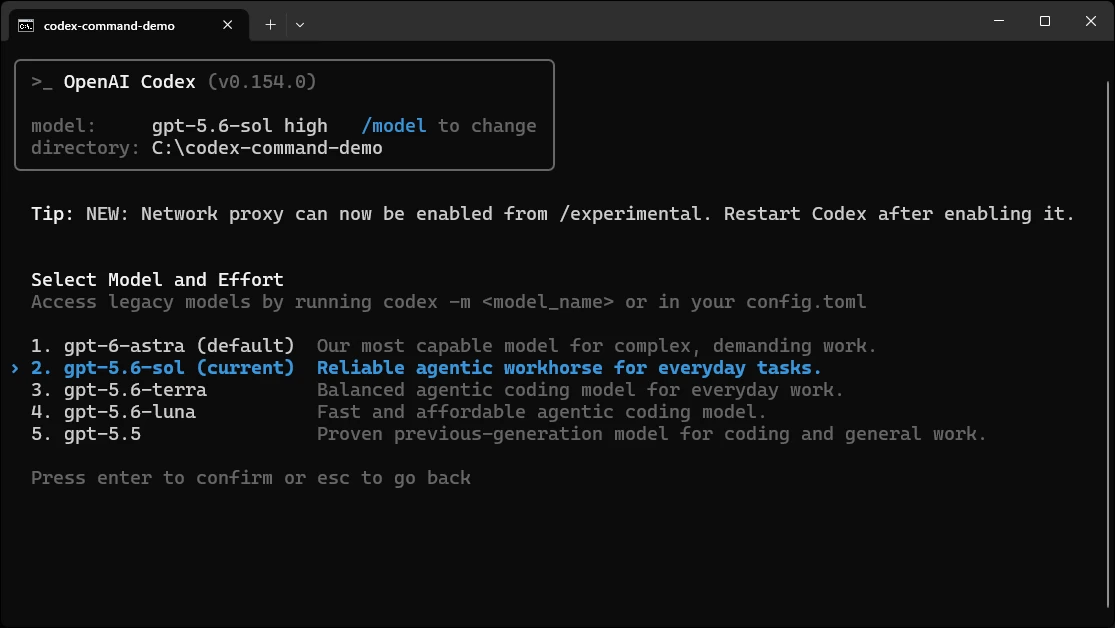
/model opens the Select Model and Effort menu in Codex CLI.
4. /permissions: Decide How Much Codex Can Do
/permissions
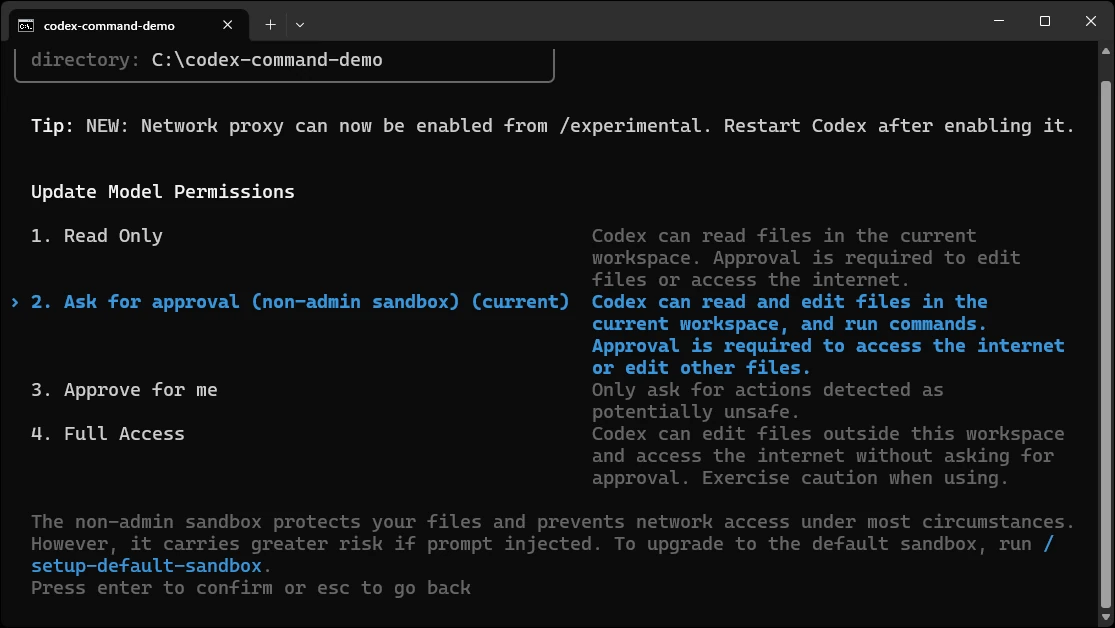
Permissions determine whether Codex can only read, can edit inside the workspace with approval, can approve routine actions for you, or can operate with broader access. Set this before a task rather than after an unexpected action.
The screenshot shows the current non-admin sandbox along with Read Only, Ask for approval, Approve for me and Full Access options.
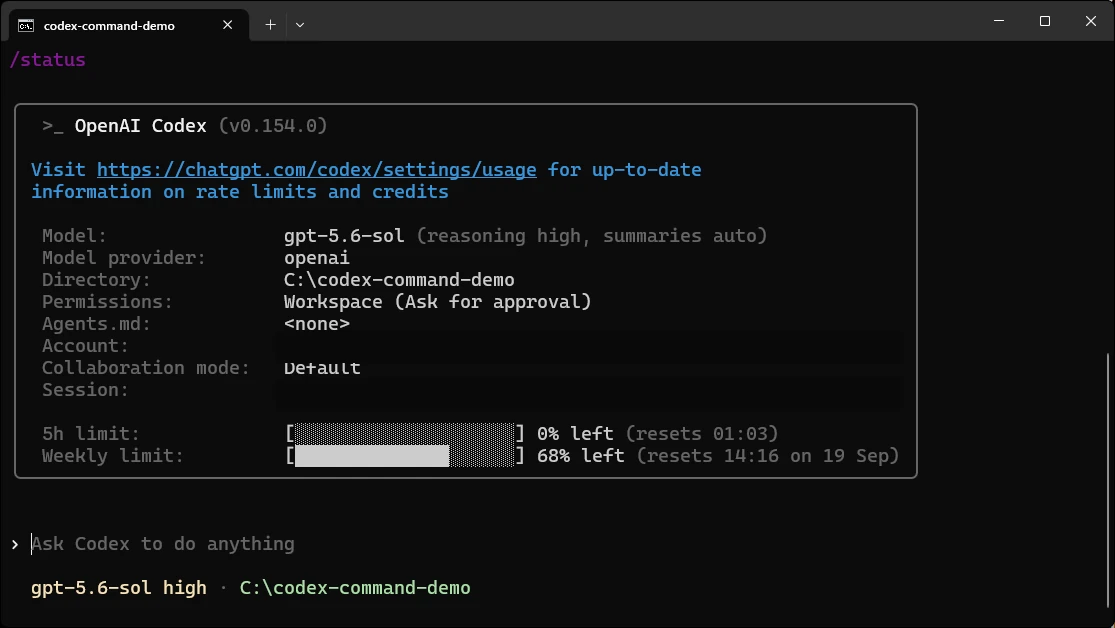
5. /status: Check the Active Session
/status
Run /status when you need a quick answer to “what is Codex actually using right now?” It surfaces the active model, provider, working directory, permission mode, collaboration mode and current rate-limit state.
It is especially useful after changing models or permissions, or when Codex behaves differently from what you expected.
6. /usage: See How Much Codex You Are Actually Using
/usage daily
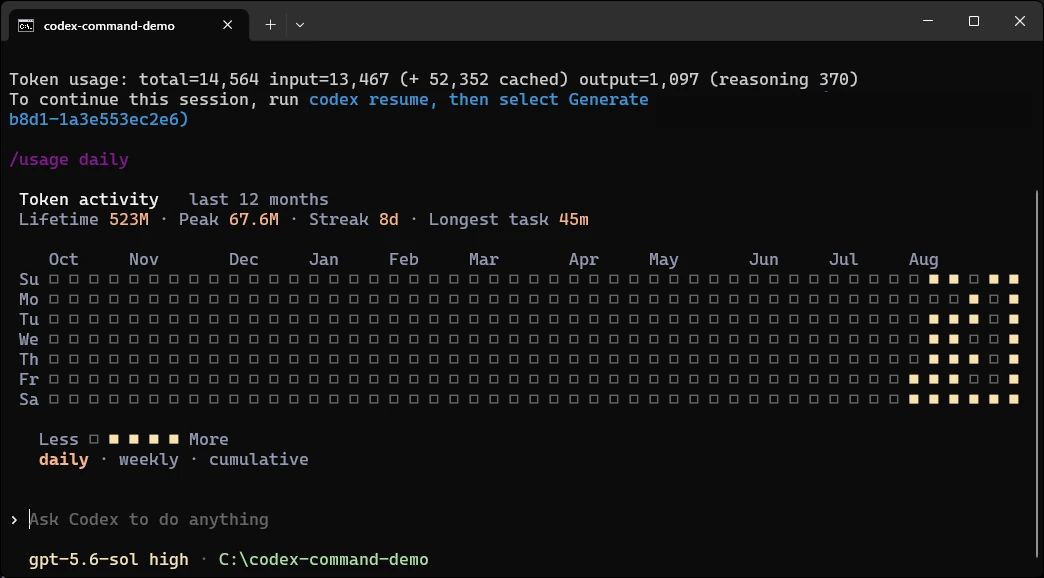
The /usage command deserves a place beside /status because it answers a different question. /status tells you what the current session is configured to do; /usage shows the activity you have accumulated over time.
In daily view, Codex displays total token activity, peak usage, streak information and a calendar-style heatmap. Weekly and cumulative views are available from the same screen.
7. /mention
/mention path/to/file
Attach a specific file or path when you already know where the relevant code lives. It is cleaner than making Codex rediscover the same file from a vague prompt.
8. /diff
/diff
Show the current working-tree changes before you commit or ask for a review. Use it as the final reality check after a large edit.
9. /review
/review
Run a focused review over local changes to surface bugs, regressions, missing tests and risky assumptions without turning the review itself into another implementation pass.
10. /compact
/compact

Compress older conversation context when a session has become long. This keeps the important state while freeing room for the next phase of work.
A practical Codex command flow
/init → /permissions → /plan → work → /diff → /review → /status or /usage when you need visibility.
That sequence covers setup, guardrails, planning, implementation, verification and session visibility without turning the CLI into a command-memory exercise.
Frequently Asked Questions
What is the most useful Codex CLI command for beginners?
/init is a good starting point because it helps Codex understand repository-specific instructions before making changes.
What is the difference between /status and /usage?
/status shows the current session setup, while /usage shows accumulated activity such as token usage and usage trends.
When should I use /plan in Codex CLI?
Use /plan before larger or multi-file tasks when you want to review Codex’s approach before it starts editing code.