

Starting an AI project from scratch often means spending more time on setup than experimentation. Solved implementations let you start with working architectures across vision, audio, text, and time series.
Each project below includes a GitHub repository where relevant. You can adapt the code, test it on your own data, evaluate results, identify failure cases, and improve the final experience instead of rebuilding the foundation first.
1. Create an Image Generation Workflow
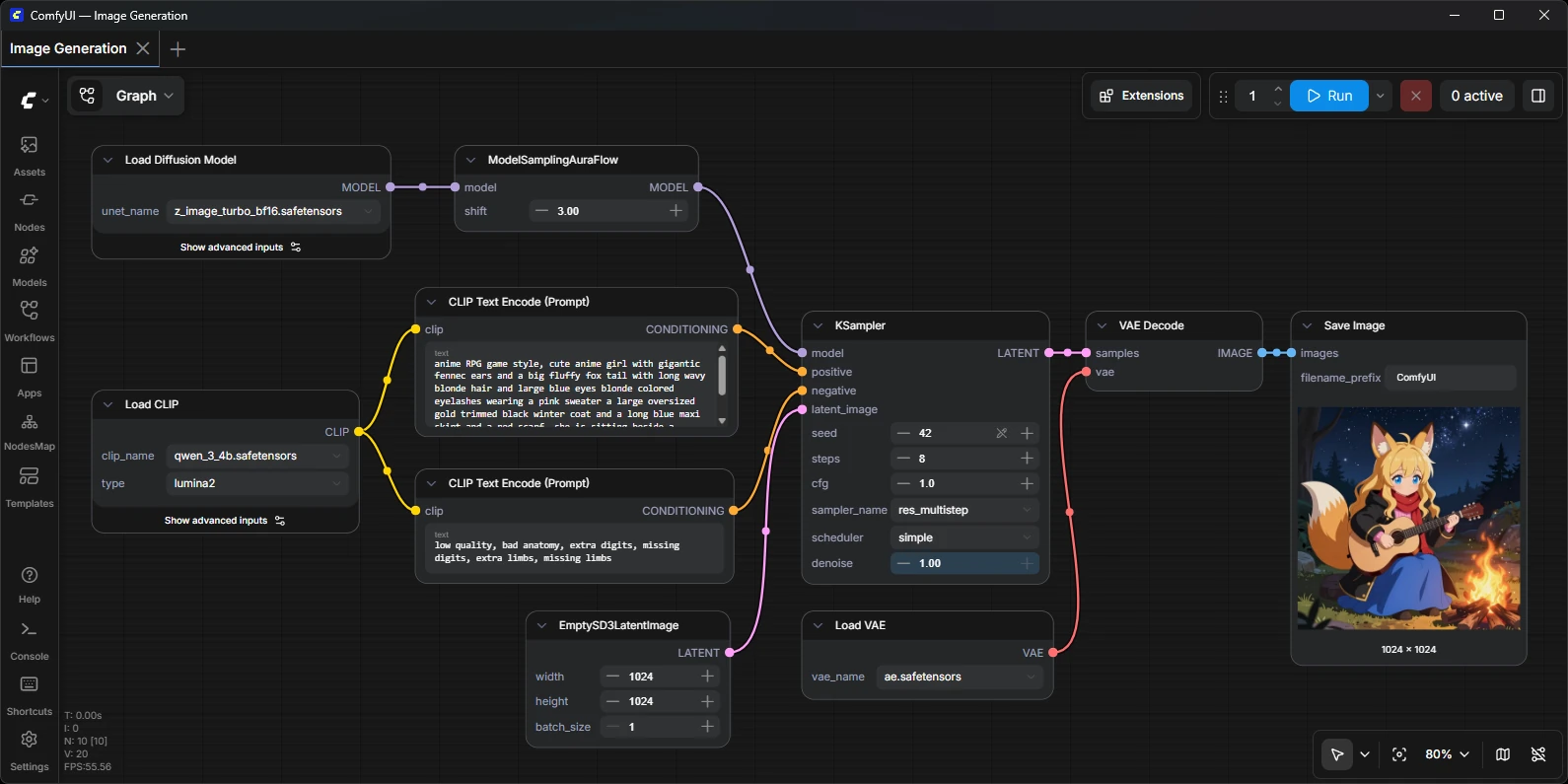
Best for: Creators who want control over image generation
Start with a basic prompt → image workflow, then extend it with image-to-image generation. The project gives you a working foundation while still leaving enough room to experiment with models, parameters, and workflow design.
A good final build is a reusable workflow that accepts a prompt and reference image, generates multiple outputs, and automatically upscales the selected result.
Try this: ComfyUI
2. Turn Audio Into Searchable Transcripts
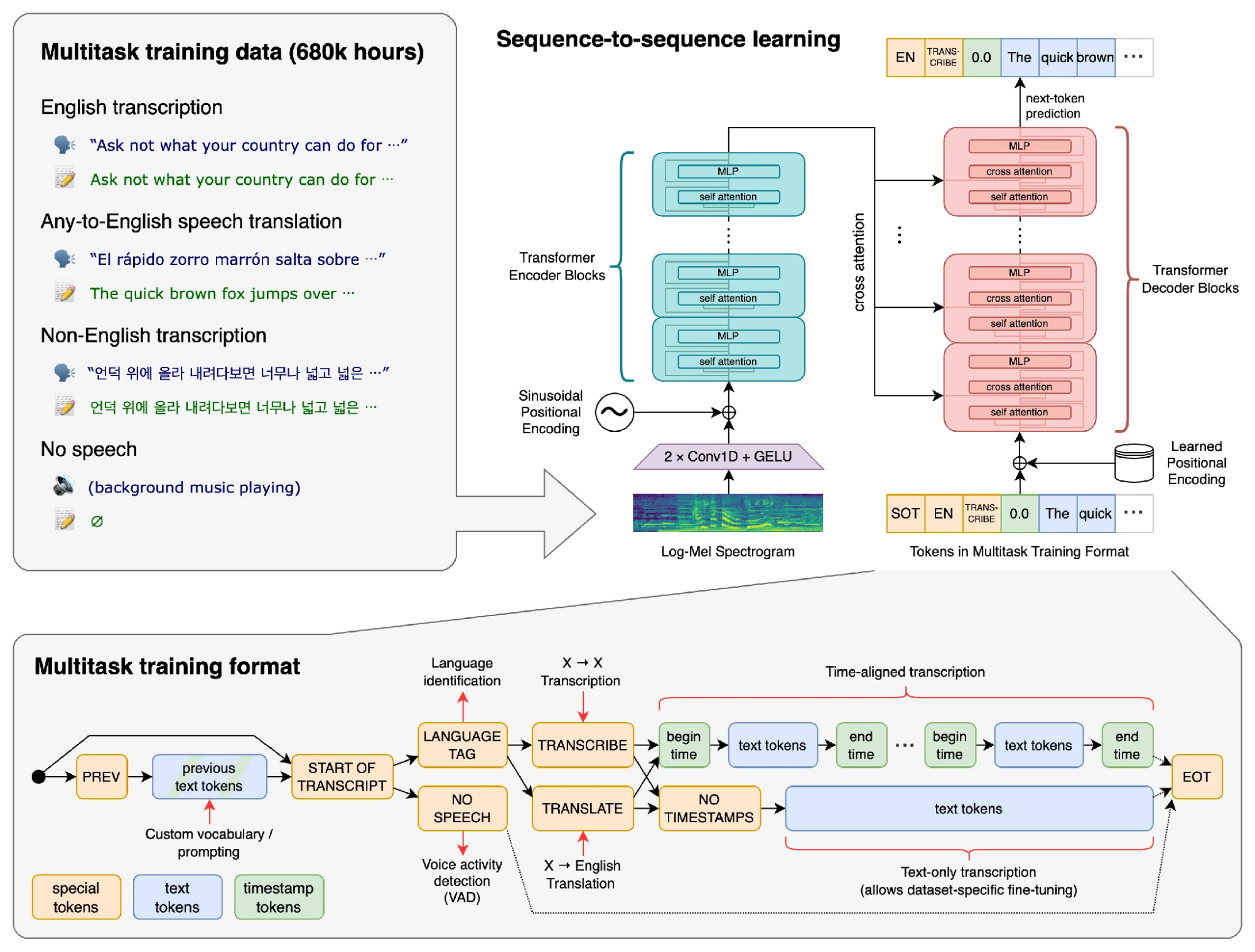
Best for: Podcast, lecture, and interview projects
Build a searchable transcription tool using Whisper. Feed it podcasts, interviews, or lectures, generate timestamped transcripts, and let users search for a phrase and jump directly to the matching point in the audio.
The project can be extended with automatic summaries, chapter generation, subtitle export, or a simple interface for searching an entire audio library.
Try this: Whisper
3. Extract Text and Tables From Documents
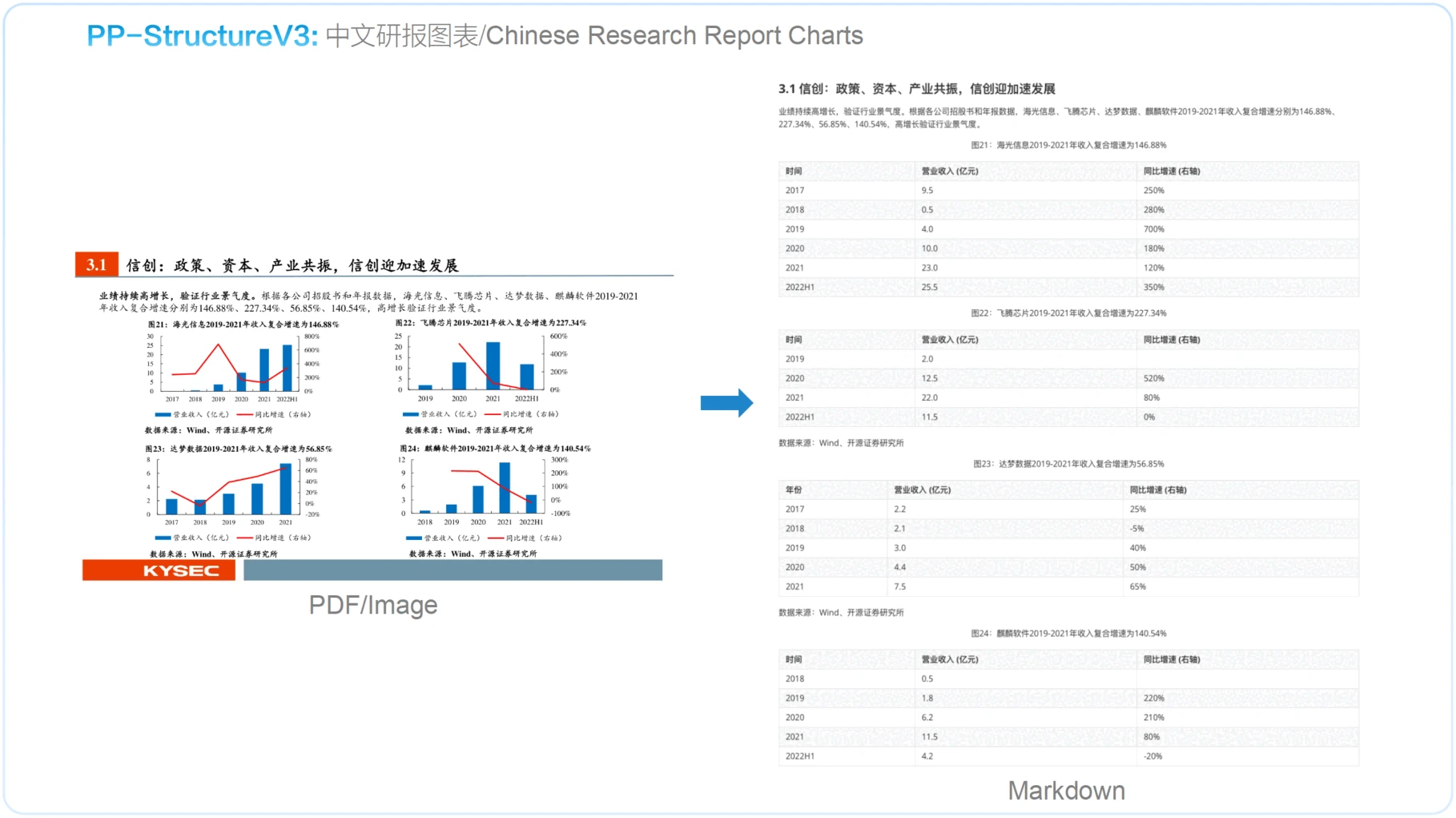
Best for: Document processing and data extraction projects
Build a document extraction pipeline with PaddleOCR that turns scanned PDFs, invoices, or reports into structured text and tables.
A useful version should accept a document, detect its layout, extract text and tabular data, and export the result as Markdown, JSON, or CSV. You can then test it against rotated scans, multi-column pages, and messy tables.
Try this: PaddleOCR
4. Detect and Count Objects in Video
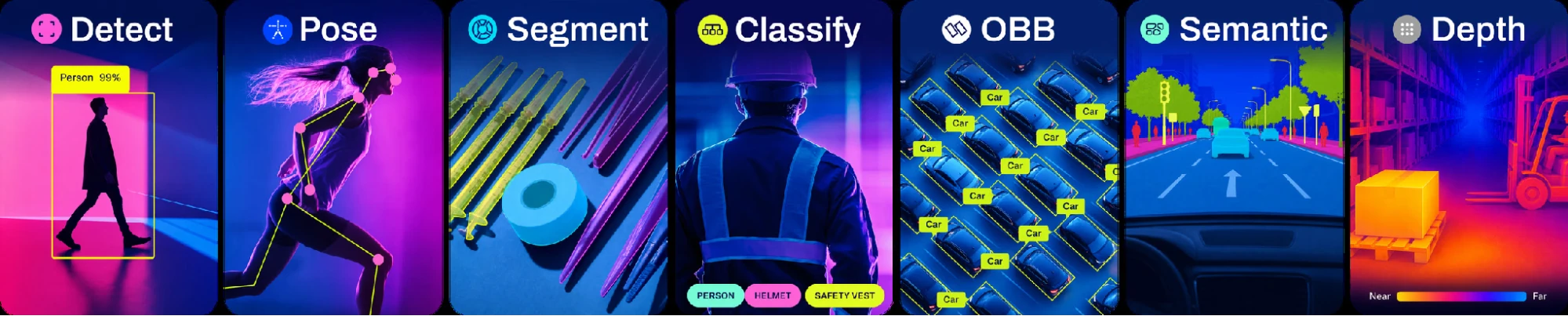
Best for: Computer vision projects with visible results
Build a real-time video analytics system using Ultralytics YOLO. Run detection and tracking on a video feed, assign persistent IDs to objects, and count them as they enter or leave a defined region.
You can adapt the same project for traffic monitoring, retail occupancy, queue analysis, or equipment tracking by changing the classes and counting rules.
Try this: Ultralytics YOLO
5. Build a Chatbot for Your Documents
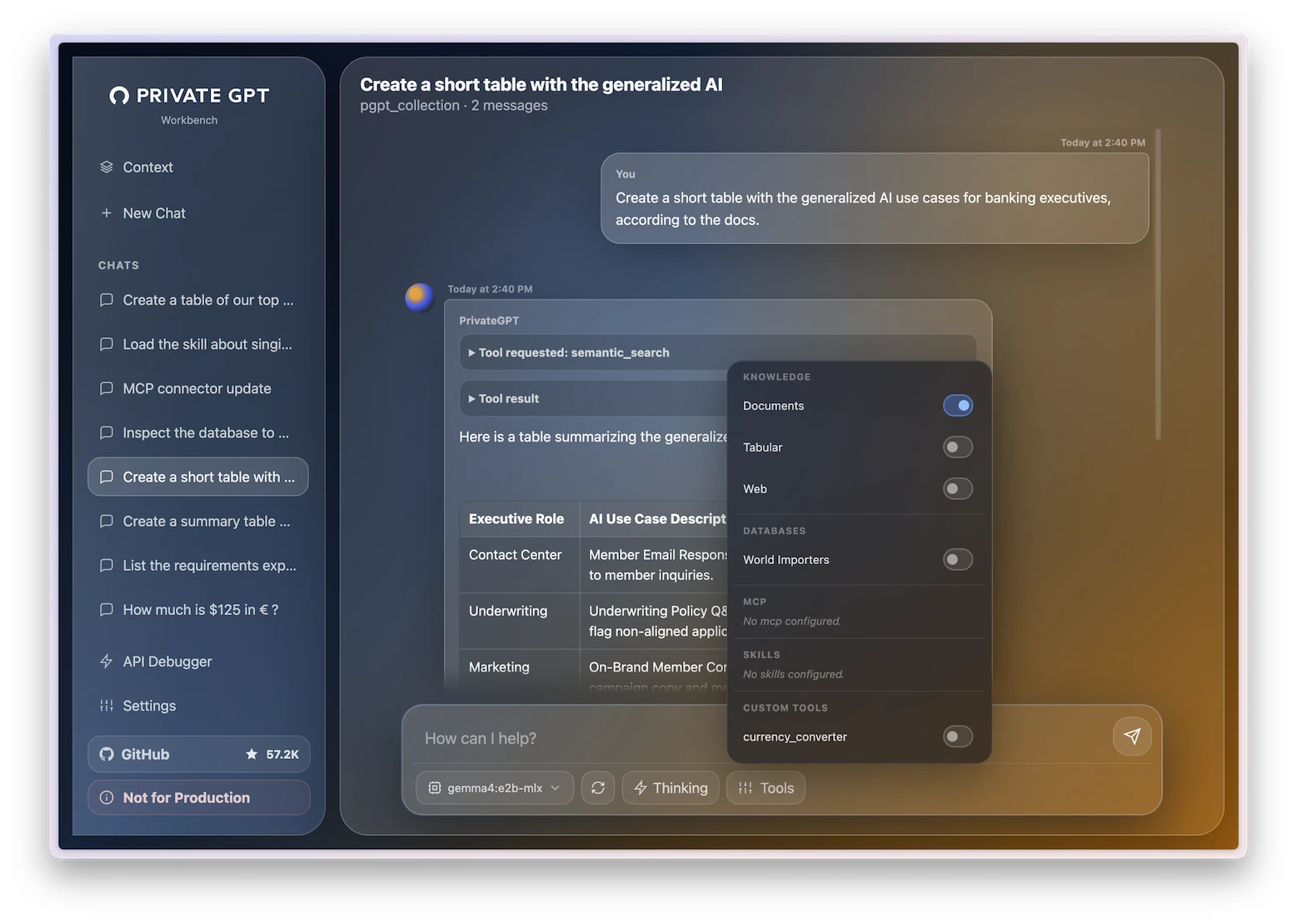
Best for: Learning retrieval-augmented generation with your own files
Build a private document chatbot with PrivateGPT. Ingest PDFs or internal files, index their contents, and answer questions using only the uploaded material.
A stronger version should return the source passages behind each answer, support multiple documents, and let you experiment with chunk sizes, embedding models, and retrieval settings.
Try this: PrivateGPT
6. Remove Backgrounds From Product Photos
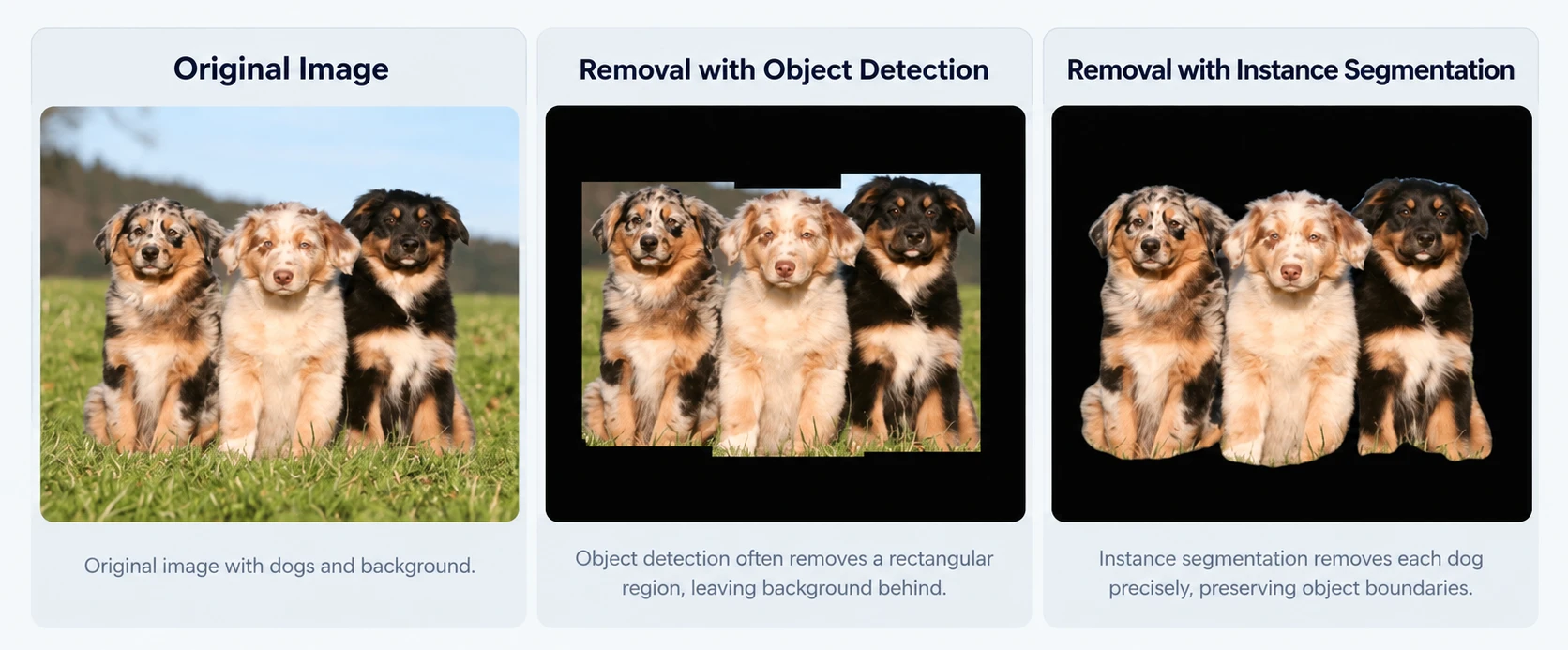
Best for: A small image processing app with a clear before and after
Build a background-removal tool around rembg. Accept product photos, isolate the foreground subject, and export clean images with transparent or replacement backgrounds.
Turn it into a practical batch-processing app by letting users upload a folder of images, process them automatically, and download standardized WebP or PNG assets.
Try this: rembg
7. Generate Music From Text Prompts
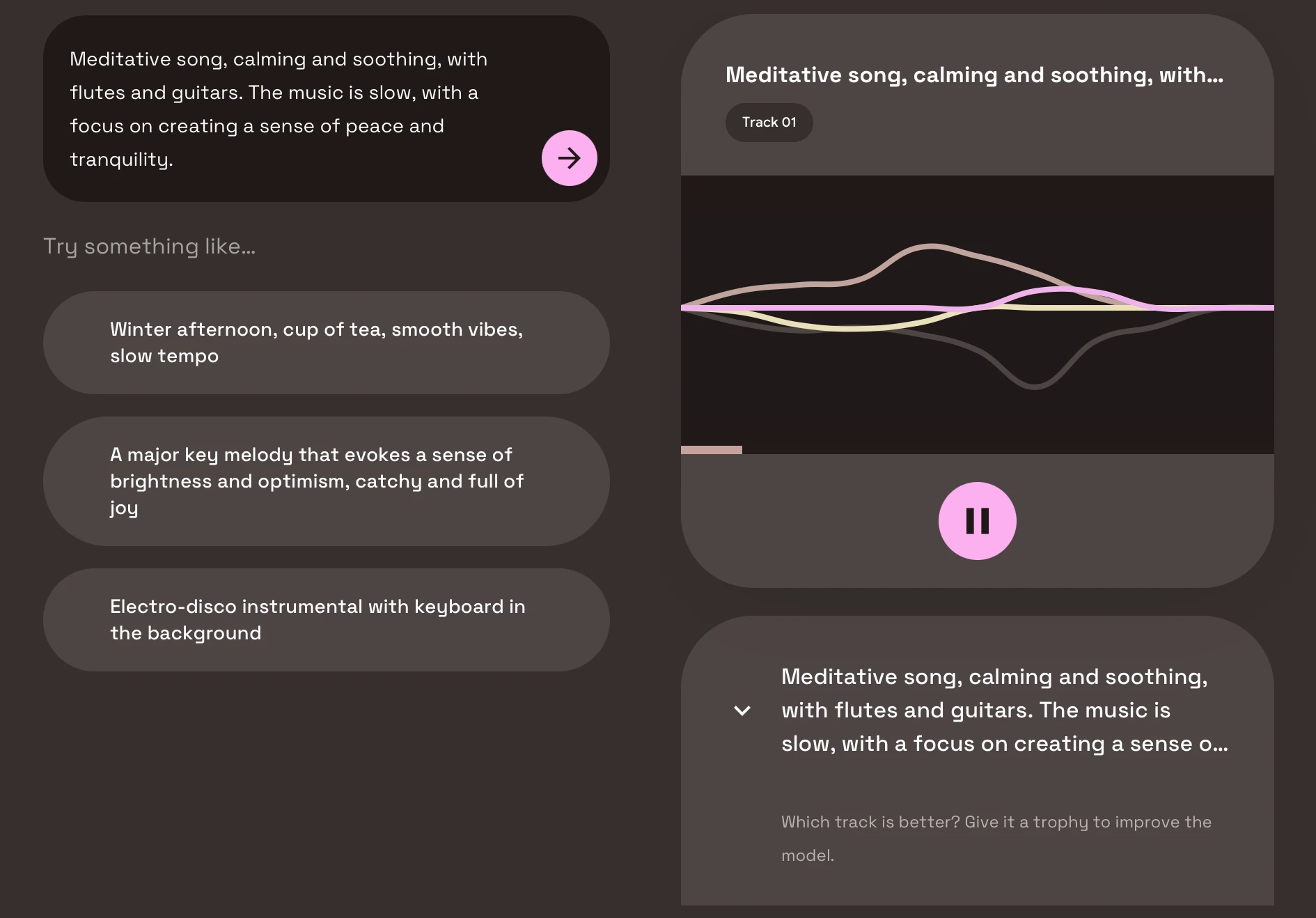
Best for: Learning how to build an audio generation interface
Build a text-to-music generator using MusicGen. Let users describe a track in natural language, generate an audio clip, and compare how changes in genre, mood, tempo, or instrumentation affect the result.
You can extend the project with melody conditioning, prompt presets, waveform previews, and a small interface for generating and comparing multiple variations.
Try this: MusicGen
8. Build a Movie or Product Recommender
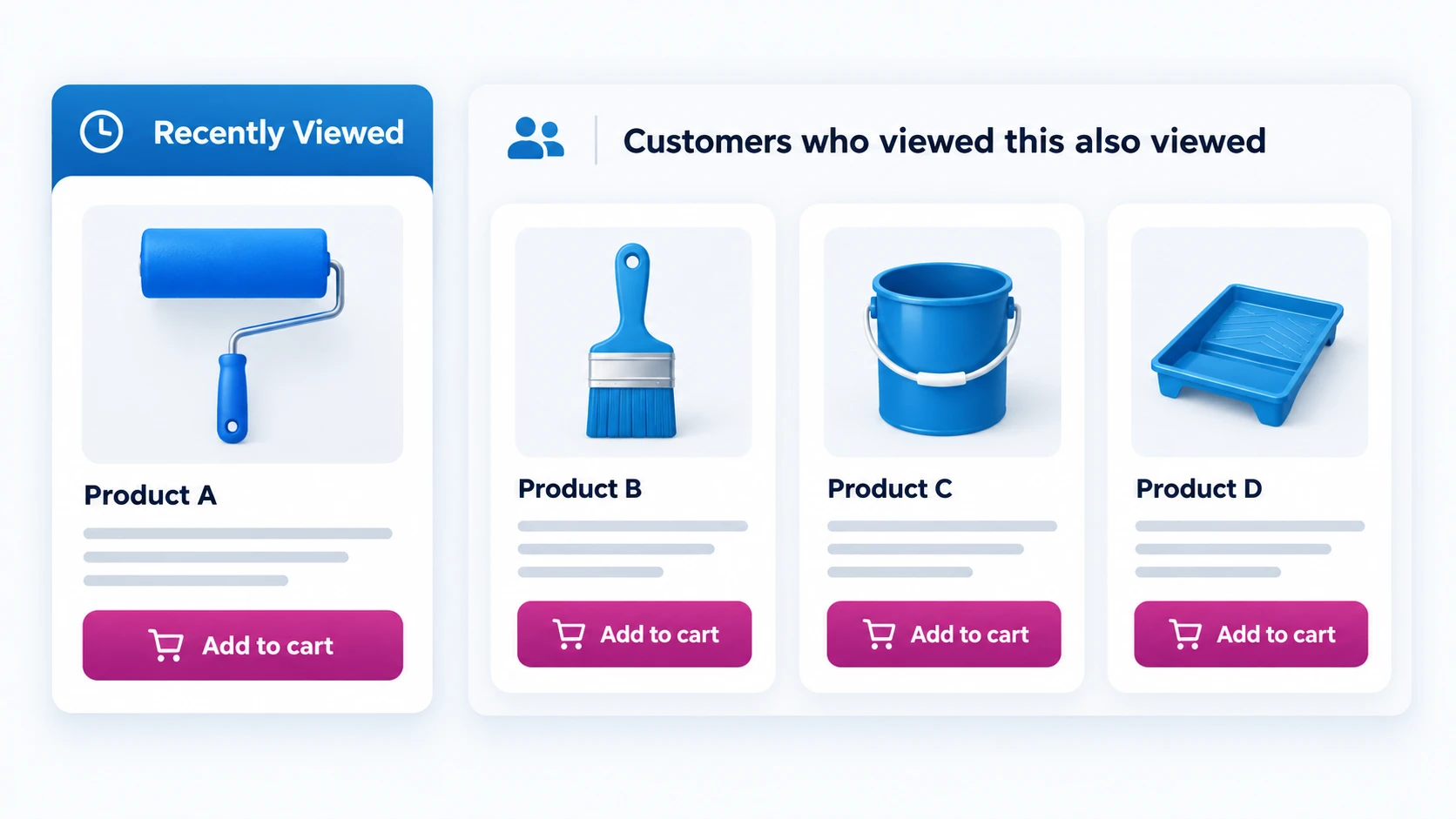
Best for: Learning recommendation systems and evaluation
Build a recommendation system using Microsoft Recommenders. Start with a dataset such as MovieLens or product interaction logs, train a collaborative filtering model, and return ranked recommendations for each user.
The interesting part is evaluating it. Compare different algorithms using metrics such as precision@k, recall@k, and NDCG, then inspect where the recommendations become repetitive or overly popular.
Try this: Recommenders
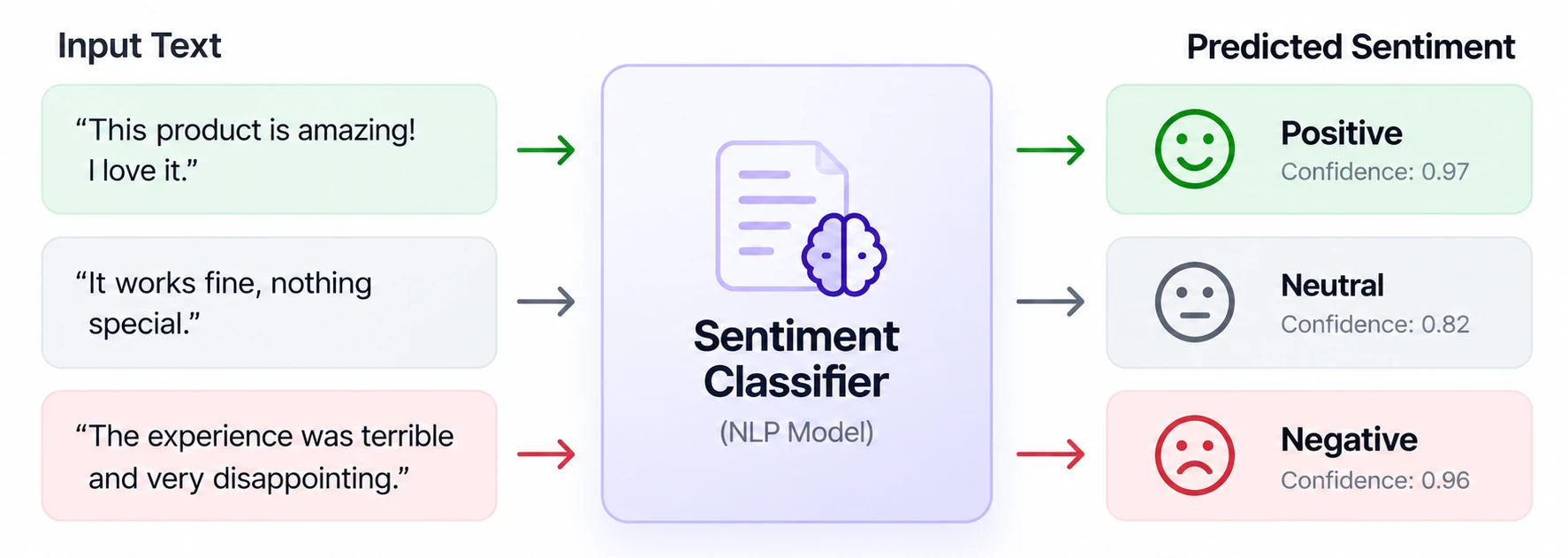
9. Classify Customer Review Sentiment
Best for: A first text classification project with a complete tutorial
Build a customer-review sentiment classifier using the Keras text-classification tutorial as the foundation. Train the model on labeled reviews, then return a sentiment label and confidence score for new text.
You can improve it by testing ambiguous reviews, adding a neutral class, visualizing common errors, or adapting the pipeline to support categories such as complaints, praise, and feature requests.
Try this: Keras sentiment classifier
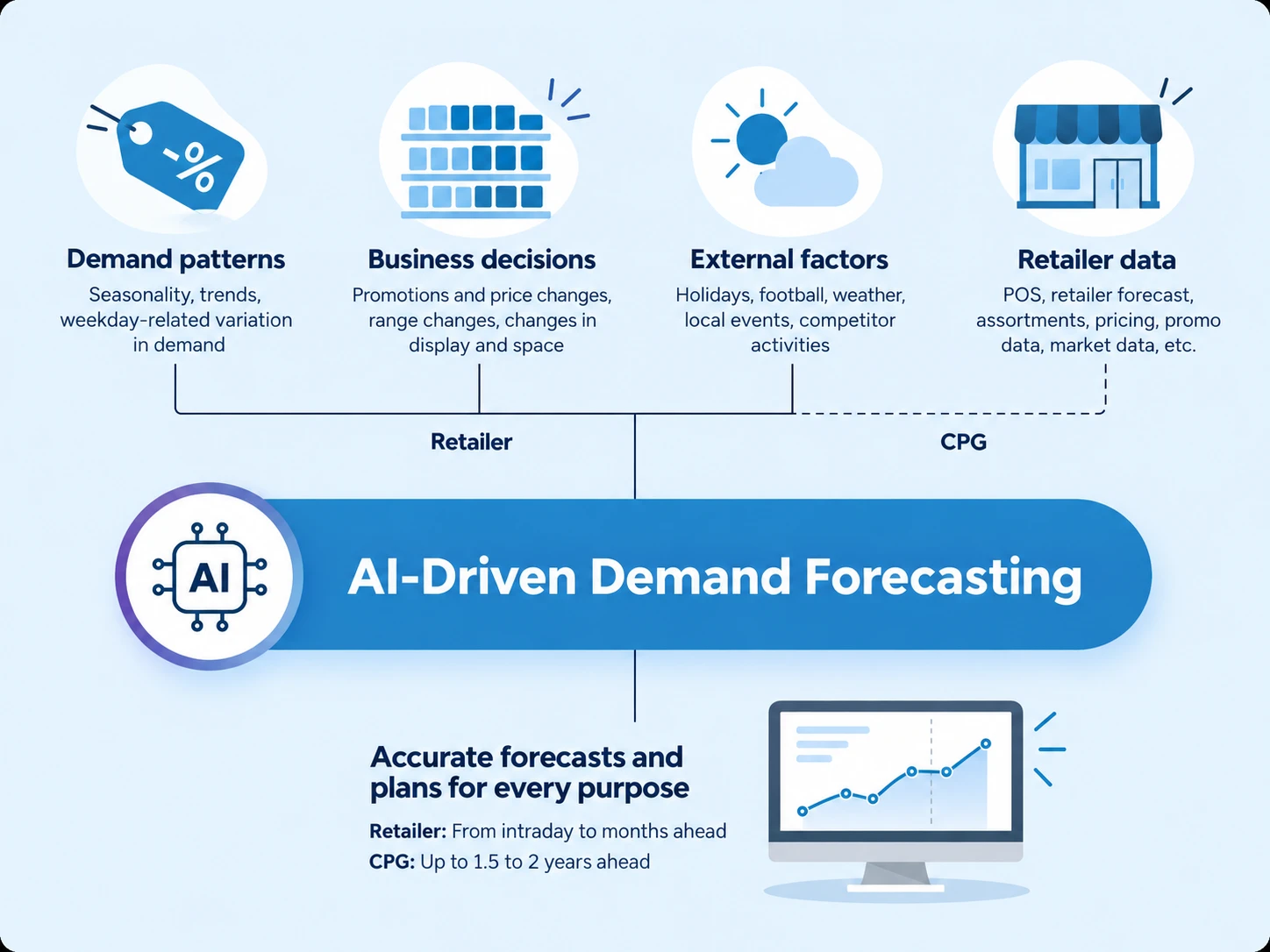
10. Forecast Demand or Website Traffic
Best for: Time series projects with a measurable baseline
Build a demand or traffic forecasting tool with NeuralProphet. Feed it historical time-series data, train a forecasting model, and predict future values while separating trend, seasonality, and short-term effects.
A practical version should accept a CSV, generate forecasts automatically, visualize predicted versus actual values, and compare the model against a simple baseline using backtesting.
Try this: NeuralProphet
Which AI Project Should You Build First
Choosing the right project depends on your domain focus and computational constraints. Lightweight utilities like rembg or Keras sentiment classification offer quick setup and fast feedback loops, whereas models like Whisper, YOLO, or PrivateGPT require slightly more pipeline configuration to integrate effectively. For data-heavy tasks involving metrics and benchmarks, Recommenders and NeuralProphet provide ideal testing grounds.
Focus first on solving a distinct problem with clean evaluation metrics before adding user interfaces or expanding model scope.
Want projects that plan and act across tools? Read our 10 solved agentic AI projects you can build in 2026.
Frequently Asked Questions
What is a solved AI project?
A project backed by existing open-source code, research repositories, or complete implementation tutorials, allowing you to focus on application, tuning, and deployment rather than building architectures from scratch.
Which AI project is best for beginners?
Image background removal using rembg provides quick setup and instant visual results. Text classification with Keras is ideal if you want to explore model training and data preprocessing.
Do I need a GPU for these projects?
Lightweight models for text classification or time-series forecasting run comfortably on standard CPUs. Heavy generative workflows (MusicGen, ComfyUI) and large vision models (YOLO, Whisper) benefit significantly from GPU acceleration.
Can I put these AI projects in my portfolio?
Yes, provided you document your custom enhancements, performance evaluations, and dataset modifications while respecting the underlying open-source licenses.
Are these AI projects free to build?
Most open-source model weights and codebases are free to use locally. Commercial usage or scale depends on specific model licenses and cloud infrastructure costs.