

AI agents can already research, write, and code. The harder part is getting them to work with your team without scattering conversations, files, and decisions across different tools.
Oasis and Buzz bring that work into one shared space. Oasis gets teams started quickly with cooperative workloads including AI agents. Buzz gives developers more control, but asks them to handle more setup.
In this blog, we compare Oasis vs Buzz across setup, agent creation, everyday work, security, deployment, pricing, and overall readiness for your workloads.
Oasis vs Buzz: The Short Answer
Choose Oasis when your priority is quick adoption across operations, marketing, finance, HR, or mixed teams. Choose Buzz when your priority is infrastructure control, developer workflows, or an open collaboration layer.
Oasis feels like a managed AI operating layer for work. Buzz feels like an open team workspace where chat, agents, workflows, and repositories share one protocol.
| Area | Oasis | Buzz |
|---|---|---|
| Best fit | Mixed business and technical teams | Developer-led teams and open communities |
| Setup | Managed web product; native Mac app | Hosted early access or self-hosted relay |
| Collaboration | Rooms with shared agents and artifacts | Channels with agents, workflows, canvases, and repos |
| Agent model | Prebuilt, custom, cloud, and local agents | Bring ACP-compatible or custom agents |
| Artifacts | Docs, spreadsheets, code, briefs | Canvases, media, project history, Git |
| Integrations | Packaged connectors and SDK | CLI, MCP/ACP, YAML workflows, APIs |
| Identity | Workspace accounts and enterprise access controls | Cryptographic keys and signed events |
| Deployment | Cloud, plus enterprise on-prem/VPC options | Block-hosted or fully self-hosted |
| Source model | Proprietary service | Apache 2.0 open source |
| Price | $0 to $199 monthly, then custom | Free during early access; self-hosting costs extra |
| Main trade-off | Less infrastructure ownership | More setup and a younger product |
What Is Oasis?
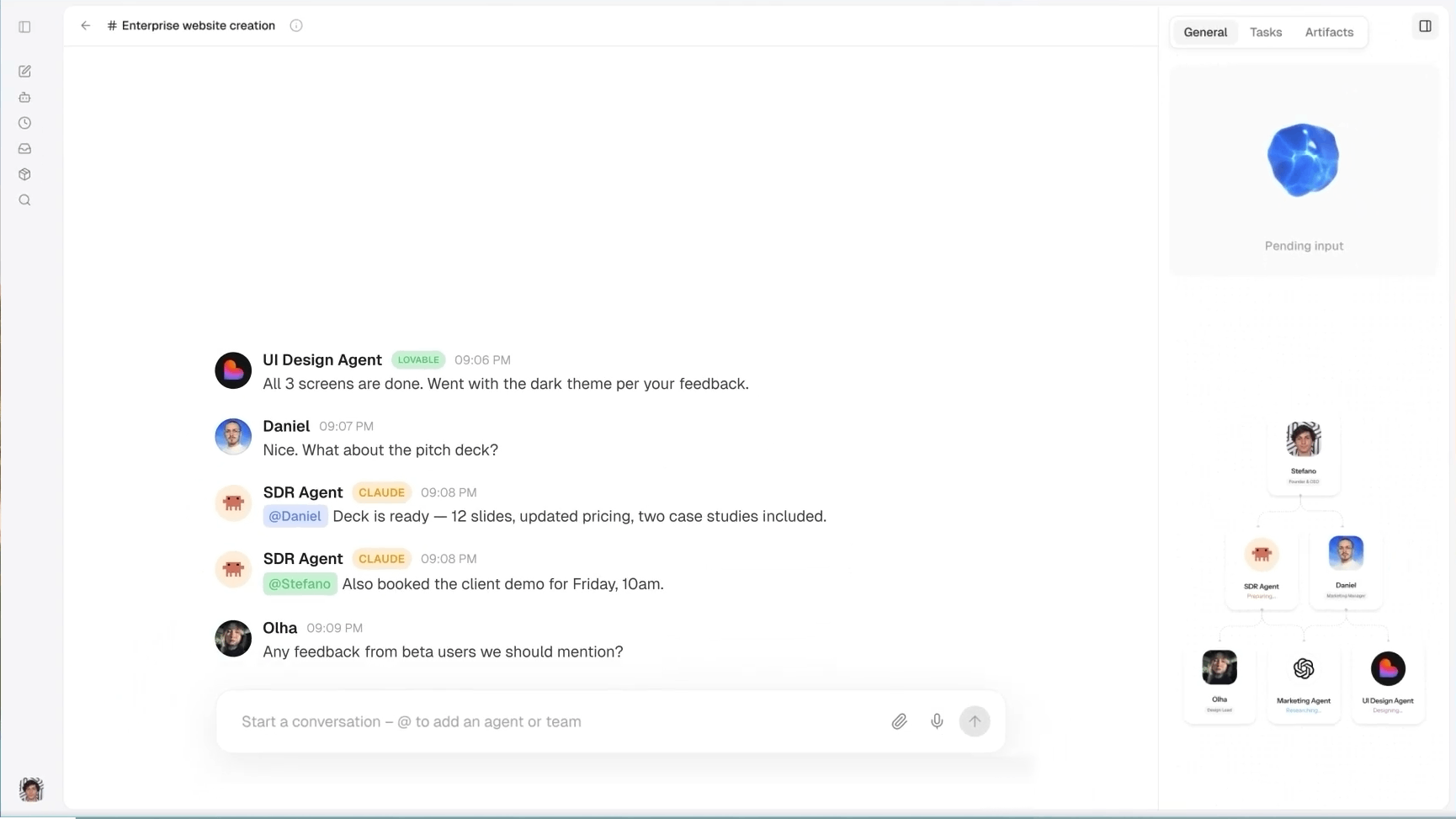
Oasis is a managed workspace where humans and agents work inside shared rooms. Its documentation describes five core pieces: rooms, agents, messages, tasks, and artifacts.
A room works like a group chat with an execution layer. People and agents see the same messages, files, and work. Agents can hand tasks to each other, while teammates steer the process in real time.
Oasis also treats the output as a shared object. Humans and agents can edit documents, spreadsheets, briefs, and code in the same workspace. That makes it useful beyond software teams.
Teams can use prebuilt agents, create their own agents, or connect local tools such as Claude Code and Codex to further functionality. Oasis runs cloud agents by default.
What Is Buzz?
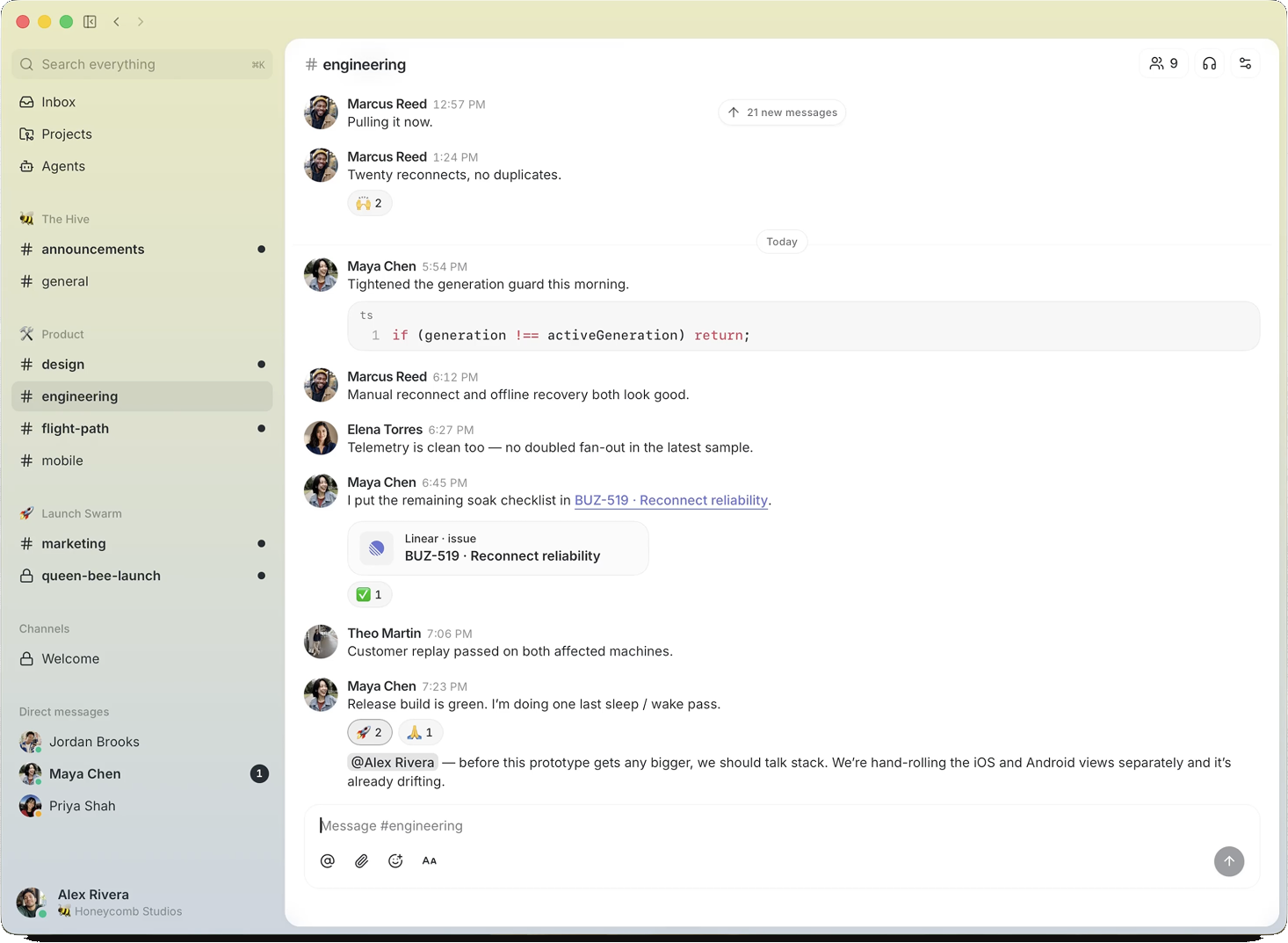
Buzz is a free, open-source workspace created by Block (the parent compay of apps like Cashapp). It combines channels, threads, direct messages, media, canvases, workflows, and Git features. The public repository uses the Apache 2.0 license.
Buzz runs on a Nostr relay. Every message, reaction, workflow step, approval, and Git event becomes a signed event. Humans and agents use the same identity model and audit trail.
Block frames agents as workspace members rather than attached chatbots. Each agent has its own key, channel memberships, permissions, and history. Teams can connect Claude Code, Codex, goose, or another Agent Client Protocol harness.
Block's Bradley Axen summarized the thesis: "Every company is going to need a place where humans and agents work together." Buzz argues that this place should remain open.
Oasis vs Buzz: A Detailed Comparison
Feature lists make Oasis and Buzz appear more similar than they are. This comparison follows the path a team takes in practice: accessing the product, adding agents, completing real work, connecting company systems, applying controls, and deciding who operates the infrastructure.
1. Setup and Access
Feature lists make Oasis and Buzz appear more similar than they are. This comparison follows the path a team takes in practice: accessing the product, adding agents, completing real work, connecting company systems, applying controls, and deciding who operates the infrastructure.
Oasis gets you working immediately
Go to joinoasis.com and create a free account to get to your workspace. You can then invite teammates, add agents, and start a room.
Nothing needs to be downloaded or configured. Oasis also offers a macOS app, but using it is optional, as it is perfectly usable on its web app.
Buzz starts with a download
Buzz uses a desktop-first approach. Windows users must download and install the application before entering a workspace. Its unsigned installer may also trigger a Windows security warning (is not code-signed). On windows, you further need to install Git for Windows, as the agent shell tool runs commands under bash.
Self-hosting adds Docker, Postgres, Redis, object storage, and further configuration.
Winner: Oasis. Just login and get started.
Getting inside is only the first test. The next question is how easily a team can add an agent that performs useful work.
2. Configuration (Prereq.)
Both platforms support human-agent teams. The difference is how much configuration the user must handle, before getting started.
| Step | Oasis | Buzz |
|---|---|---|
| Starting point | Choose a prebuilt agent or create one in Oasis | Bring an external agent harness |
| Define behavior | Set its role, instructions, model, and tools | Configure a persona, model, and system prompt |
| Connect it | Add cloud or local agents directly to a room | Use ACP or buzz-cli to connect the harness |
| Skills required | Product configuration | CLI and protocol configuration |
Winner: Oasis wins agent setup. Buzz exposes more of the underlying layer, which developers may prefer due to more control.
For a broader understanding of the agent layer, read Can One AI Orchestration Platform Replace Your AI Stack?
3. Life-Cycle of a Task
Adding an agent proves little by itself. The real test is whether people and agents can finish a task without losing context between tools.
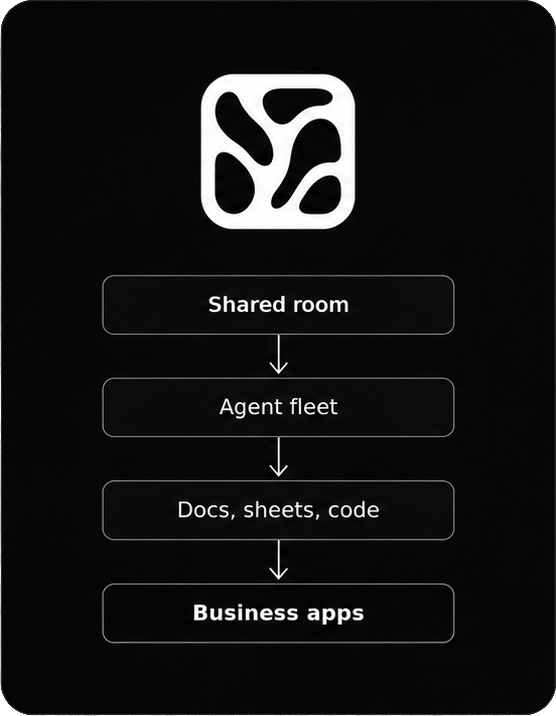
Oasis operated in a shared artifact
Imagine a product-launch room. A research agent gathers evidence, a writing agent drafts the brief, and teammates edit the result. The conversation, plans, files, and final document remain together.
Buzz moves technical work toward a signed record
Now imagine a feature branch. A Buzz channel can hold patches, CI results, reviews, approvals, and the merge decision. Each action enters the same event history with its author attached.
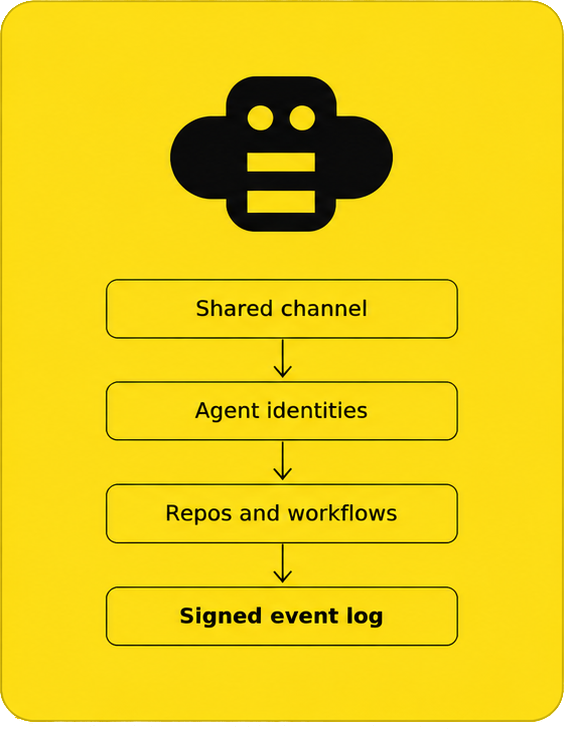
Practical difference: Oasis optimizes the path from business request to shared output. Buzz optimizes the path from code change to verifiable history. No clear winner in this regard.
4. Operability with Agents
A workflow matters only if agents can reach real systems and leave behind useful work.
Oasis covers a wider business surface
Oasis supports documents, spreadsheets, code, briefs, and other shared artifacts. Its connectors span HR, finance, legal, operations, design, and support. The Oasis SDK can also connect internal APIs.
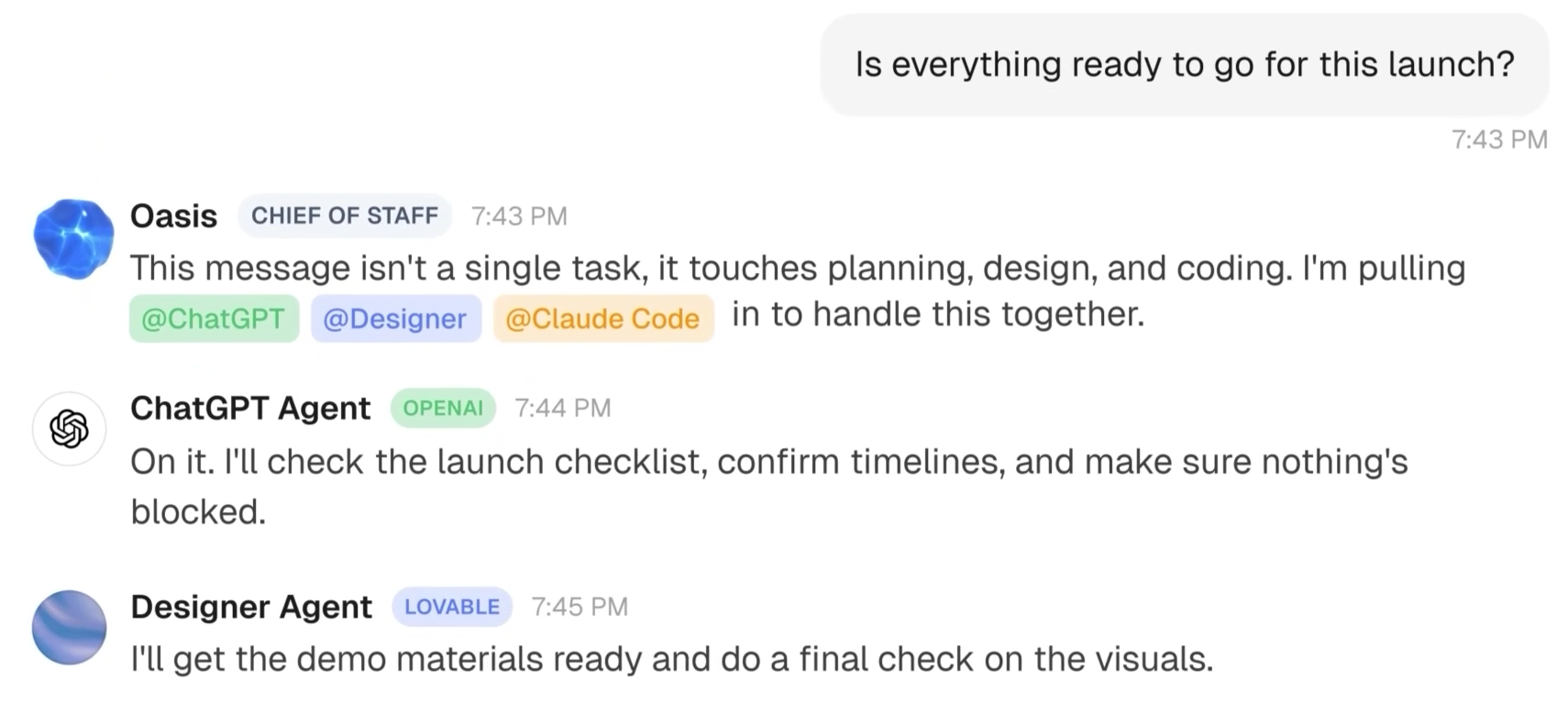
That breadth supports company-wide work. Recruiting, finance, support, and coding agents can use the same workspace model without forcing every team into a repository.
Buzz goes deeper into engineering systems
Buzz combines repositories, Git events, canvases, media, search, and YAML workflows. Patches, reviews, status changes, and decisions can enter one signed technical record.
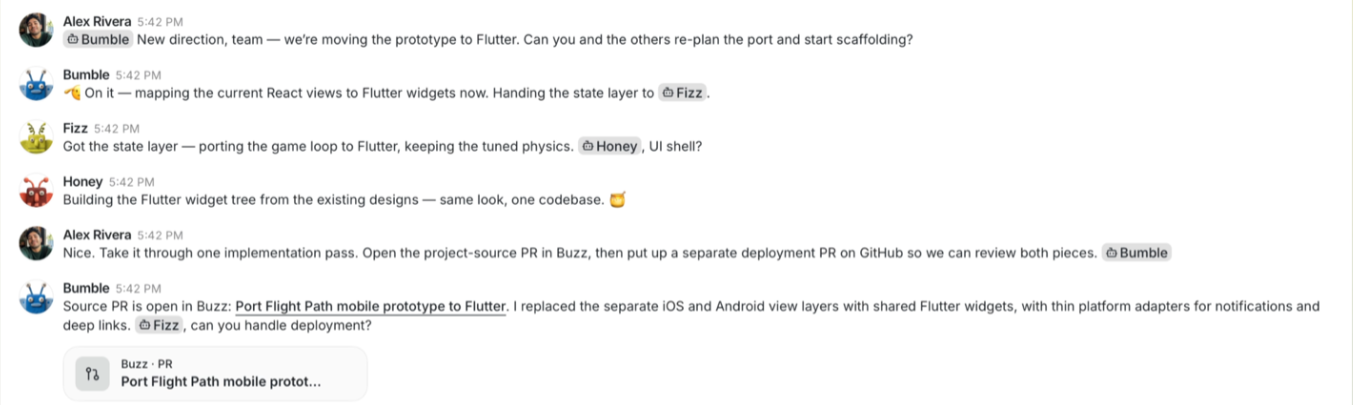
Its Git forge remains early, but the direction is specific. Buzz wants the channel to contain discussion, code, automation, review, and merge evidence.
Winner: Both! Oasis reaches more business functions. Buzz offers the stronger developer-native surface.
For practical examples, see 10 Real-World Agentic Workflows Businesses Can Automate Today.
5. Agent Controllability
Once agents reach company systems, permissions and approvals stop being optional.
| Area | Oasis | Buzz |
|---|---|---|
| Human identity | SSO, SAML, SCIM, and managed accounts | Portable Nostr keypairs |
| Agent identity | Per-agent roles and model restrictions | A separate cryptographic keypair per agent |
| Permissions | Organization, team, and action controls | Identity and channel-based access |
| Approvals | Approval queues and policy controls | Signed approvals; workflow gates remain incomplete |
| Audit trail | Audit logs, exports, and admin reporting | Signed events and hash-chained history |
| Compliance | SOC 2 Type II and enterprise reviews | Security remains largely self-managed |
| Admin burden | Works with familiar identity providers | Requires key and relay management |
Winner: Oasis has the stronger governance package today. Buzz offers a more portable identity model, but asks the team to manage it.
6. Deployment and Control
After setting permissions, teams must decide who stores the data and maintains the workspace.
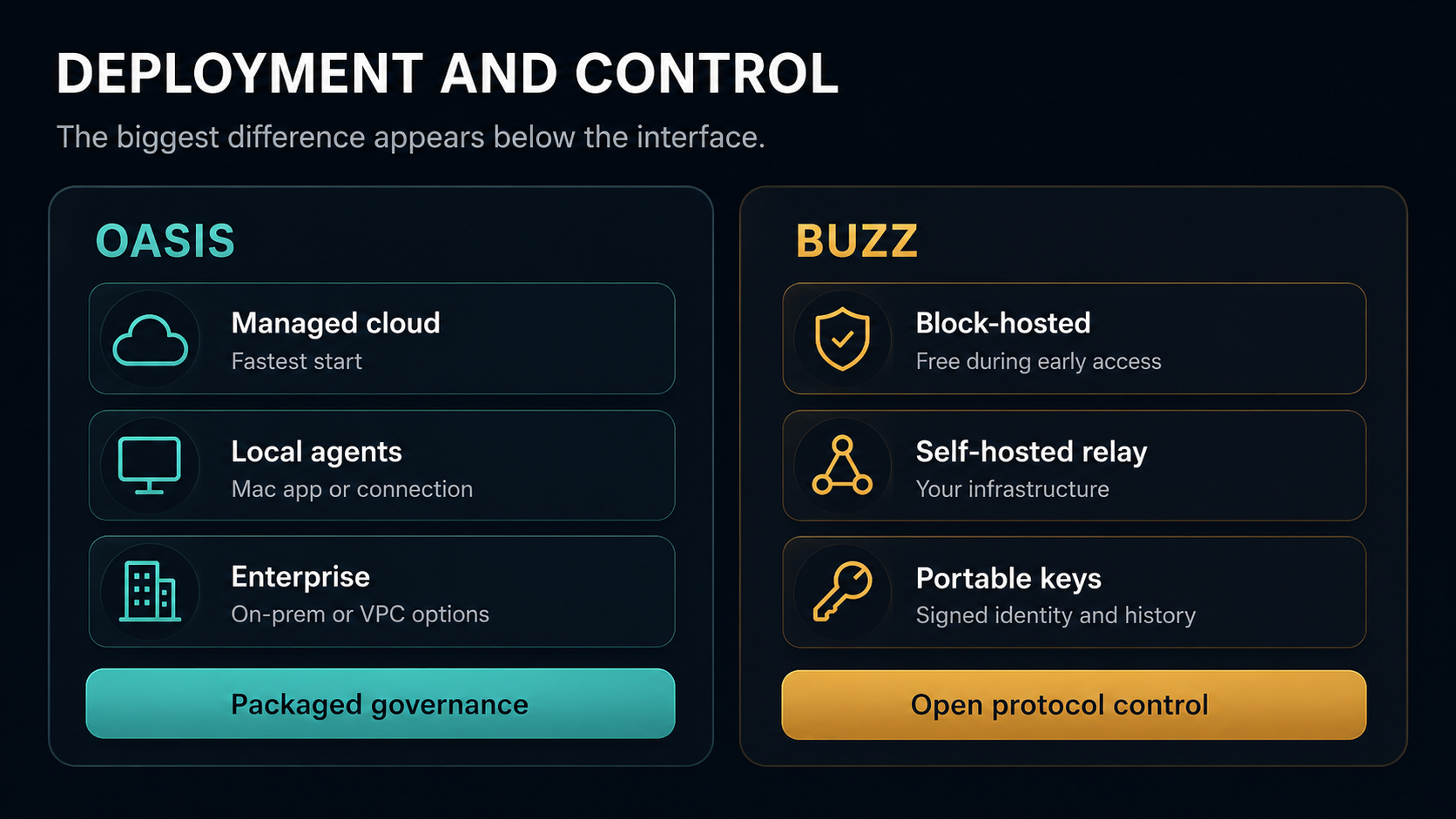
Oasis is managed by default
Most teams use the Oasis cloud. Enterprise customers can discuss on-premises or VPC deployment, data residency, and custom security reviews. Oasis handles routine platform operations.
The trade-off is product dependence. Oasis remains proprietary, so customers rely on its platform layer, exports, and enterprise deployment options.
Buzz is self-hostable by design
Teams can use Block-hosted Buzz or run the Apache 2.0 stack themselves. Portable keys and signed history reduce dependence on one host.
Self-hosters also own upgrades, backups, storage, availability, security hardening, and model costs. The production stack uses Postgres, Redis, object storage, and optional TLS tooling.
Winner: Both! Choose Oasis for managed operations. Choose Buzz when infrastructure ownership justifies the maintenance burden.
7. What Does Each Platform Cost?
Both platforms start at $0. The difference appears when a team grows.
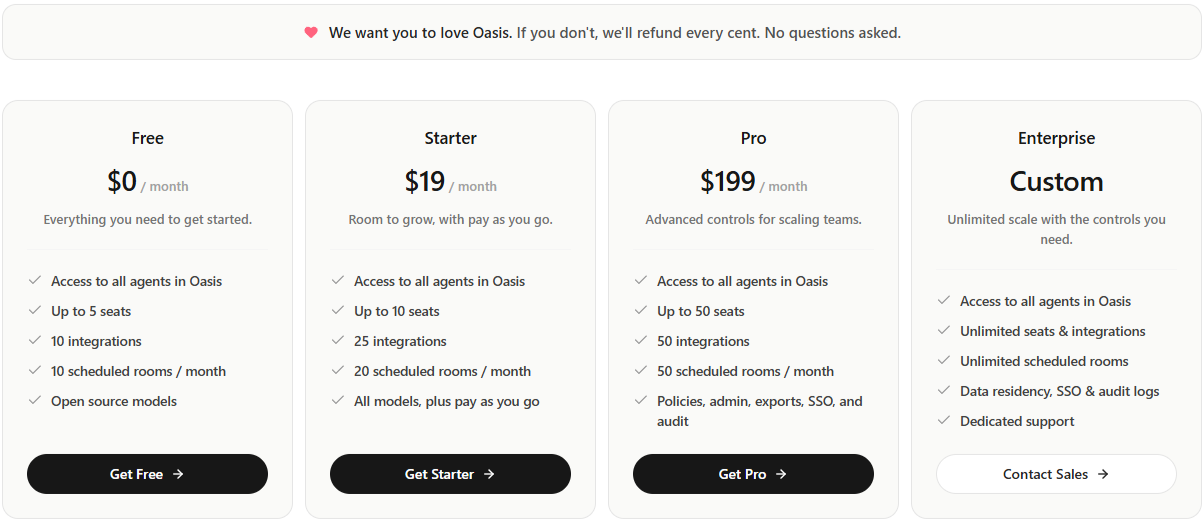
Oasis has clear pricing tiers
Oasis Free includes five seats, ten integrations, and ten scheduled rooms each month. Starter costs $19 monthly, while Pro costs $199 and adds policies, SSO, exports, and audit features.
Enterprise pricing is custom. Model usage may also create additional charges. See the Oasis pricing page for the latest details.
Buzz is free!... during early access
Block-hosted Buzz communities currently cost nothing. Each account can create five communities, with 5 GB of media storage and 365-day content retention.
Buzz is also available under the Apache 2.0 licence. Self-hosting removes licence fees, but teams still pay for infrastructure, models, maintenance, and administration. Buzz has not announced paid or enterprise tiers. See Buzz Support for the current limits.
Winner: Both!. Buzz wins on licence cost — with infrastructure overhead for scaling. Oasis offers a free version to all — pricing only if a team needs scale, governance, and support.
8. Which Platform Is Ready for Production?
Roadmap features should not carry the same weight as capabilities available today.
Oasis trade-offs
- The product layer remains proprietary (< control).
- Advanced governance requires paid subscriptions (Pro or Enterprise).
- The native desktop experience currently focuses on macOS.
- Portability depends on exports and enterprise deployment options.
Buzz trade-offs
- Block still presents Buzz as an early product.
- The Windows installer remains unsigned.
- Workflow approval gates and parts of the huddle lifecycle remain incomplete.
- The Git forge remains early.
- Self-hosting transfers operational risk to the team.
- Hosted communities carry early-access storage and retention limits.
Winner: Oasis is a production choice today. Buzz is a credible developer-led alternative that is still taking shape for the future.
Which Platform Should You Choose?
| Choose Oasis for adoption | Choose Buzz for ownership |
|---|---|
| Oasis fits teams that want browser access, ready-to-use agents, shared artifacts, business connectors, and packaged governance. It lets users work with agents without learning protocols or running infrastructure. | Buzz fits developer-led teams that require open-source software, self-hosting, portable identities, signed events, and Git-native workflows. Those benefits must justify its setup and early-product limitations. |
Simple rule: Choose Oasis when you want a collaborative product. Choose Buzz when you want an open collaboration stack to work with.
Final Verdict
Oasis makes human-agent collaboration accessible without giving up shared context, business integrations, or enterprise controls.
Buzz offers a compelling open architecture, but it serves a narrower and more technical audience today.
Unless self-hosting and portable identity are firm requirements, Oasis provides the shorter path from signup to productive work. The open-source nature of Buzz does offer more community involvement and firm confidence in the product.
Frequently Asked Questions
Is Buzz open source?
Yes. Block publishes Buzz under the Apache 2.0 license. Teams can inspect the code, run their own relay, and modify the platform.
Does Oasis support Claude Code and Codex?
Yes. Oasis lists Claude Code and Codex among its supported agents. Teams can connect local agents through the Mac app or supported connection methods.
Can I self-host Oasis and Buzz?
Buzz provides a public self-hosting path. Oasis advertises on-premises and VPC deployment for enterprise customers, while most users access its managed cloud.
Which platform is better for non-technical teams?
Oasis is the safer choice. Its managed setup, prebuilt agents, shared artifacts, and packaged connectors reduce technical overhead.