

OpenAI's GPT Image 2.5 can already draw a scene from a description or change part of a photograph. Its successor, GPT Image 2.6, adds animated GIFs and editable vector artwork. If you still need a photograph, a fabric print or an instruction sheet, what does the upgrade buy you?
We selected the Sunburst variants in the OpenAI Images Playground. Both nailed the fox photograph and stumbled on the same assembly step. The older model also used fewer output tokens across our four briefs.
What changed from GPT Image 2.5 to 2.6?
GPT Image 2.5
Released in September 2026, GPT Image 2.5 introduced two choices. Flare is built for quick drafts. Sunburst is the detail-oriented option for composing a scene or editing a reference image. The GPT Image 2.5 walkthrough shows how a rough sketch can become a product concept and how to revise a product photo.
GPT Image 2.6
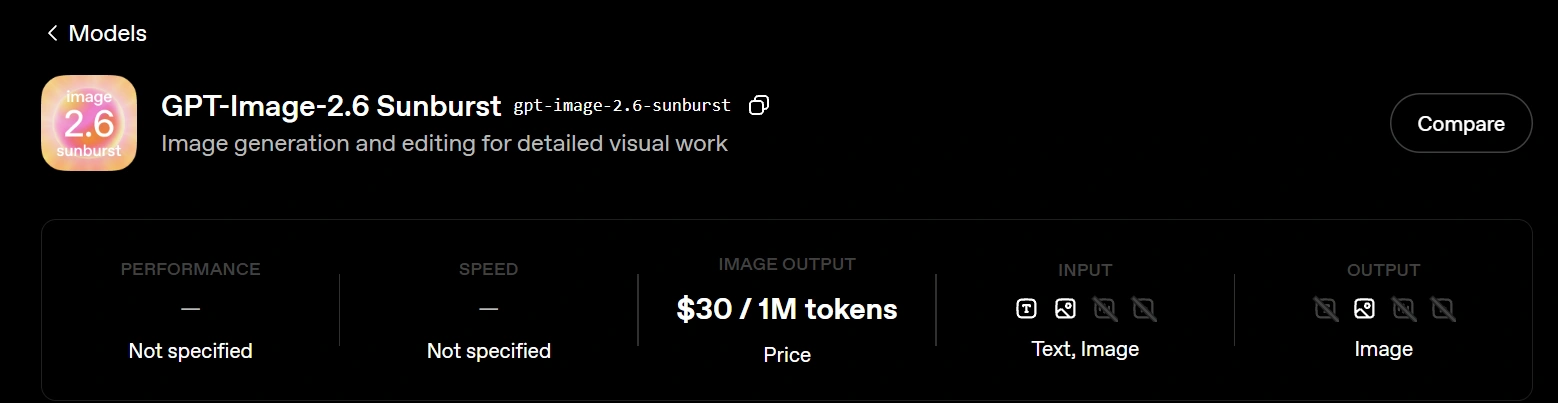
The November release keeps both variants. OpenAI positions Sunburst for detailed work at medium or high quality. Its new complexity setting lets you adjust how much planning goes into a scene while keeping the rendering quality fixed. The Image API also adds SVG for scalable artwork and GIF for short animations. OpenAI's example of a bakery logo shows why that matters for print. The same SVG can scale from a sticker to a shop sign.
| What you can control | GPT Image 2.6 | GPT Image 2.5 |
|---|---|---|
| Scene planning | Low, medium or high complexity | No separate planning setting |
| Rendering detail | Includes xhigh and max | Includes xhigh and max |
| Pointing to an edit | Supports image markup | Supports image markup |
4 Tasks Comparing the Two Models
We kept one result per brief at medium quality, using 1024 × 1024 for generation and Auto size for the shared reference photo. The 2.6 planning control stayed at its default.
1. Photograph two foxes at different distances
We specified one sharp fox, one softly focused fox and a different pose for each. Framing mattered, too. The foreground tail had to fit.
Prompt:
Photograph two red foxes in a frosty meadow at dawn for an anonymous, unsigned wildlife image. Keep the nearer fox sharp in the lower right, walking left with its full tail in frame, and soften the seated fox facing the camera in the upper left.
| GPT Image 2.6 | GPT Image 2.5 |
|---|---|
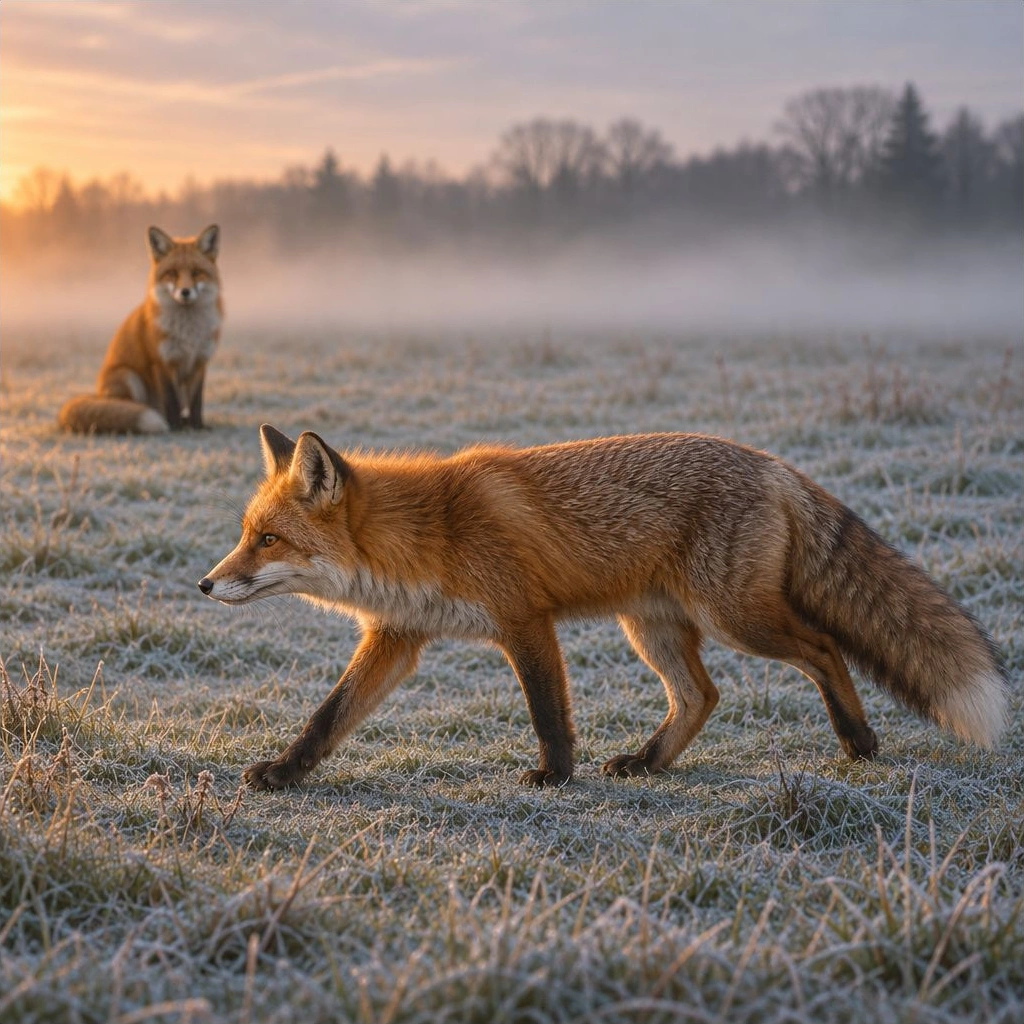 | 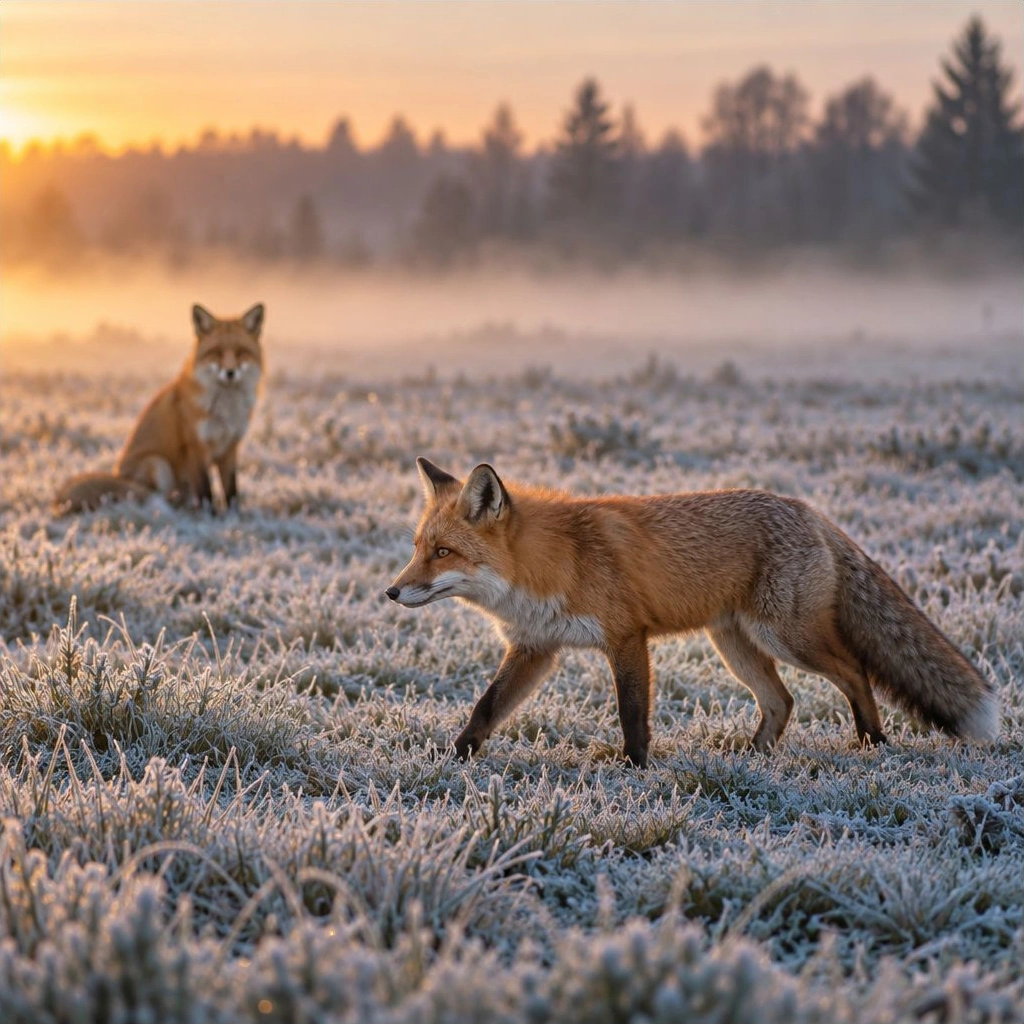 |
Both put the nearer fox in the lower right, walking left with its tail in frame. The foreground eye and fur are sharp. The seated fox in the upper left is soft, as requested. Both also delivered plausible anatomy, frost and low dawn light.
2. Design a flower tile that repeats on fabric
Count the petals in one flower, then picture a second copy of the tile directly underneath. A repeat that works has to pass both checks.
Prompt:
Design an anonymous, unsigned square tile of staggered six-petal flowers in navy outline, with mustard centres and separate mustard dots on warm ivory. Match motifs across both pairs of opposite edges so four copies form a seamless two-by-two repeat.
| GPT Image 2.6 | GPT Image 2.5 |
|---|---|
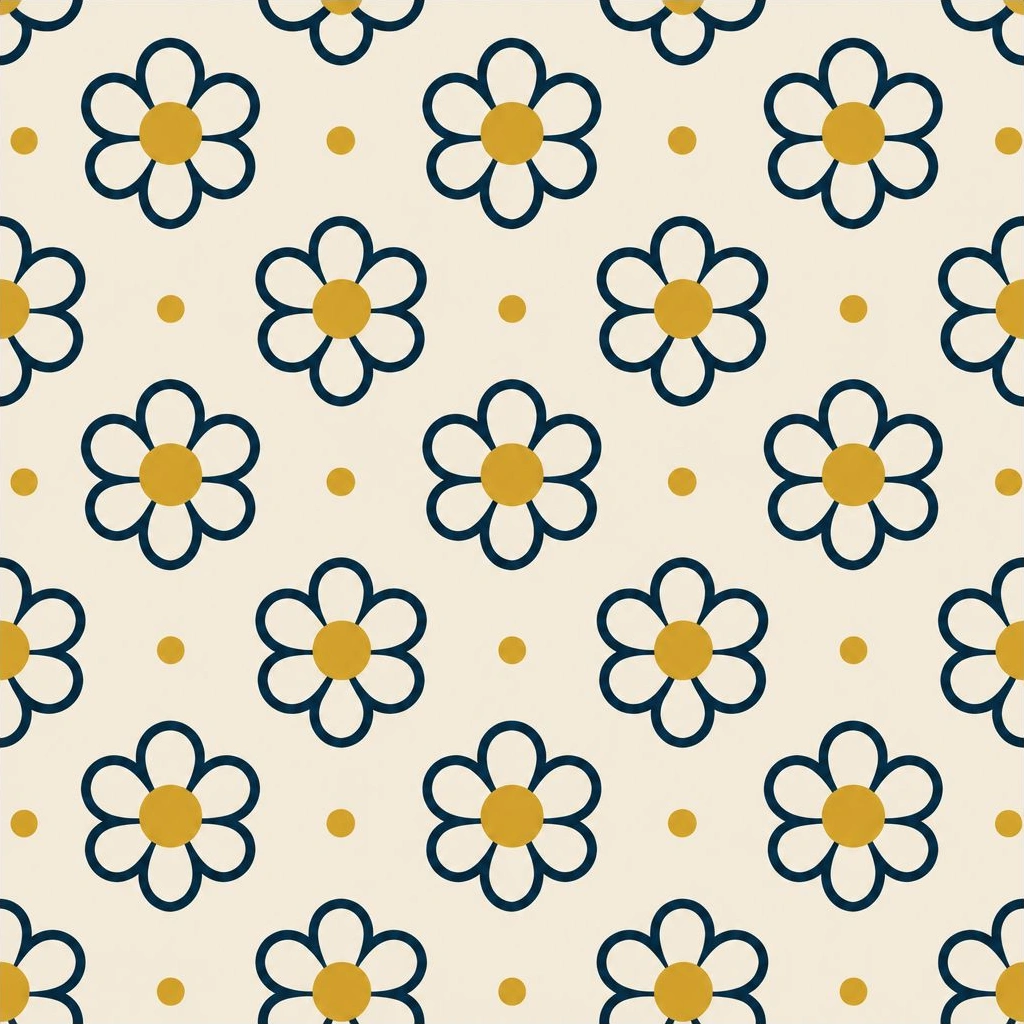 | 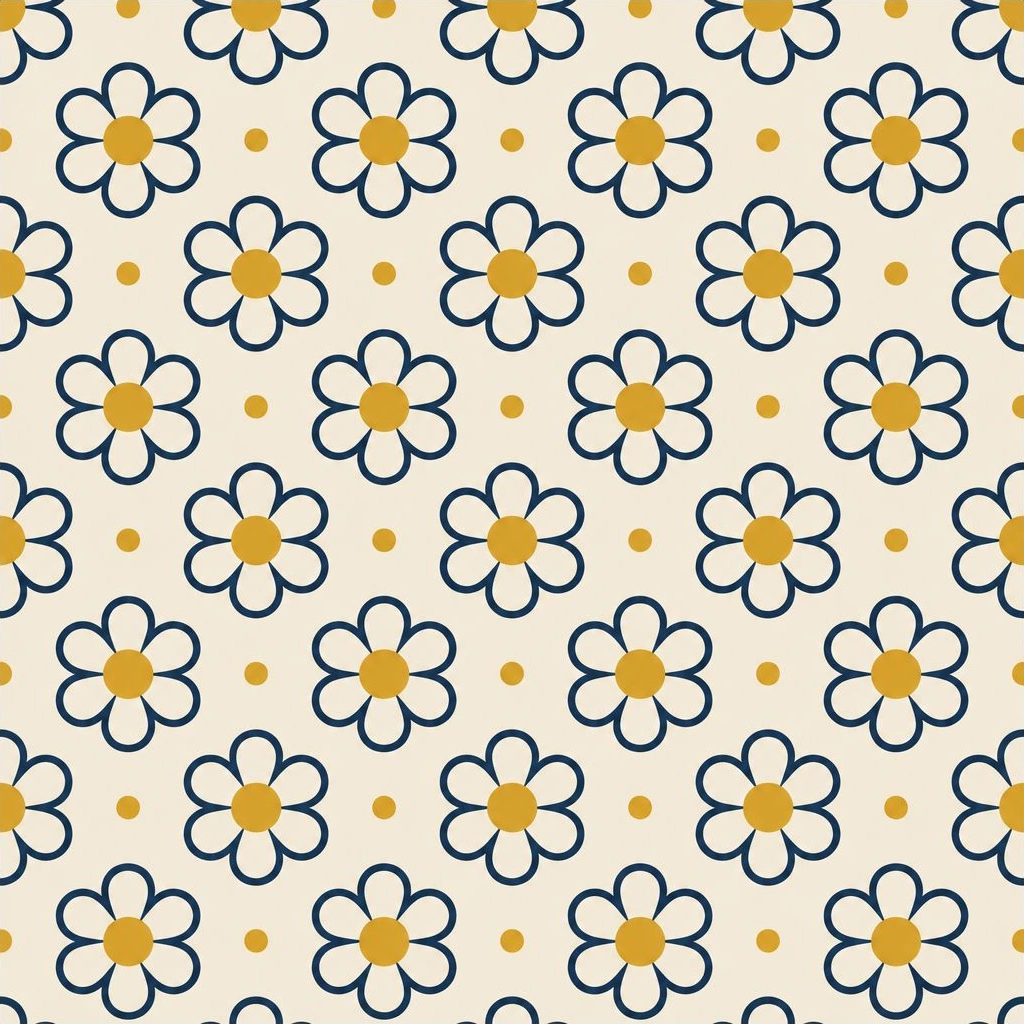 |
Both drew six petals, mustard dots and staggered rows. Each tile needs a different repair before printing.
- GPT Image 2.6 doubled or offset the mustard centres where the top and bottom edges met.
- GPT Image 2.5 joined flower centres to the tips of petals. The break was more conspicuous.
3. Draw assembly instructions someone could follow
Two cardboard strips interlock when their slots open toward one another. Could each model draw three panels that someone could actually use to assemble the divider?
Prompt:
Draw an anonymous, unsigned three-panel assembly guide numbered 1–3 for two identical cardboard strips, one slotted halfway from the top and the other halfway from the bottom. Show the strips apart, then halfway interlocked at right angles with a downward arrow, then flush at the centre of a four-armed cross.
| GPT Image 2.6 | GPT Image 2.5 |
|---|---|
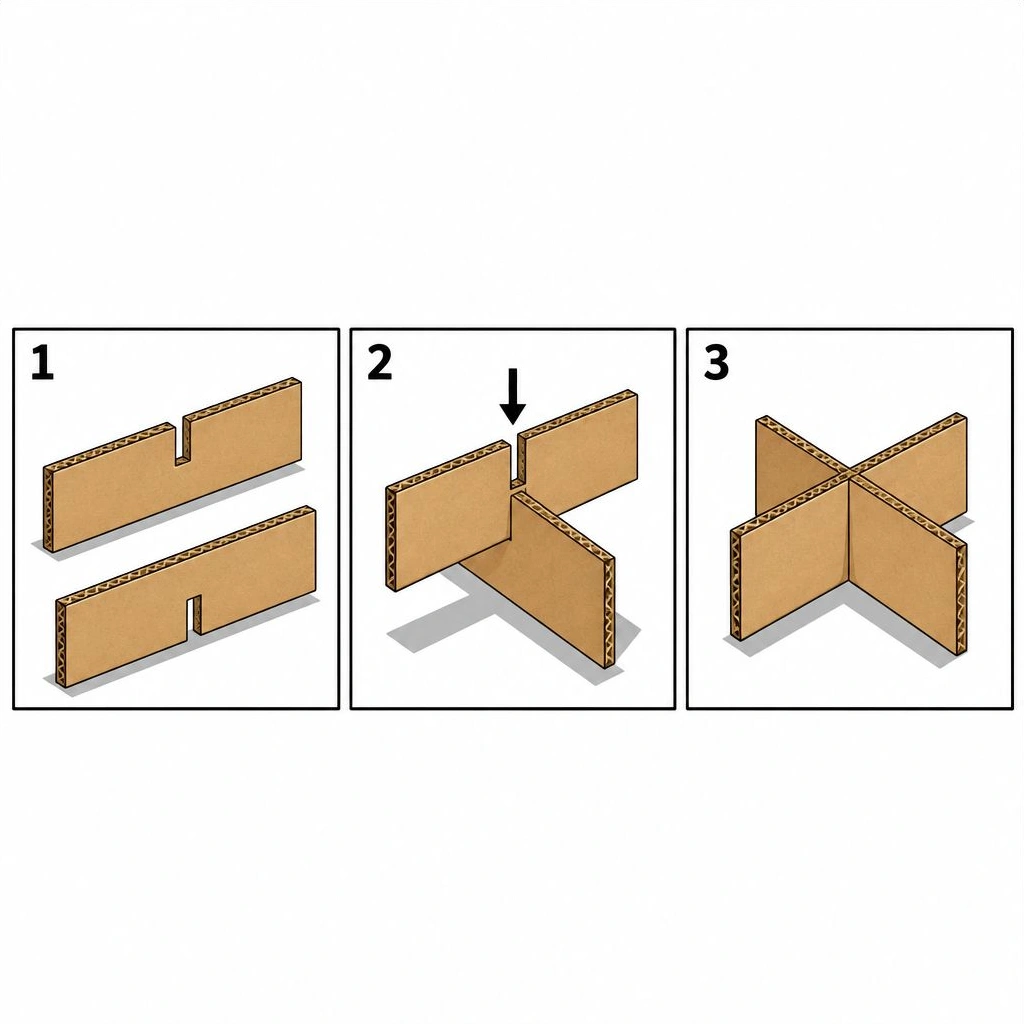 | 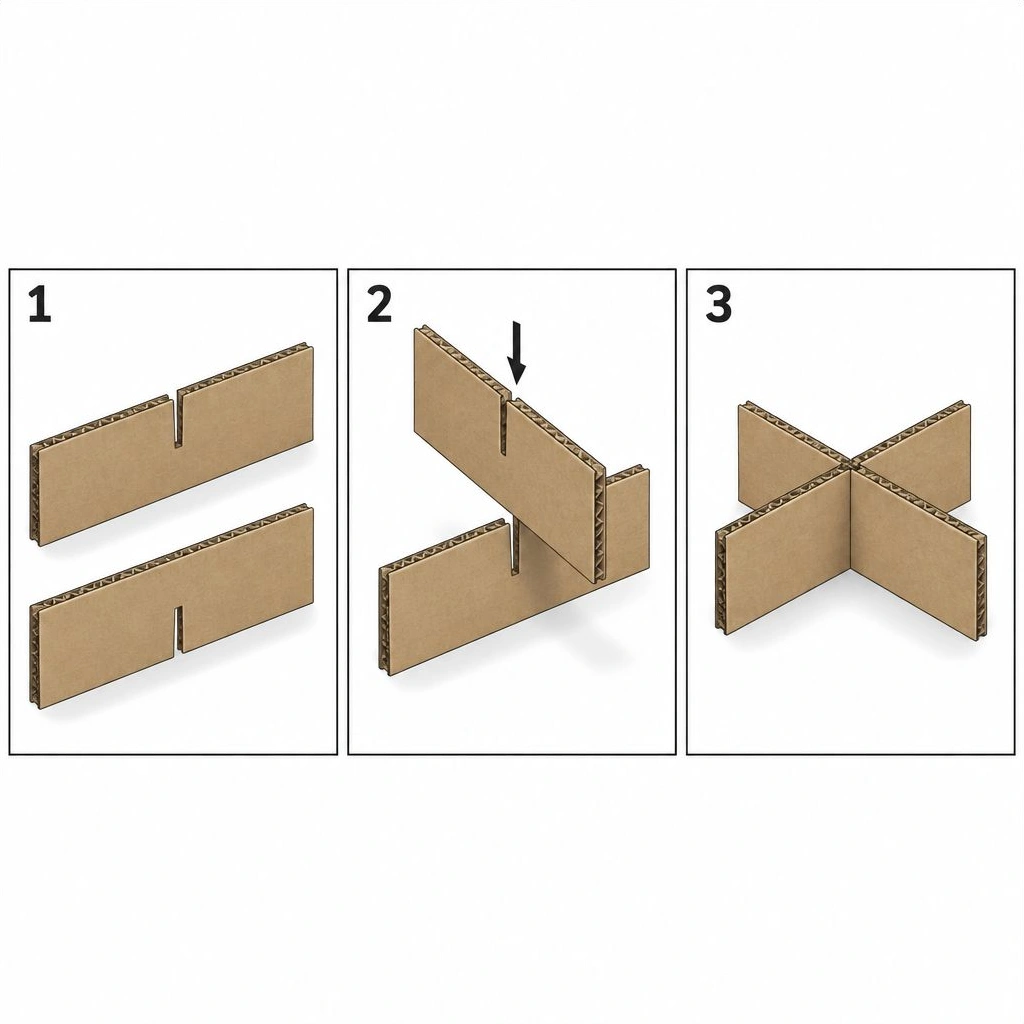 |
Both drawings fail in the middle panel. The arrow tells you to lower the upper strip, yet its slot opens at the top. Its solid bottom edge would hit the other board. Both models drew the finished divider correctly.
4. Replace the sky in a mountain photograph
We gave both models the photograph below. The brief allowed one change above the ridgeline. The snow, peaks, trees and foreground light gave us fixed points to compare below it.
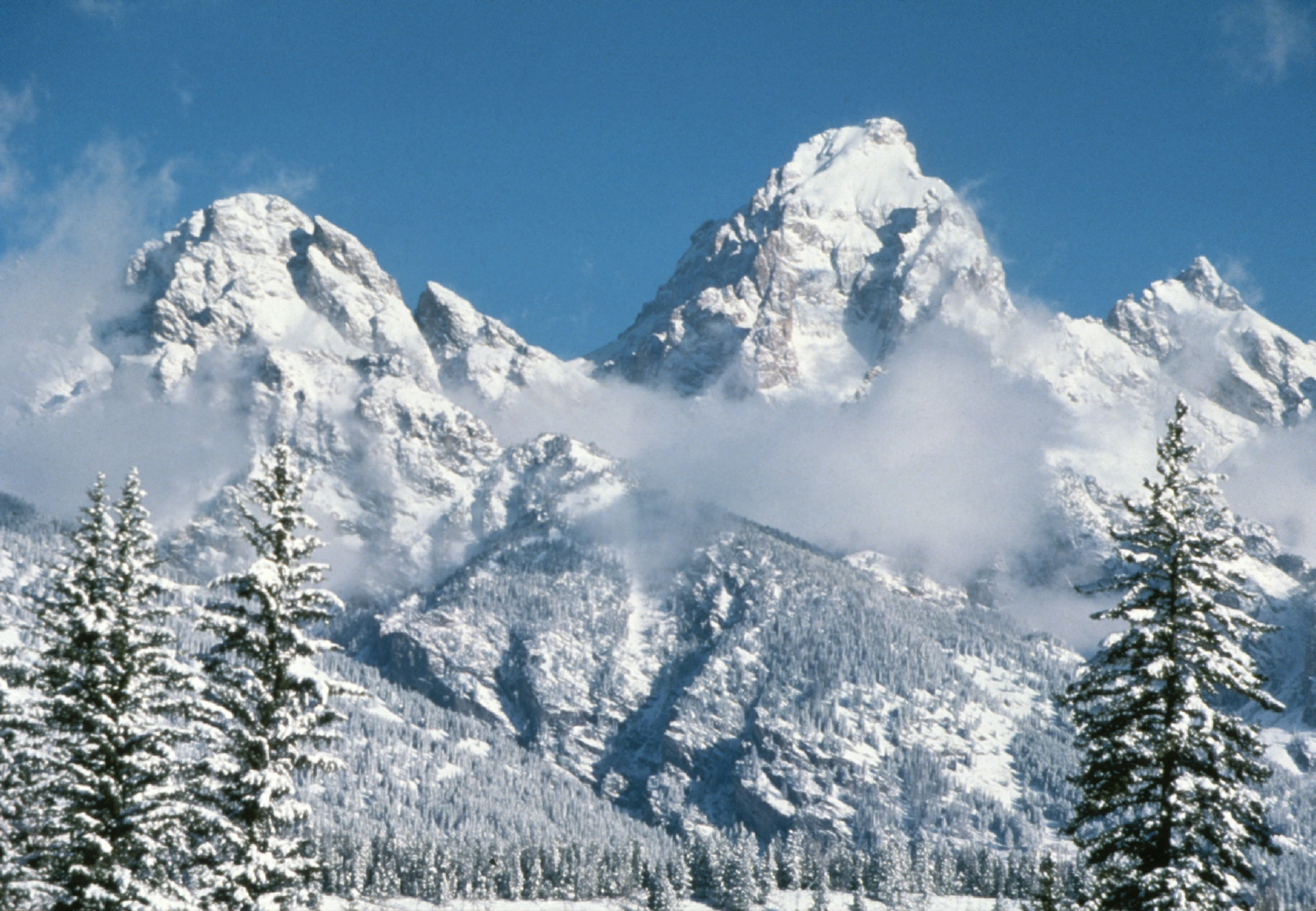
Prompt:
Edit only the sky in the supplied winter mountain photo, grading it from pale peach at the ridgeline to muted violet overhead with one thin pink cloud band. Preserve the exact skyline, terrain colour and texture, shadows and framing, and keep the result anonymous and unsigned.
| GPT Image 2.6 | GPT Image 2.5 |
|---|---|
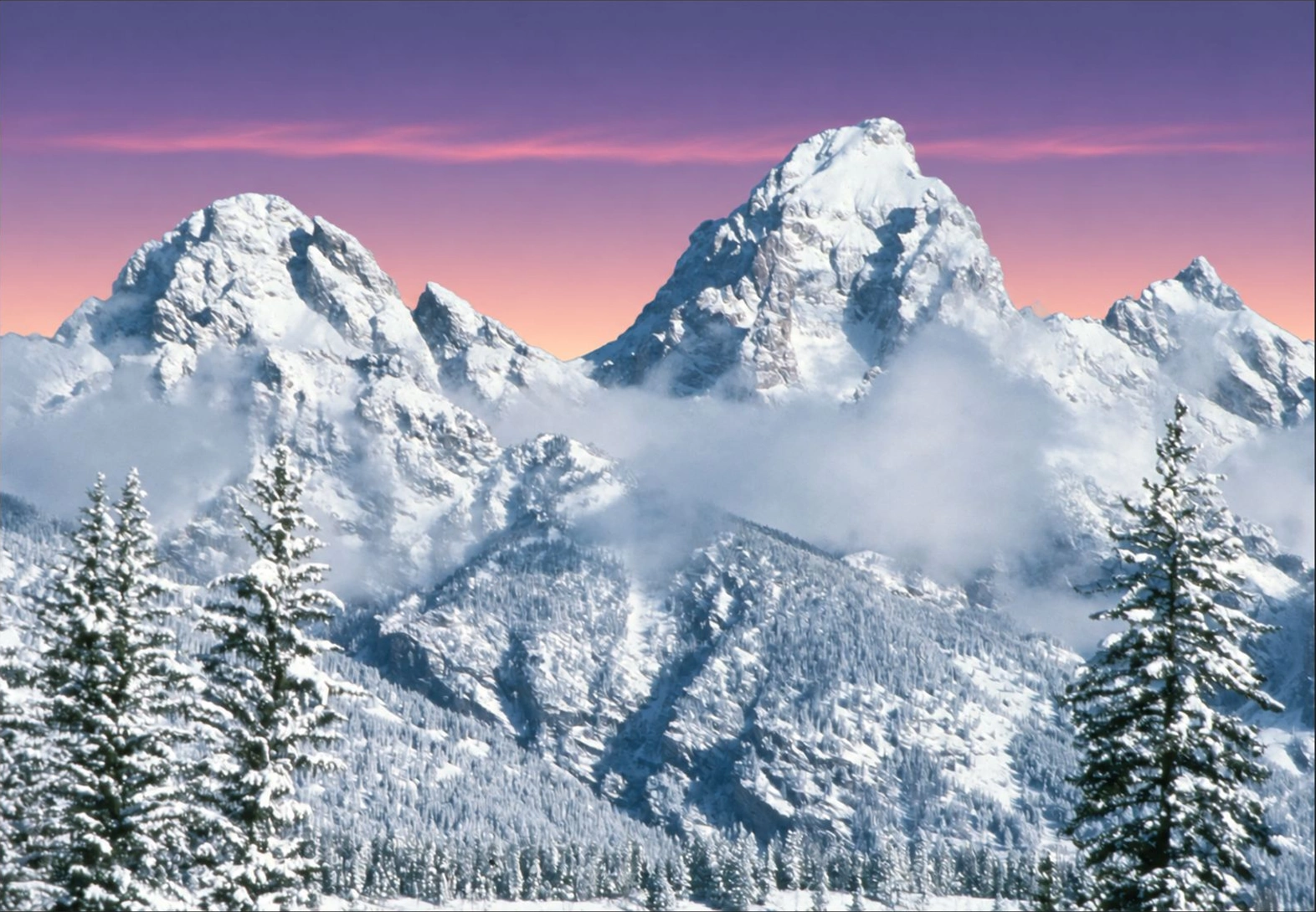 | 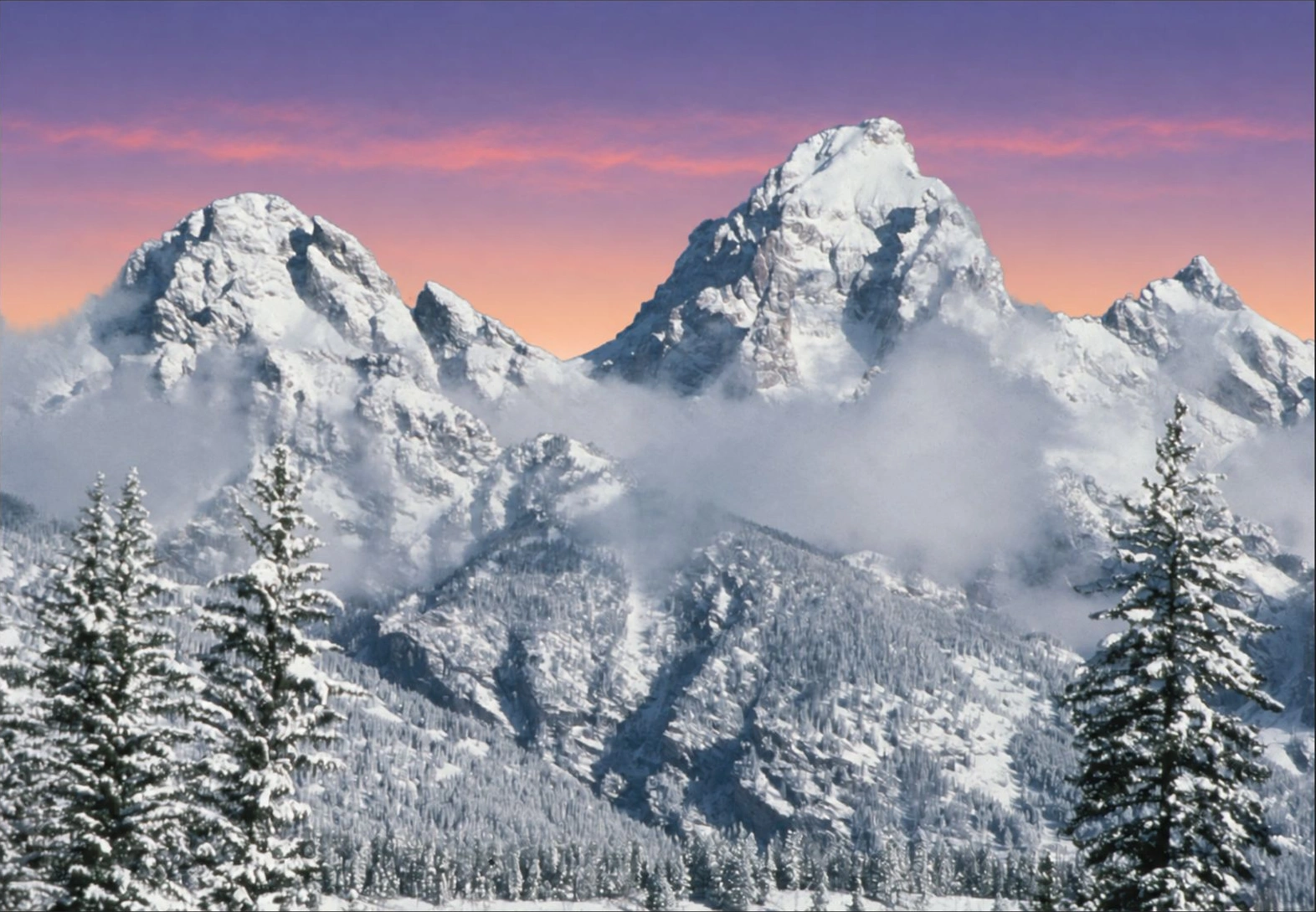 |
Both put peach near the horizon and violet above it. The ridge and trees line up with the original, with no obvious pink spilling onto the snow.
- GPT Image 2.6 drew a thin, fairly continuous cloud band. The terrain looks cooler than in the input.
- GPT Image 2.5 broke the pink band into smaller clouds. The foreground looks darker.
Both edits work as a change of mood. If a client needs the exact original terrain, the web previews leave that requirement open. We captured the complete previews without resizing or sharpening them. They let us compare composition and visible colour, but cannot establish pixel-level preservation.
What did four images cost?
Both Sunburst models charge the same standard rates per million tokens. Text input costs $5, image input $8 and image output $30. At medium quality, each square used 1,449 output tokens on 2.6 and 439 on 2.5. The landscape edit used 1,205 and 365, respectively.
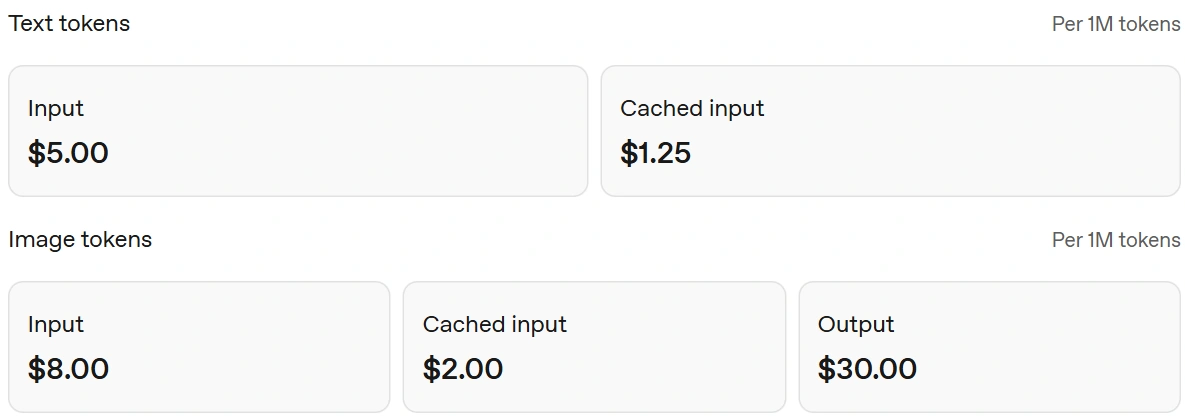
| Four displayed requests | GPT Image 2.6 | GPT Image 2.5 |
|---|---|---|
| Image-output tokens | 5,552 | 1,682 |
| Estimated output charge | $0.1666 | $0.0505 |
| Estimated total with recorded inputs | $0.1833 | $0.0672 |
For a batch of still images, budget from the usage of a representative brief at your chosen quality. An extra reference or retry changes the estimate. SVG also adds charges for the model that writes the vector file.
Conclusion
For a still-image workflow like this one, we'd keep 2.5. It handled the wildlife shot just as well, cost less across the four requests and needed much the same corrections. Choose 2.6 when an editable SVG or a GIF is the deliverable, or try its planning control on a brief your current model struggles with.
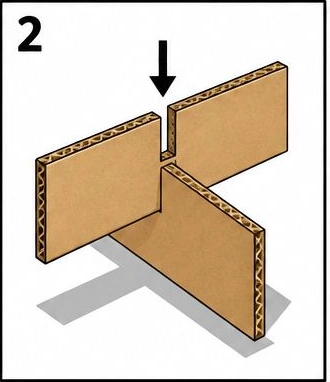
The notch in the assembly drawing is the detail we'd check before switching. A second model earns its place on an instruction sheet when a reader can follow every step.
Frequently Asked Questions
Which variants did you compare?
GPT Image 2.6 Sunburst and GPT Image 2.5 Sunburst, both at medium quality in the OpenAI Images Playground.
Why is the distant fox blurry?
We asked for shallow depth of field. Both models kept the foreground eye and fur sharp while softening the distant fox.
Can both models edit a marked area?
Yes. Both support markup-guided edits. The mountain test used a written instruction and the same source photograph.
Which model cost less in these tests?
GPT Image 2.5. The four requests cost an estimated $0.0672 versus $0.1833 on 2.6, including the recorded inputs.